Overview:
Creating a trade creditor control account in N3 AI Accounting (formerly QNE AI Cloud Accounting) enables effective management of accounts payable, ensuring accurate financial tracking and supplier management within your business operations.

Solution:
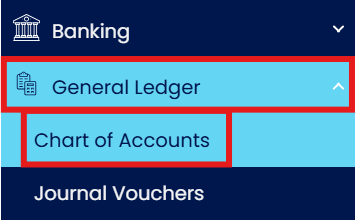
Expand General Ledger > Press 'Chart of Account'
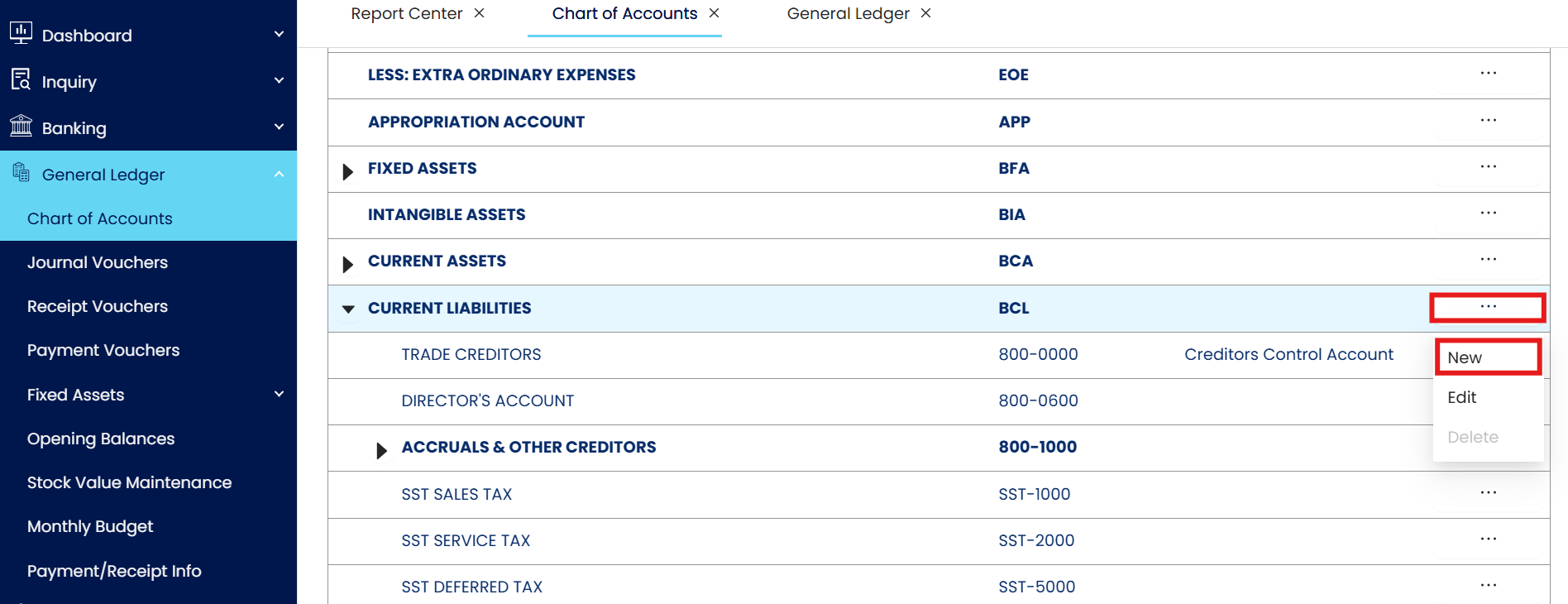
Press 3 dot Button which next to Current Assets > then Press 'New'.
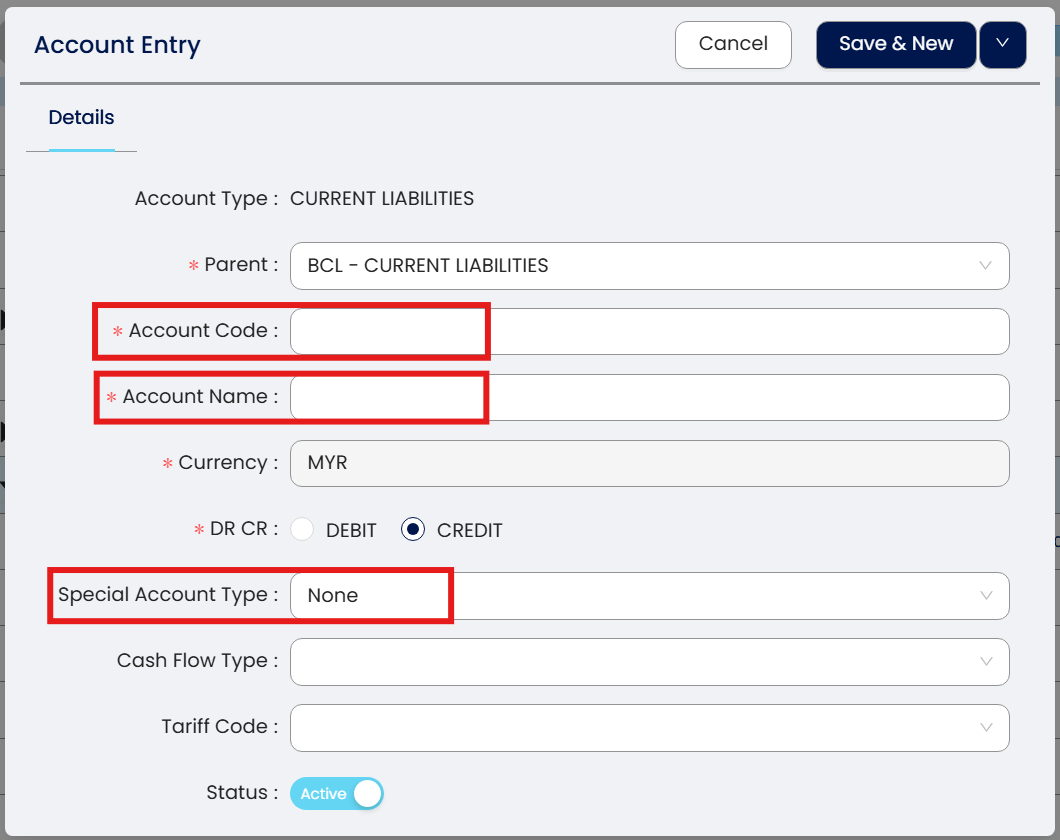
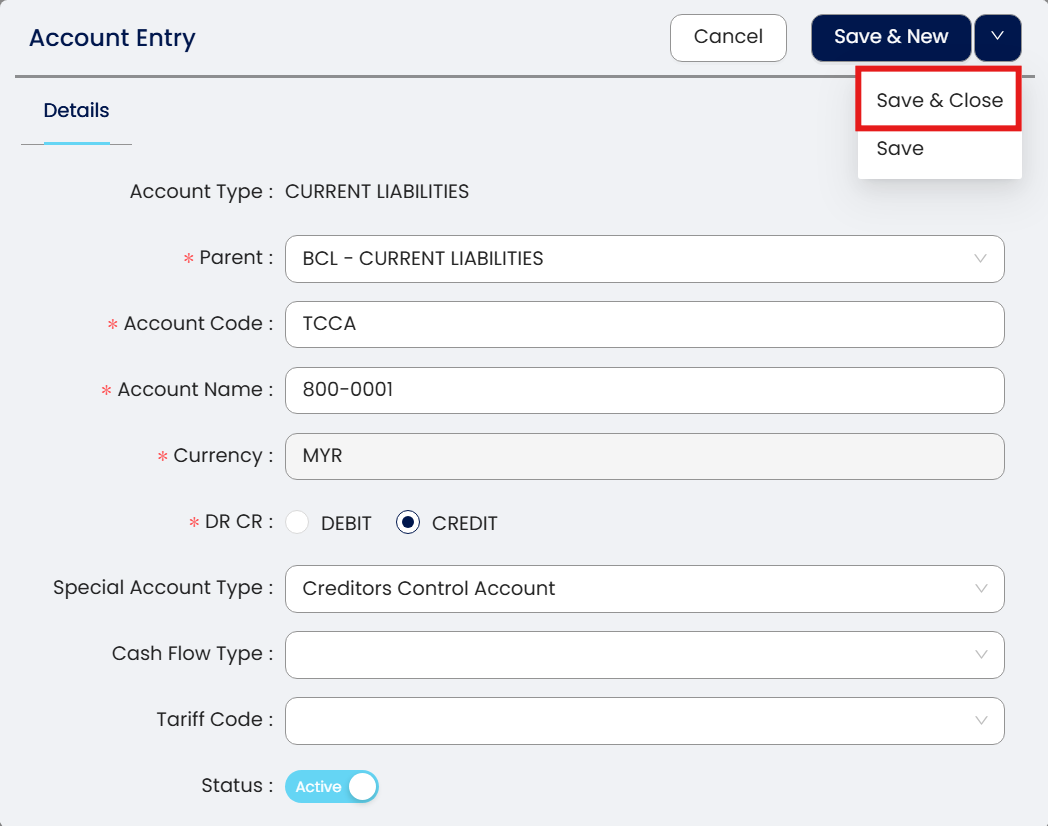
After Press New > Below Screen will prompt out, Please Fill in
Account Code
Account Name
Special Account Type
Note: Special Account type please select Creditors Control Account.
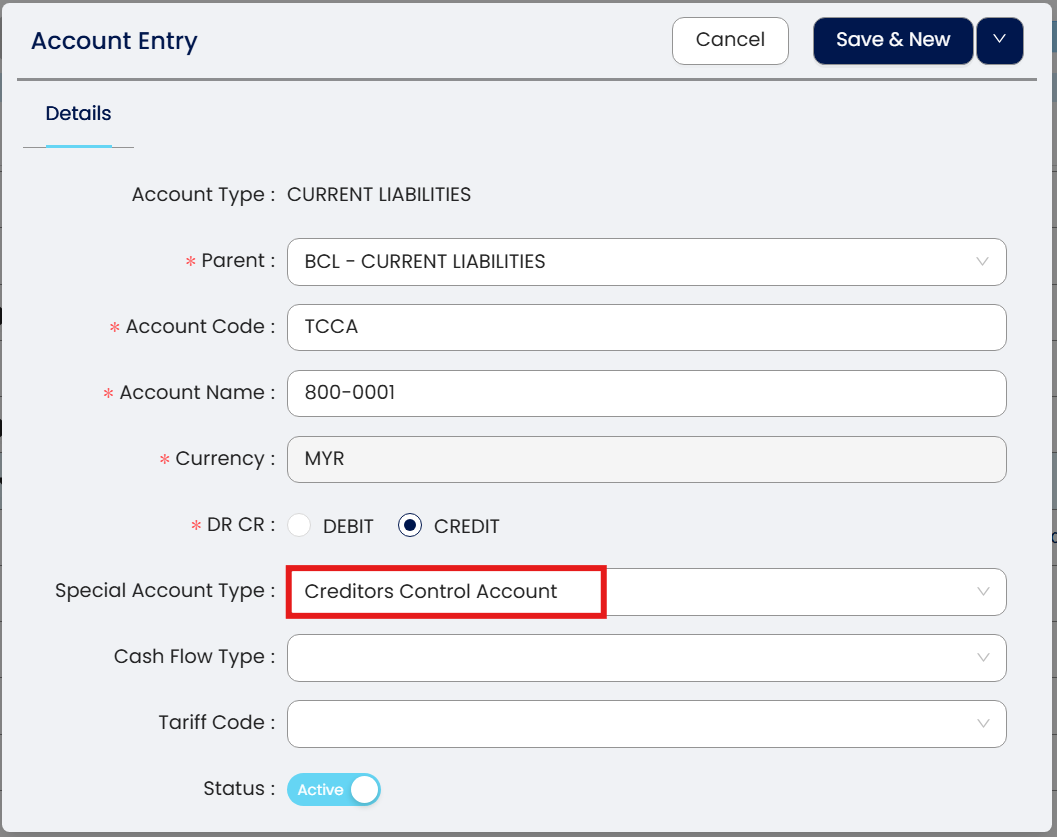
drop down Press Save and Close.
Done!
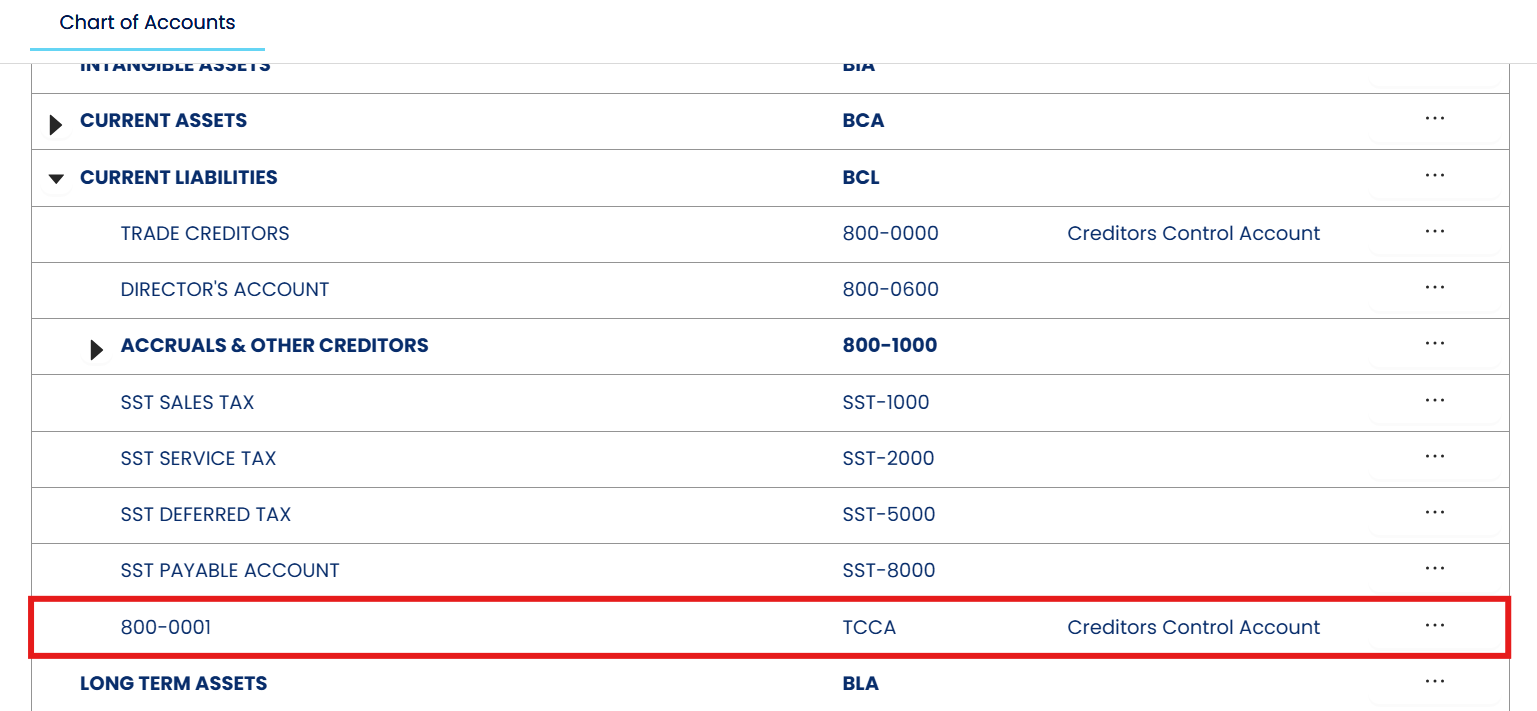
Result.
** Learn more about Azure Cloud
** Learn more about QNE Hybrid Cloud Software
System Scope: QNE AI Cloud Accounting / N3 AI Accounting
Was this article helpful?
That’s Great!
Thank you for your feedback
Sorry! We couldn't be helpful
Thank you for your feedback
Feedback sent
We appreciate your effort and will try to fix the article
