Scenario:
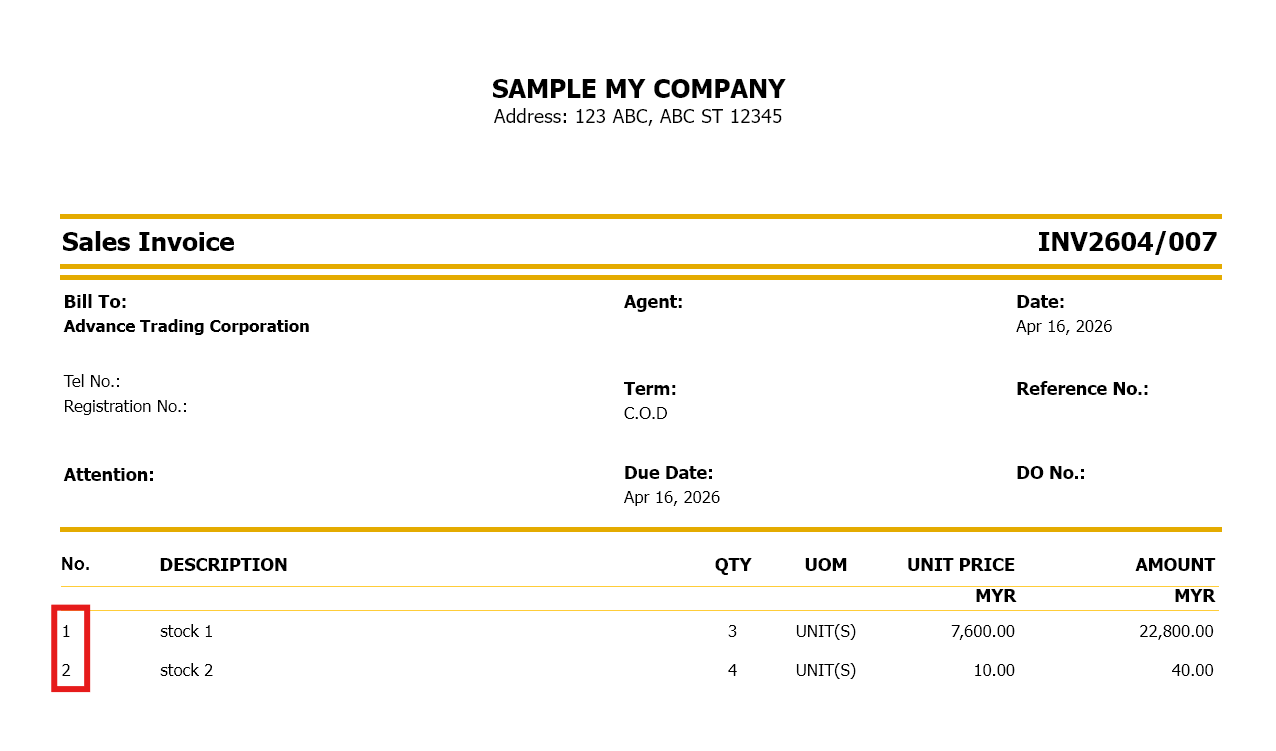
User want to show auto numbering in front of stock item in sales invoice like below picture
Solution:
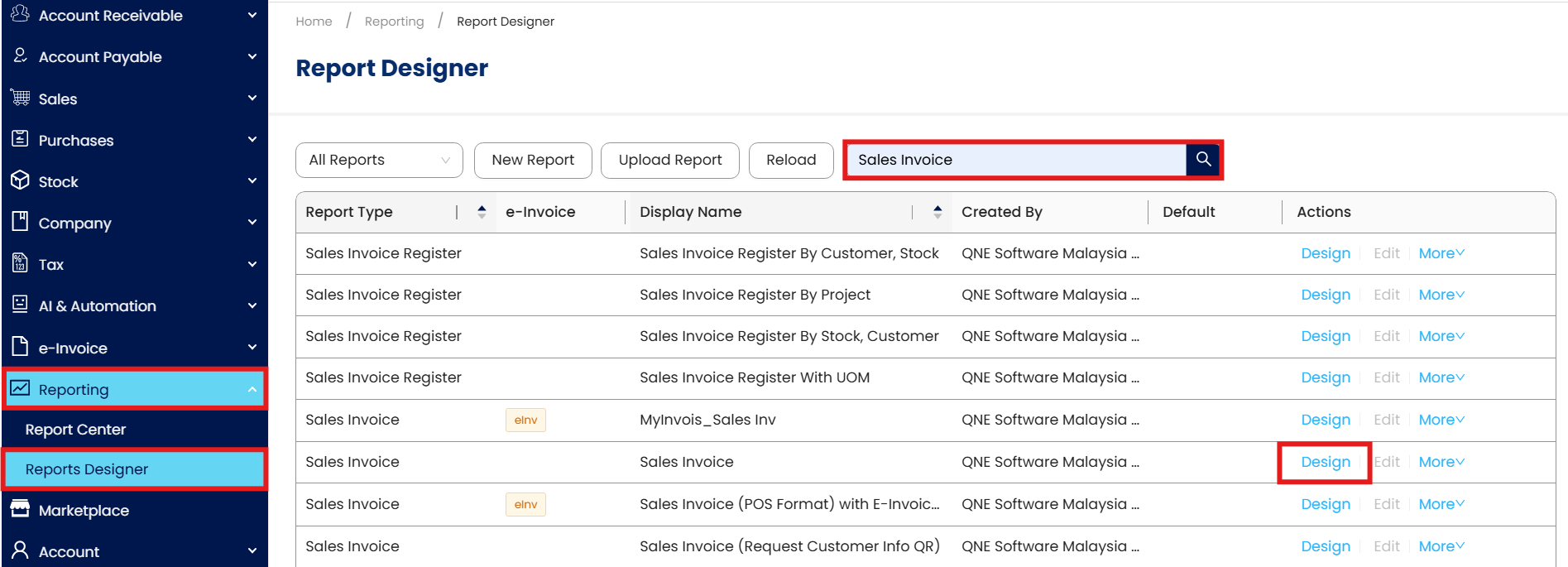
Go to Report Designer> search for Sales Invoice> click on Design
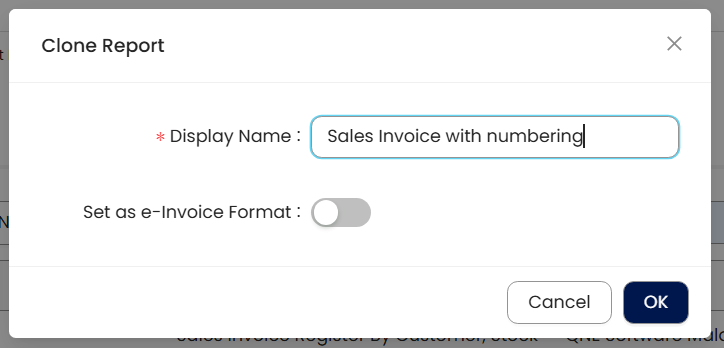
Key in Sales Invoice format name
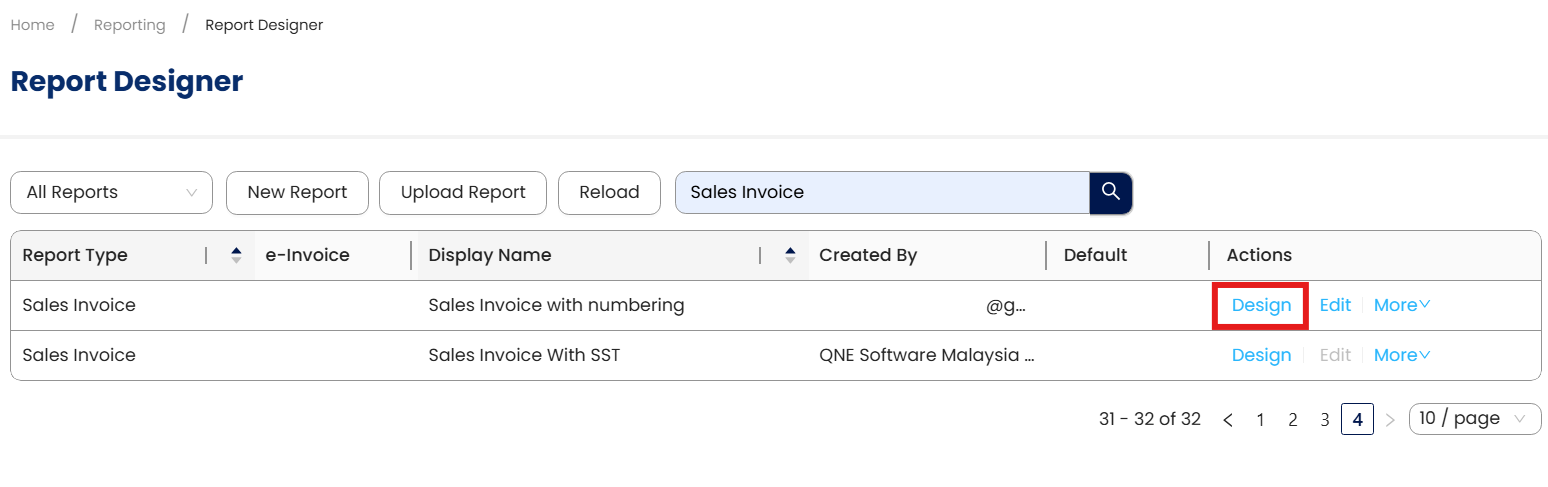
Go to the format we newly created and click Design
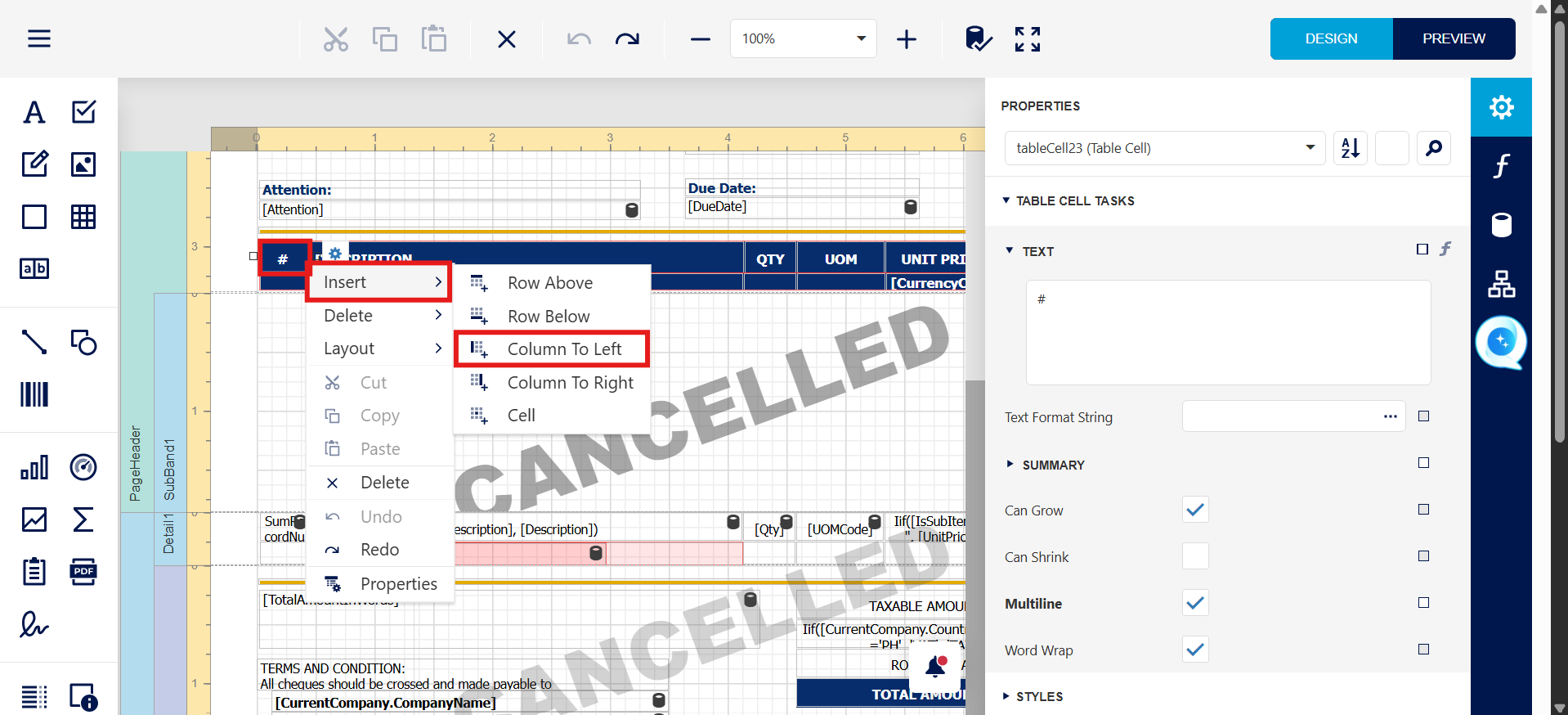
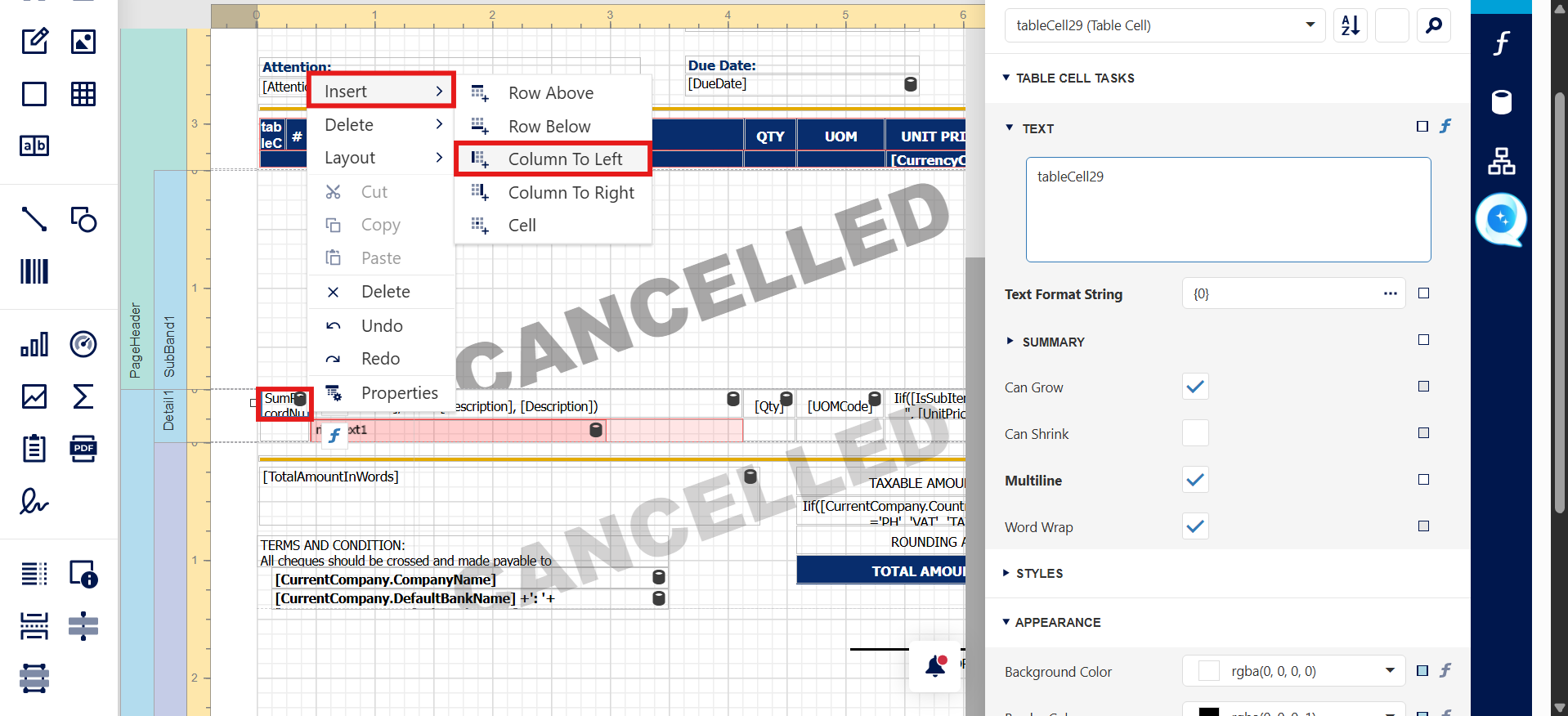
System will open Report Designer window, first we need to add new cell beside stock code at title and detail part. Right click on stock code cell> and insert column to left
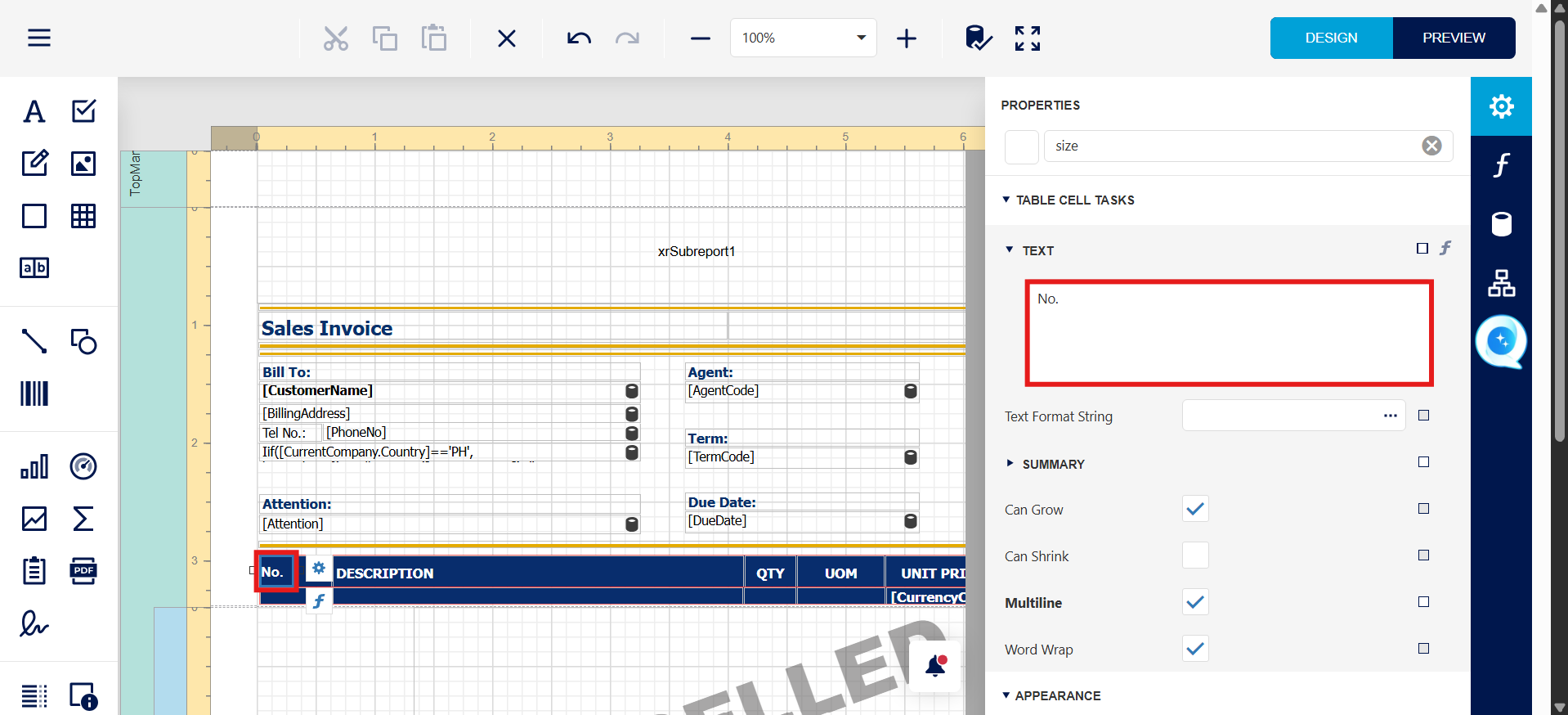
Rename title cell as No. by double click on it
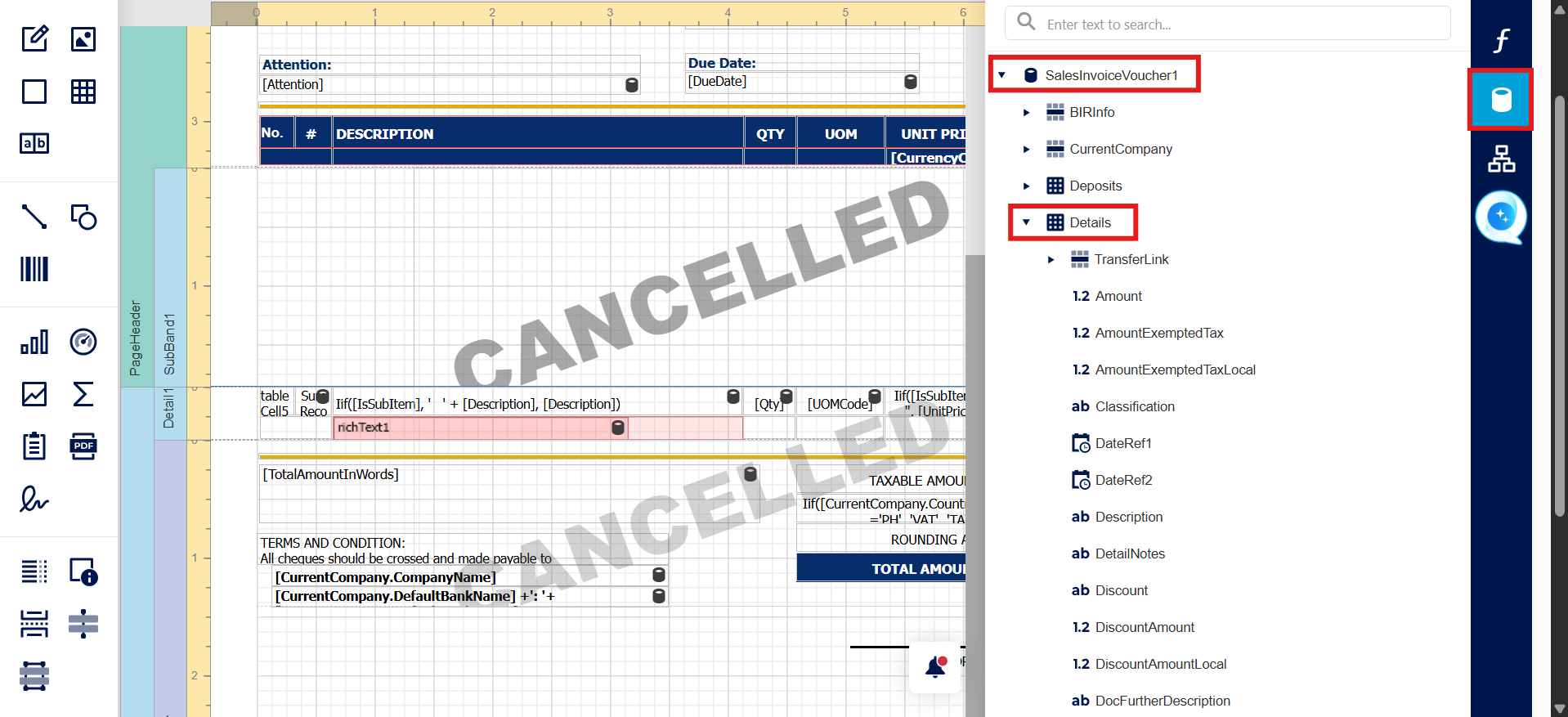
Under SalesInvoiceVoucher1> Details> search for Pos and drag it to the column we add in detail part
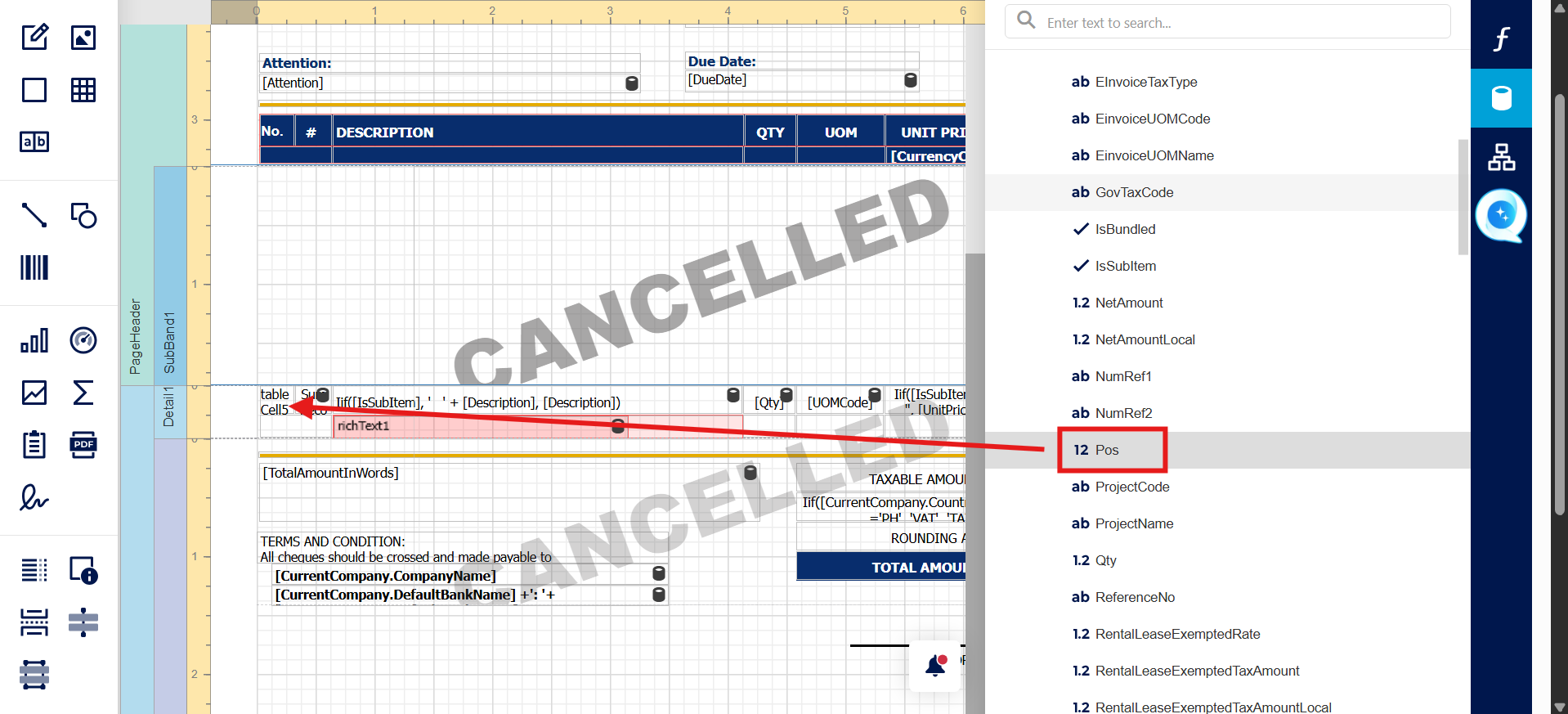
After that can save this format and try preview.
System Scope: QNE AI Cloud Accounting / N3 AI Accounting
Was this article helpful?
That’s Great!
Thank you for your feedback
Sorry! We couldn't be helpful
Thank you for your feedback
Feedback sent
We appreciate your effort and will try to fix the article
