Scenario:
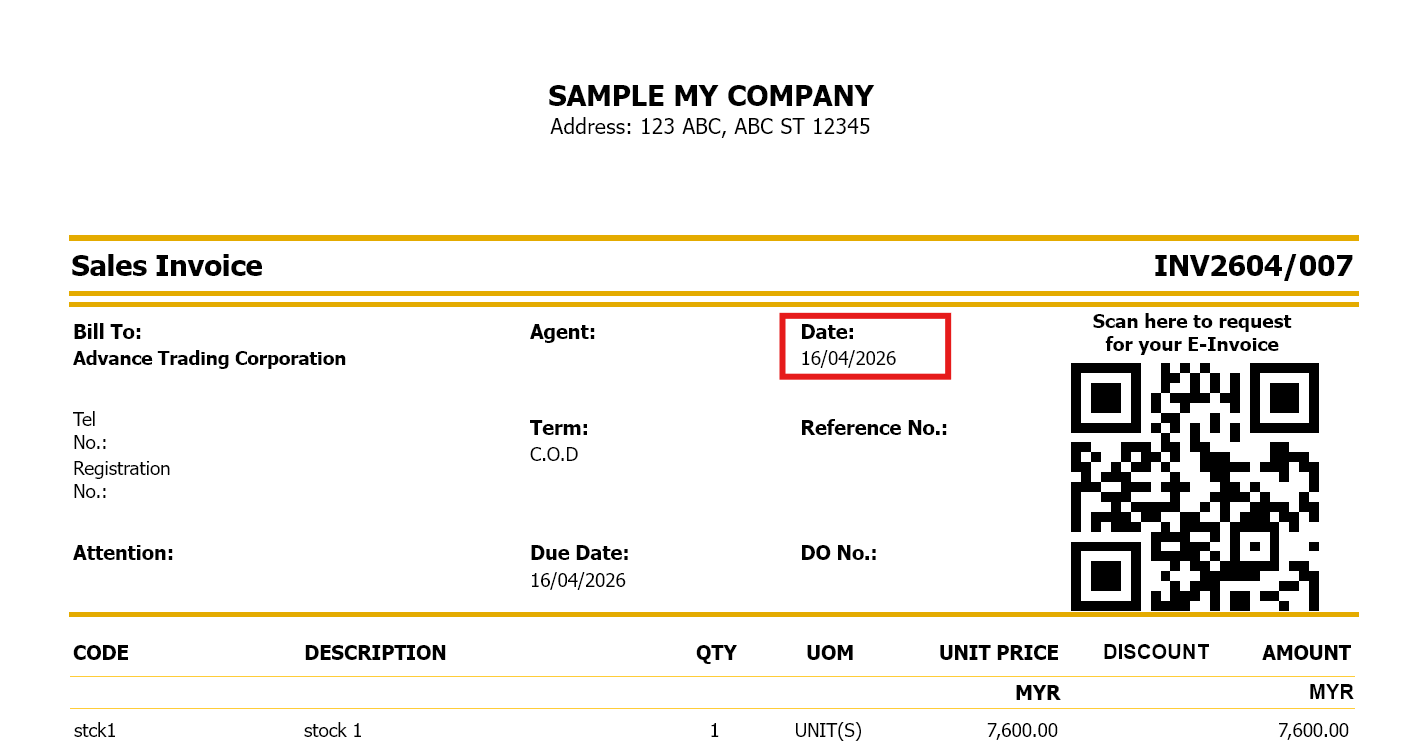
User want to display date in April 16, 2026 instead of 06/04/2026
Solution:
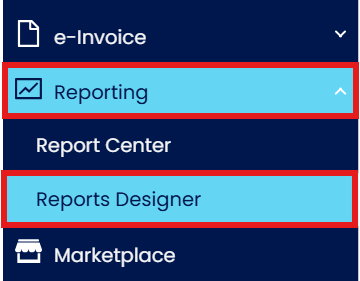
Expand Reporting> open Report Designer
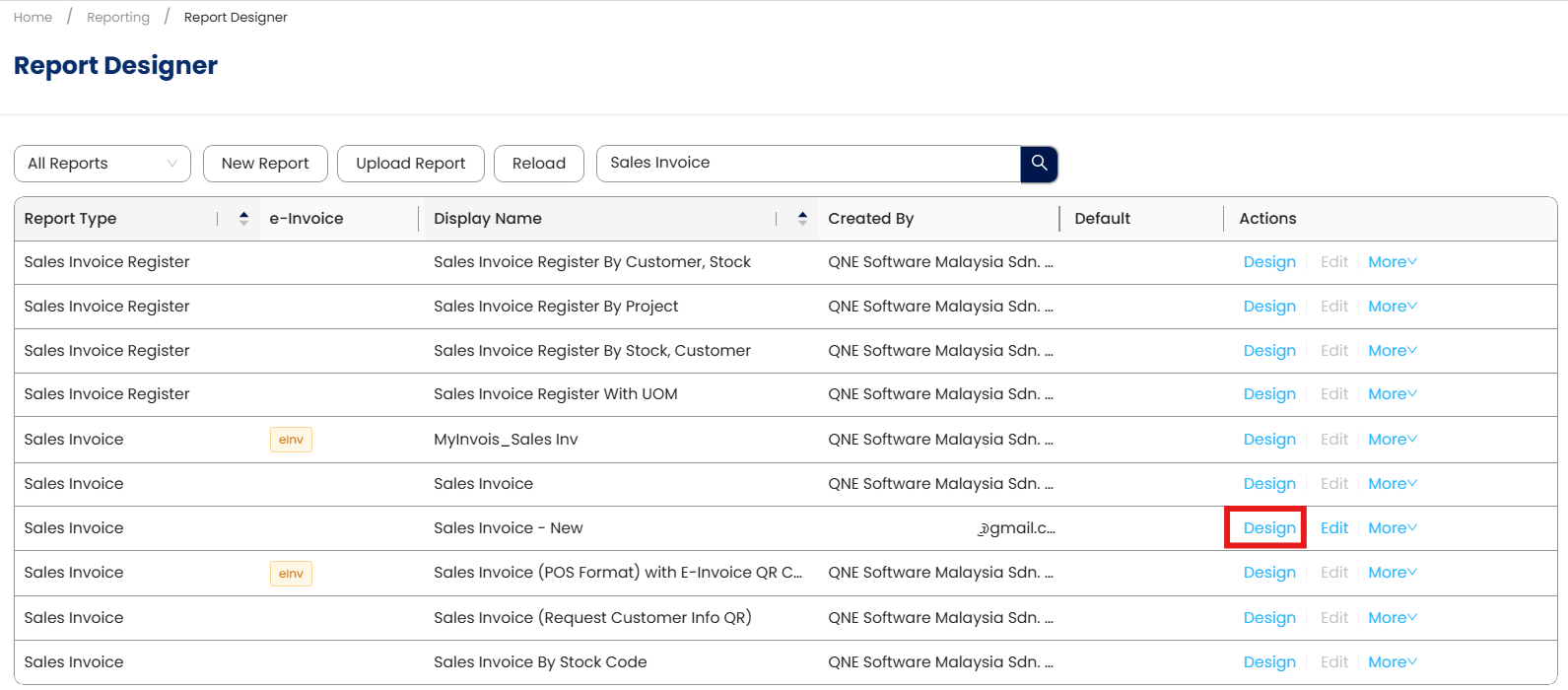
Search for the format you want to amend. For example, now I want to amend Sales Invoice - New date type, click on the Design button
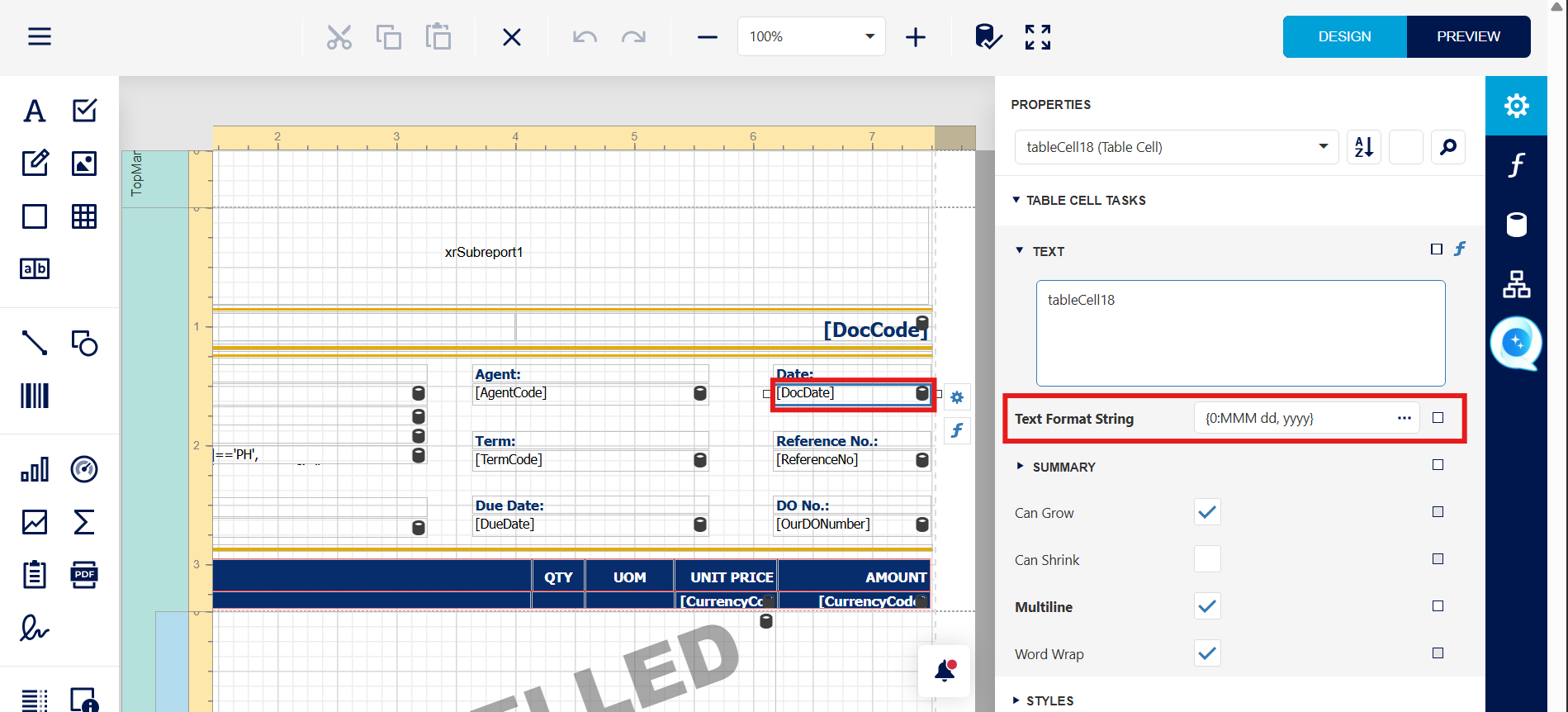
System will open the report designer page for Sales Invoice – NEW.
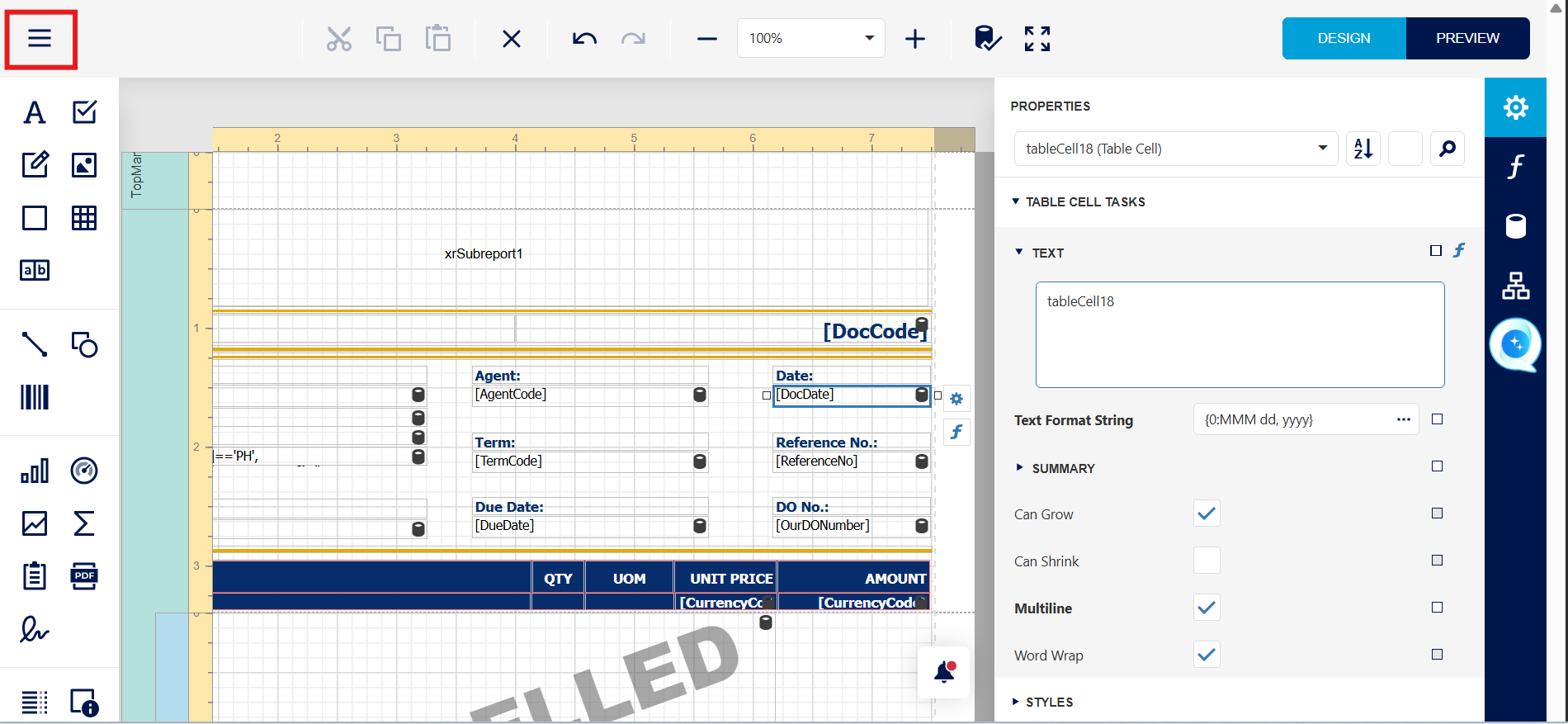
Click on this DocDate cell, and then expand DATA at right hand side, click on the 3 dots button at Text Format String
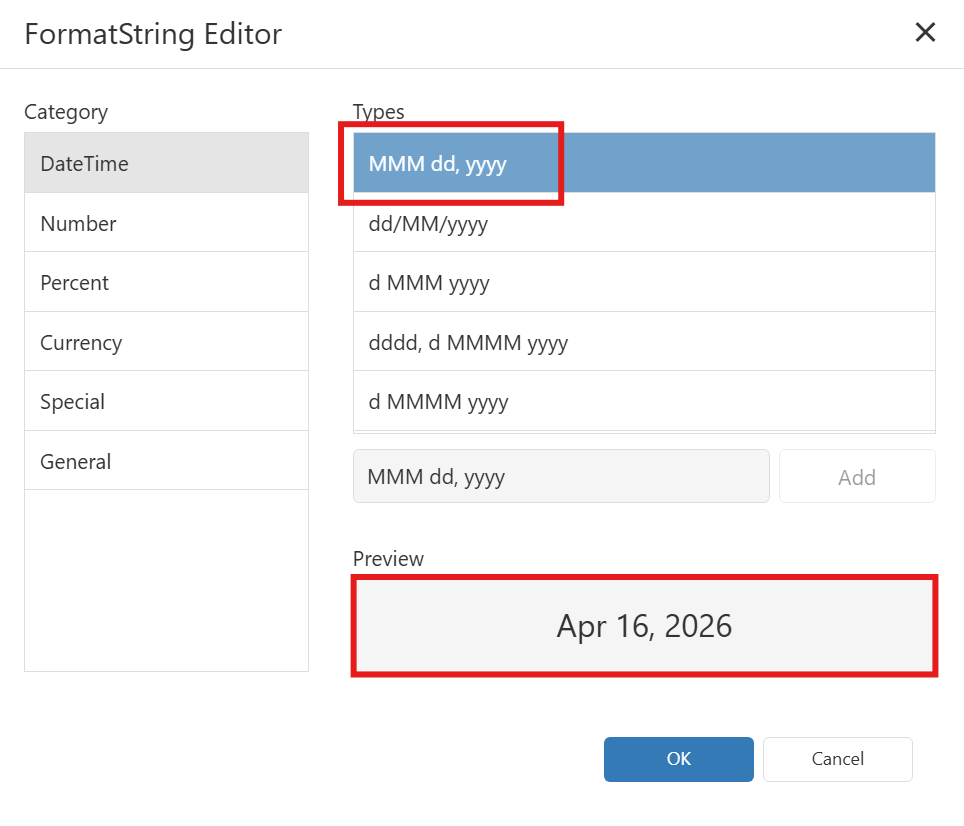
Format String Editor will prompt and you may select the date you want, after that click ok.
You can see the date type result at Preview field
After that click on Menu and Save report design.
System Scope: QNE AI Cloud Accounting / N3 AI Accounting
Was this article helpful?
That’s Great!
Thank you for your feedback
Sorry! We couldn't be helpful
Thank you for your feedback
Feedback sent
We appreciate your effort and will try to fix the article
