Overview:
This enhancement allows users to define and display Exempted Rate and Exempted Tax Amount in the SST Module for service tax–exempted transactions. By introducing an Exempted Rate setting for selected SST tax codes (such as SVTE, SVTE-GR, and SVTE-OTH), the system can now automatically calculate and display the exempted service tax amount in transactions and invoice printouts.
Scenario:
Some businesses are required to issue invoices for service tax exempted transactions, where the service tax is exempted at a specific rate (e.g. 6% or 8%) and must be shown clearly for reporting
Solution:
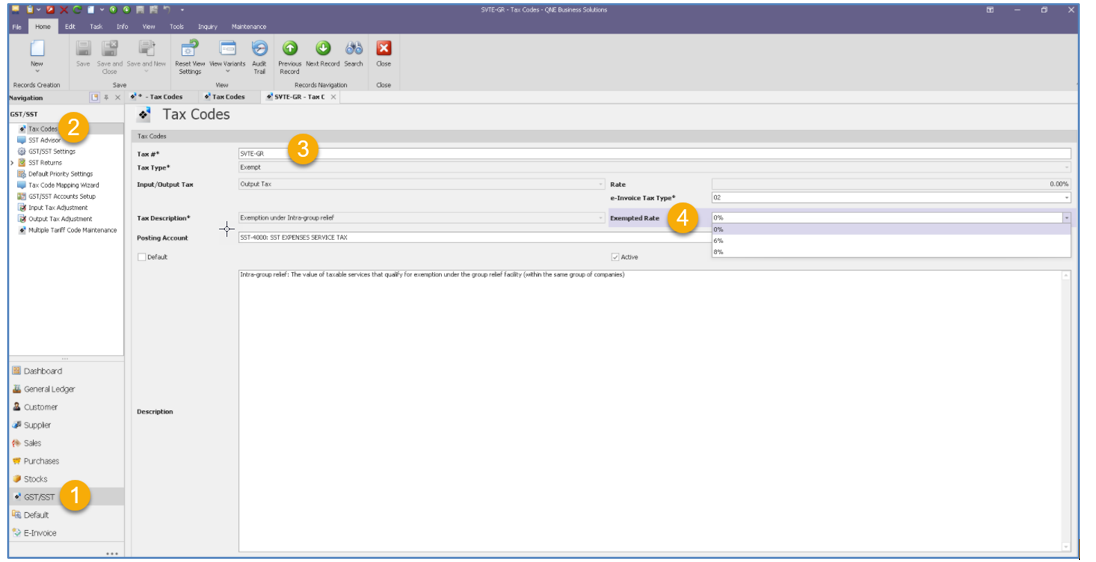
- GST/SST > Tax Codes.
For some of the tax codes (SVTE, SVTE-GR, SVTE-OTH, etc.) There is an additional column named “Exempted Rate”.
By default, it is 0% user can set default either it is 6% or 8%. Or remain as 0%
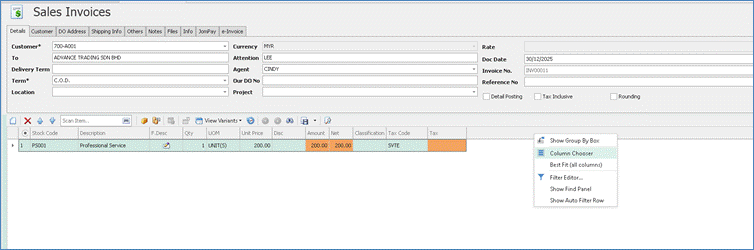
2. By default, the tax code “Exempted Rate” is not displayed in the transaction. User can drag the column by right click > Column Chooser
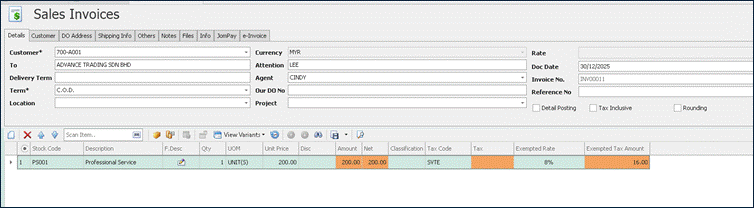
3. Can drag the columns “Exempted Rate” and “Exempted Tax Amount” in to the transaction. 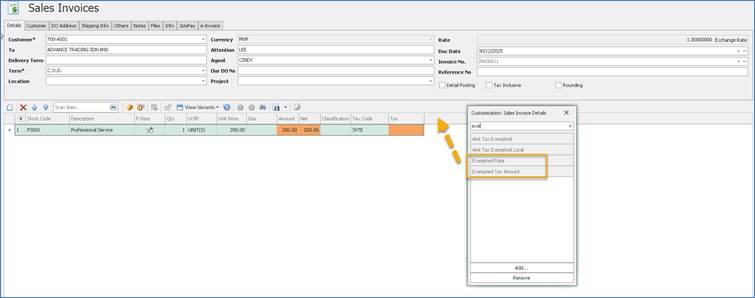
4. If the tax code is SVTE, SVTE-GR, SVTE-OTH, user can select Exempted Rate 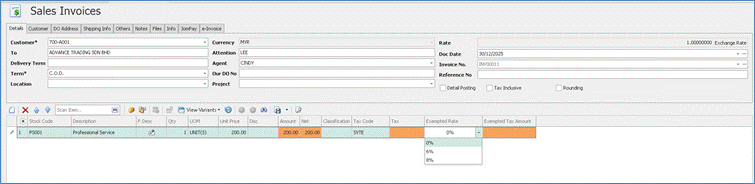
System will calculate and displayed Exempted Tax Amount
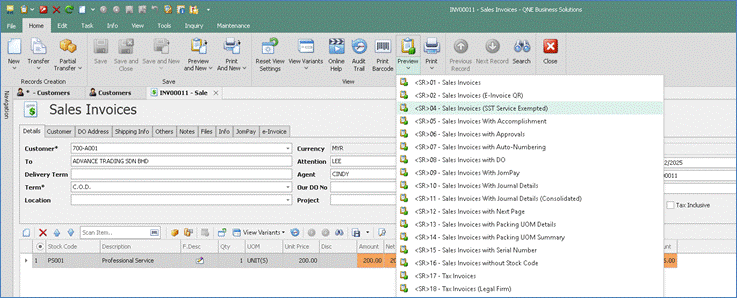
- User can preview format <SR> 04 Sales invoices (SST Service Exempted)
5. System displayed Service Tax Exempted Amount at the footer
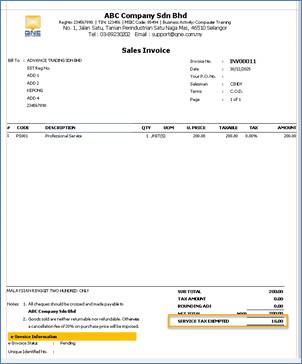
Kindly refer PDF file
Was this article helpful?
That’s Great!
Thank you for your feedback
Sorry! We couldn't be helpful
Thank you for your feedback
Feedback sent
We appreciate your effort and will try to fix the article
