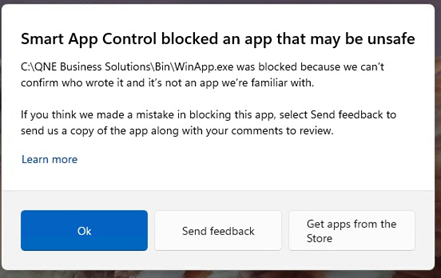
When opening QNE, a Windows message appears stating:
“Smart App Control blocked an app that may be unsafe.”
Solution:
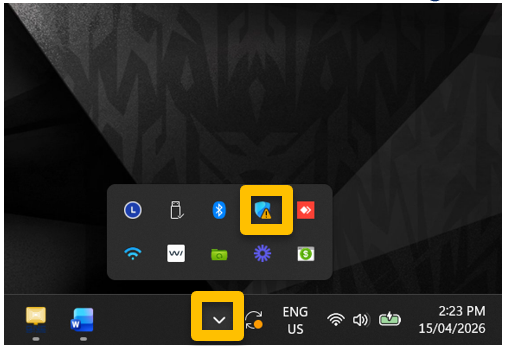
1. Click the “^” icon at the bottom-right corner of your Windows taskbar, then select Windows Security
2. Navigate to App & browser control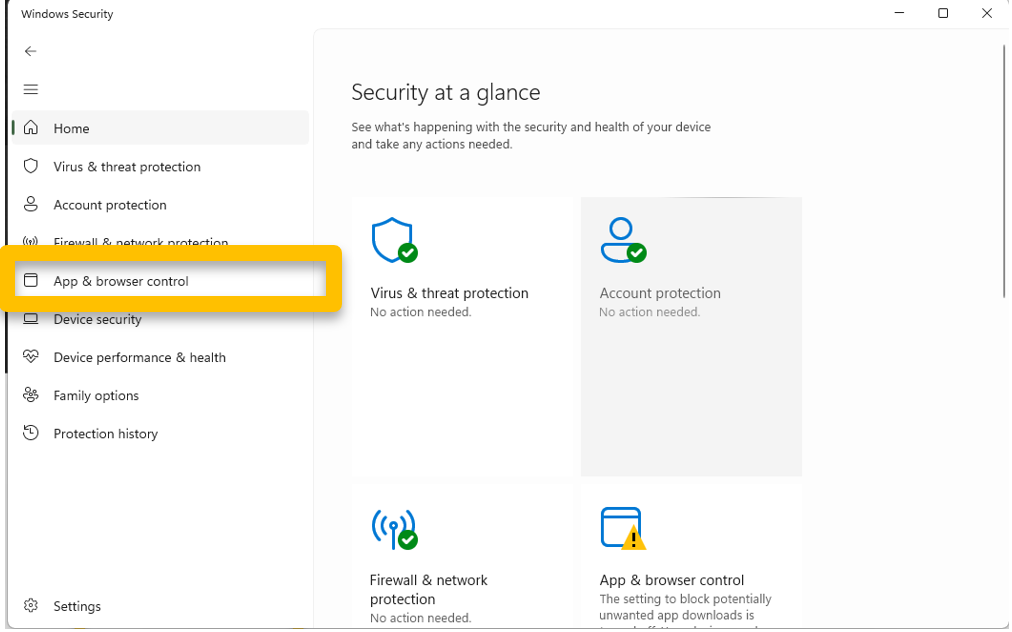
3. Click on Smart App Control Setting.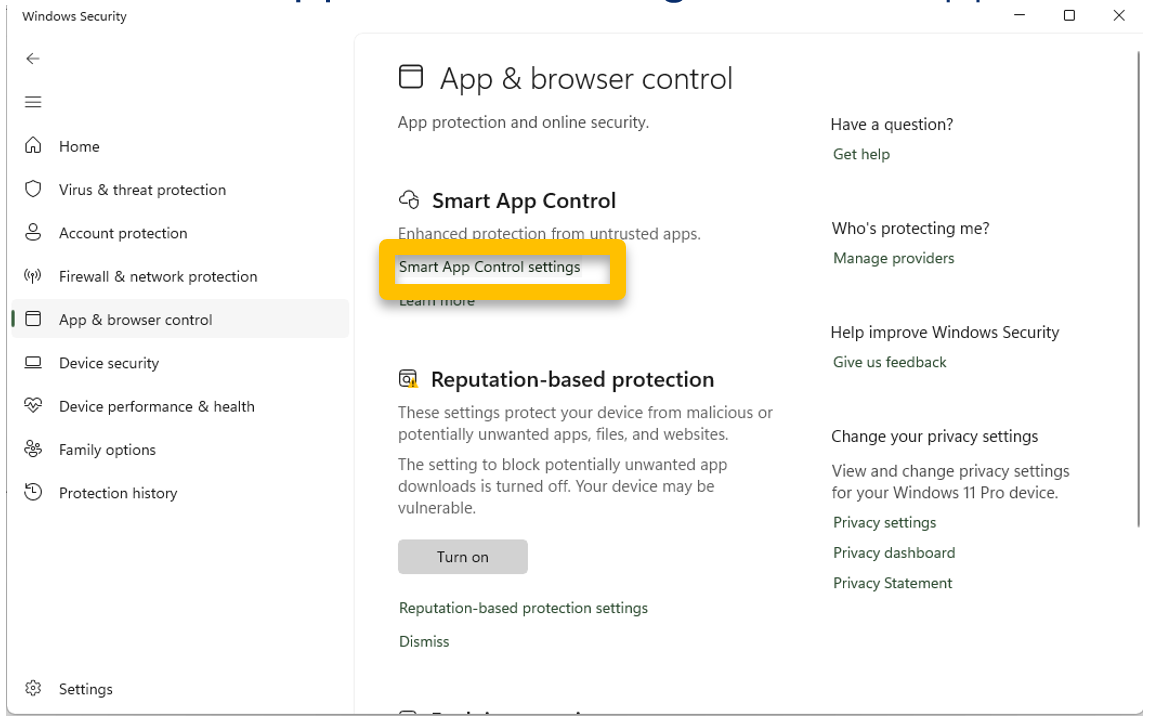
4. Turn Off Smart App Control
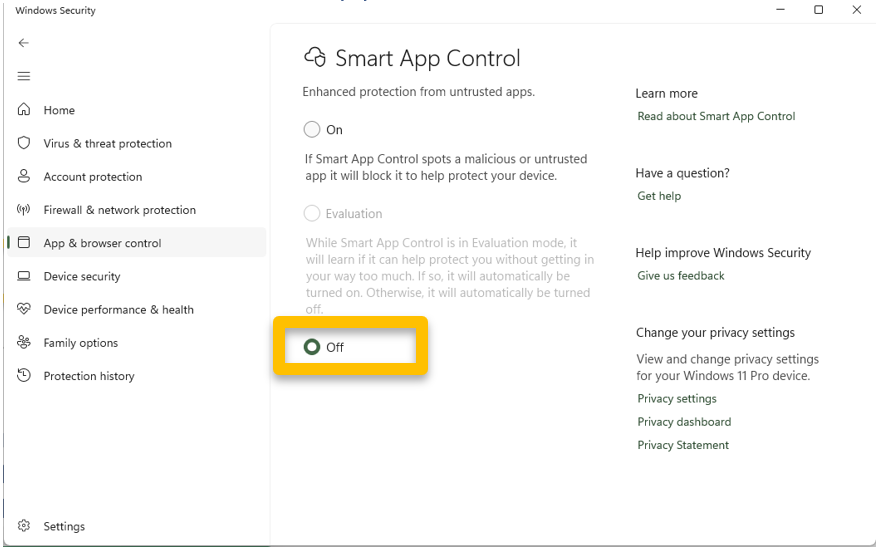
5. Try open the QNE system again.
Download the PDF file as attached
Was this article helpful?
That’s Great!
Thank you for your feedback
Sorry! We couldn't be helpful
Thank you for your feedback
Feedback sent
We appreciate your effort and will try to fix the article
