Overview :
Users are the people who sign in to the N3 AI POS Portal, such as the owner, managers, accountants and the QNE support team. You add a user by inviting their email address, then attach a User Role to decide what they can do. This article guides you through inviting a user and attaching a role.
At the end of this article, you will be able to:
Invite a user to the N3 AI POS Portal
Attach a User Role to the user
Re-invite or remove a user
Scenario :
A shop hires a new manager who needs to check sales and stock in the N3 AI POS Portal. The owner invites the manager's email address and attaches the Co-Administrators role.
Solution :
Invite a User
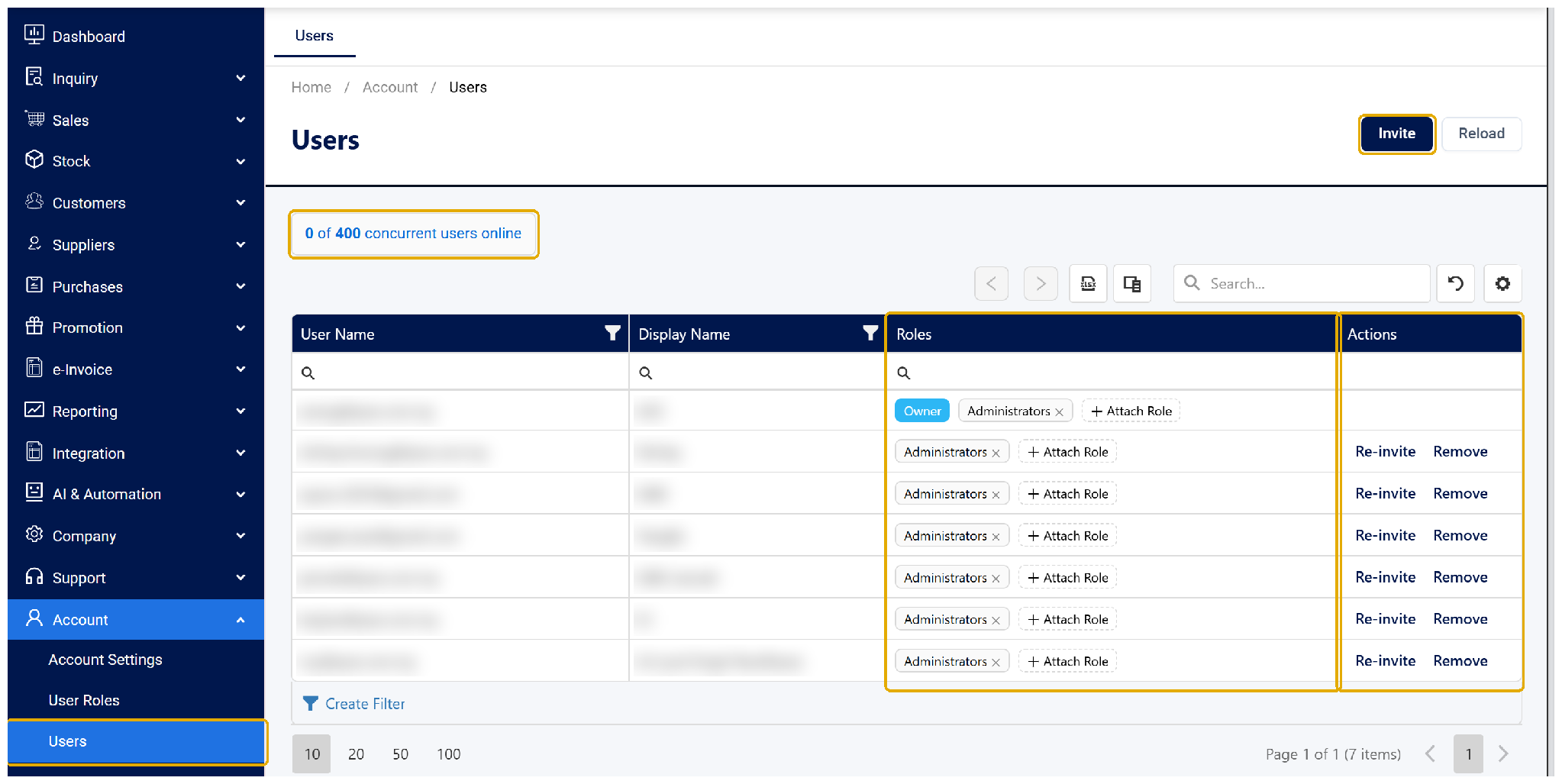
Navigate to Account > Users. The list shows each user's User Name (email), Display Name, Roles and Actions. concurrent users online shows how many users are signed in out of the limit of your subscription. Click Invite.
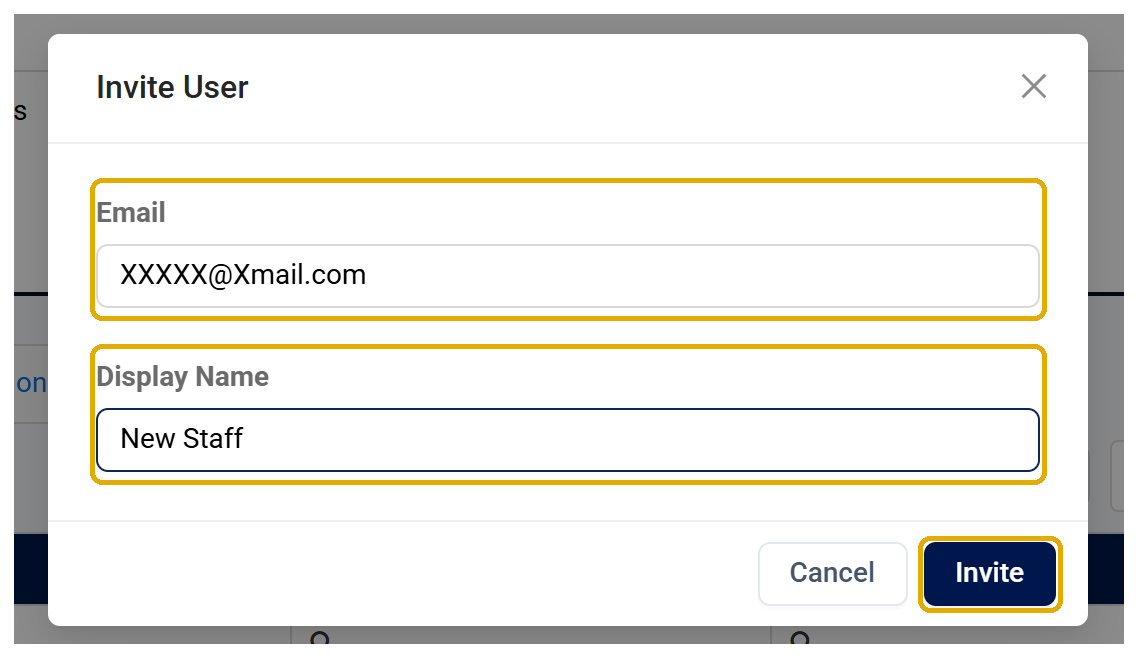
Fill in the user details, then click Invite.
Email – The email address the user signs in with. Required.
Display Name – The name shown in the Portal, e.g. New Staff.
Note: The user receives an invitation at this email address to join your company.
Attach a User Role
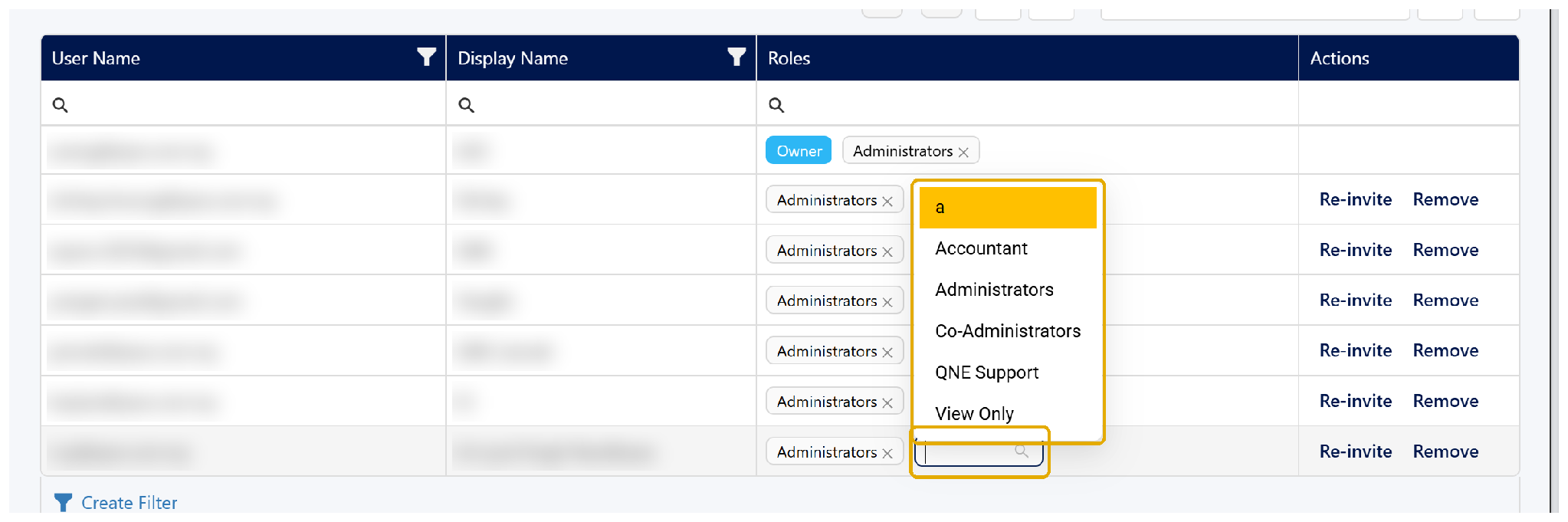
In the Roles column of the user, click + Attach Role and select a role, e.g. Administrators, Co-Administrators, Accountant, QNE Support or View Only. The role appears as a tag beside the user. Click the x on a tag to remove that role.
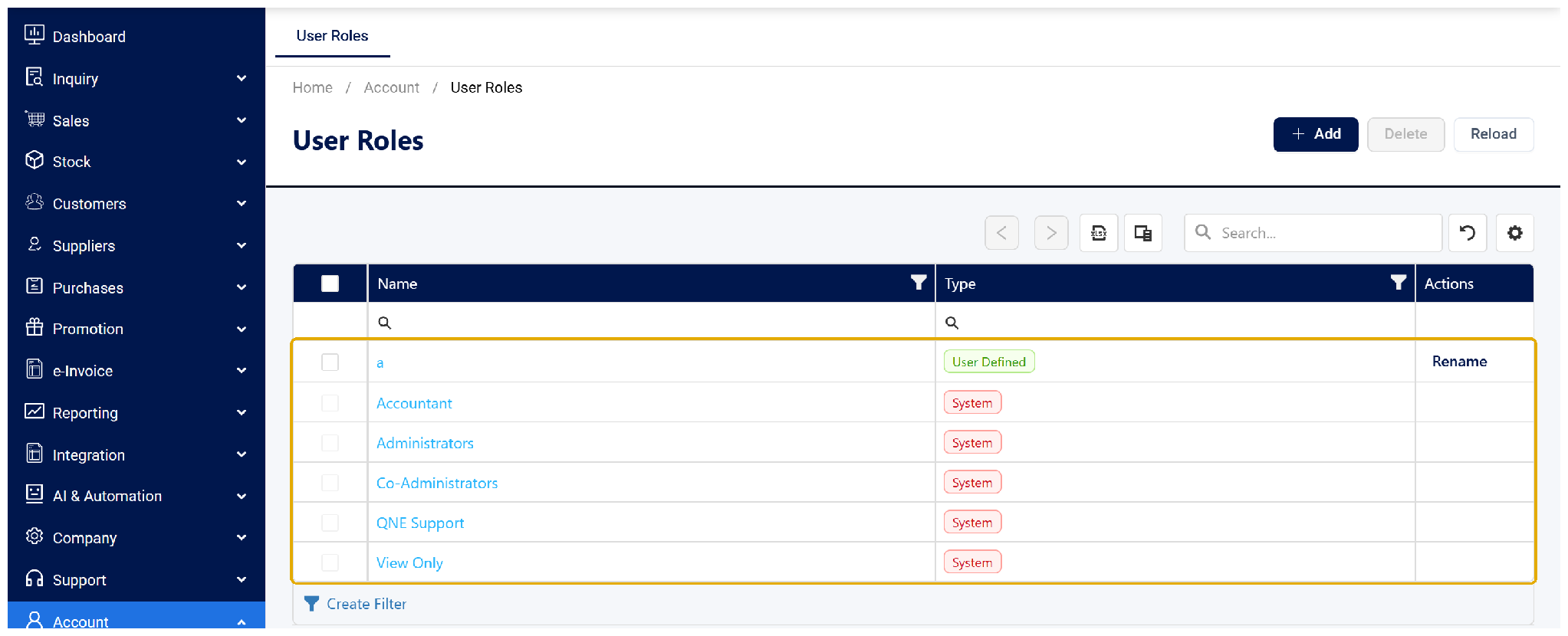
The roles are maintained at Account > User Roles. System roles come with N3 AI POS, and User Defined roles are the ones you add with Add.
Re-invite or Remove a User
In the Actions column of the user (see Invite a User, step 1):
Re-invite – Sends the invitation again, e.g. if the user did not receive it.
Remove – Removes the user from your company.
Note: The Owner cannot be re-invited or removed.
What's Next :
To grant QNE support access, invite our support email and attach the Administrators role – see How to Complete the Basic Setup in N3 AI POS. To control which outlets each user works with, see Company > Maintenance > Settings > User Default Settings.
** Learn more about Azure Cloud
** Learn more about QNE Hybrid Cloud Software
Was this article helpful?
That’s Great!
Thank you for your feedback
Sorry! We couldn't be helpful
Thank you for your feedback
Feedback sent
We appreciate your effort and will try to fix the article
