Scenario:
How to register for a Free Account in N3 AI Accounting System?
Solution:
This section discusses how to register your account in N3 AI Accounting using your basic information, most particularly your valid email address.
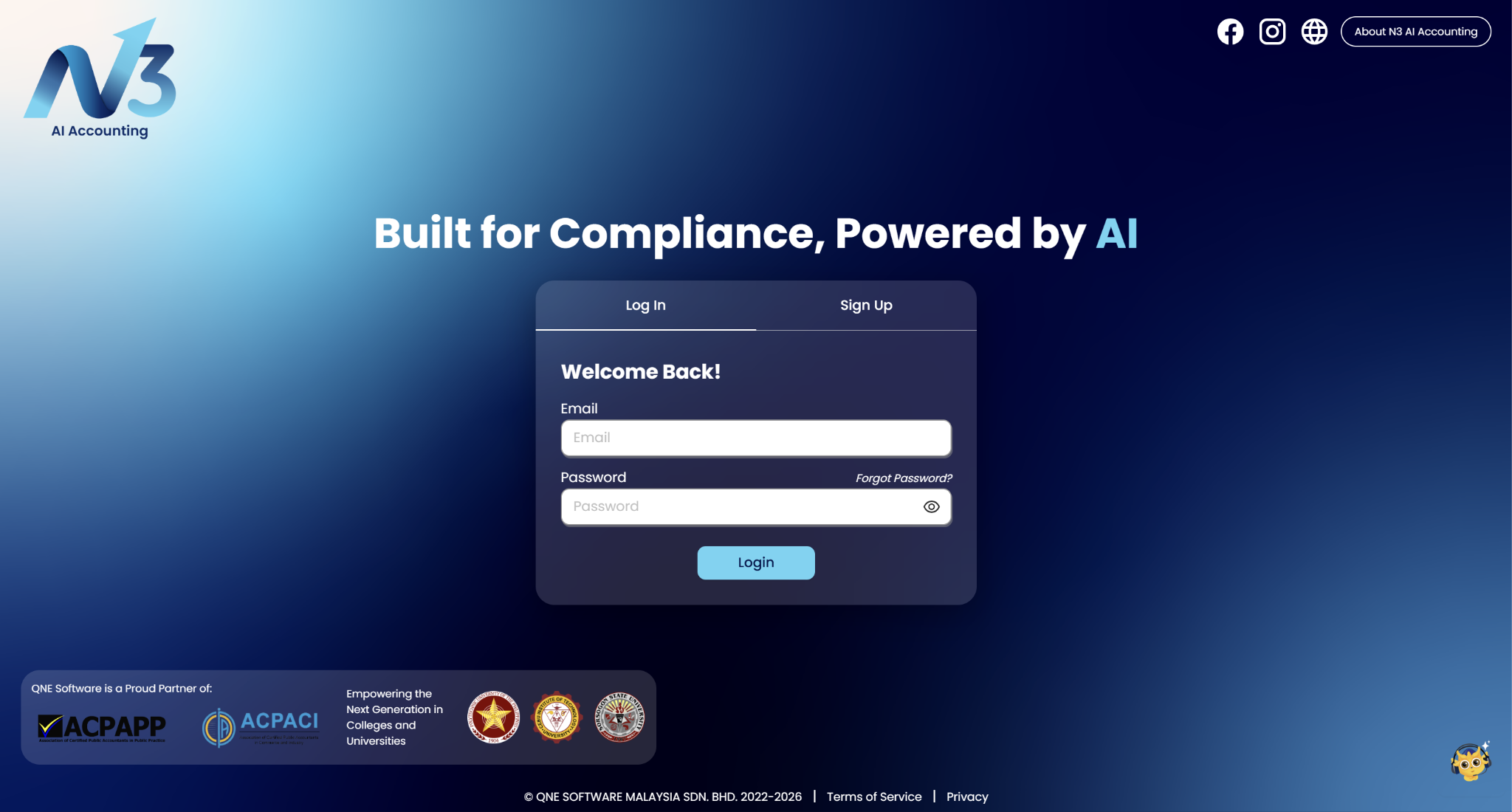
1. Register your account by clicking Sign up in Log in page.
https://n3.qne.cloud/passport/register#
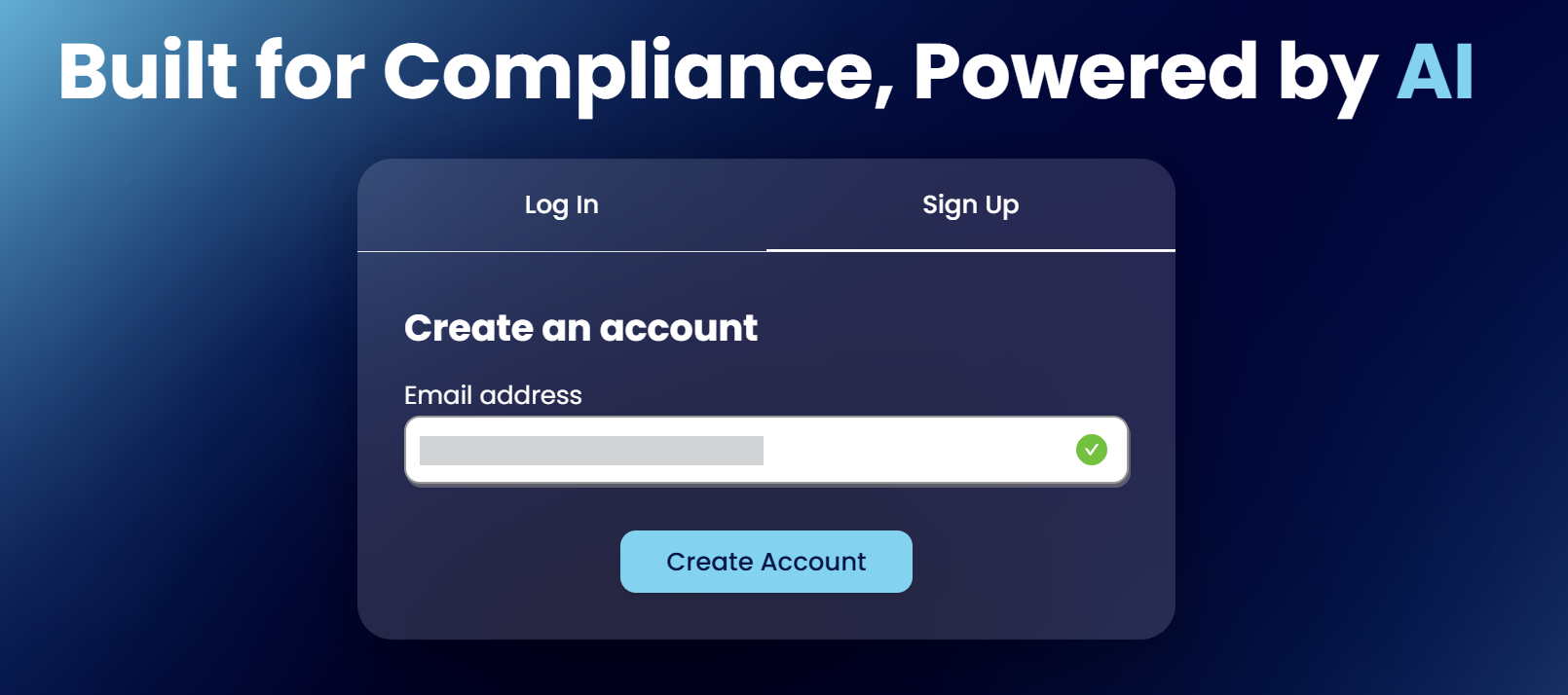
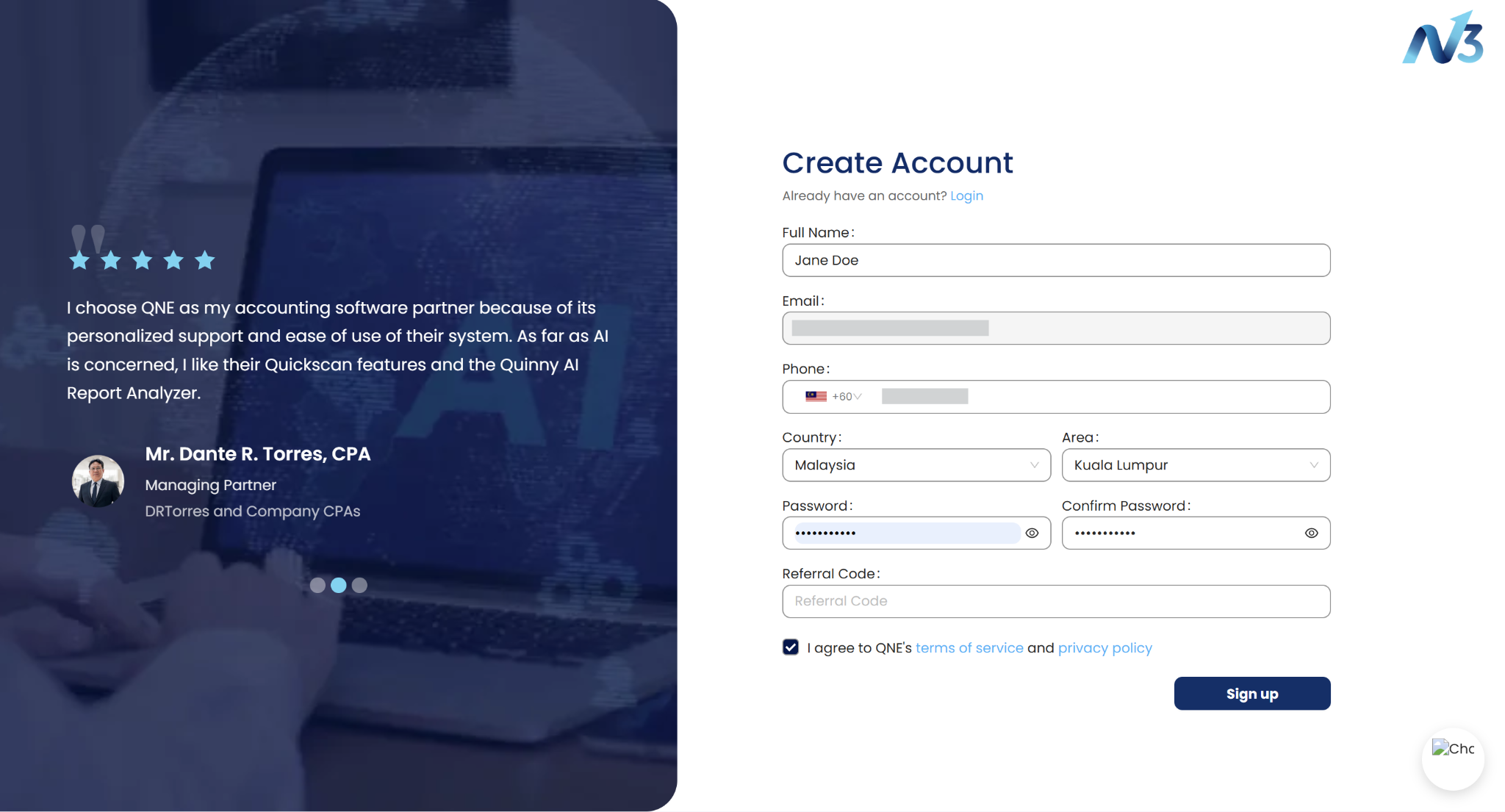
2. In Sign up page, fill out all of the required fields. The email and password used will be your reference for all your succeeding logins.
Once the details are filled up, click ‘Sign Up’ to complete your account registration.
Leave this field 'Referral Code' blank if you do not have a referral code.
3. The system will prompt you to verify your email address.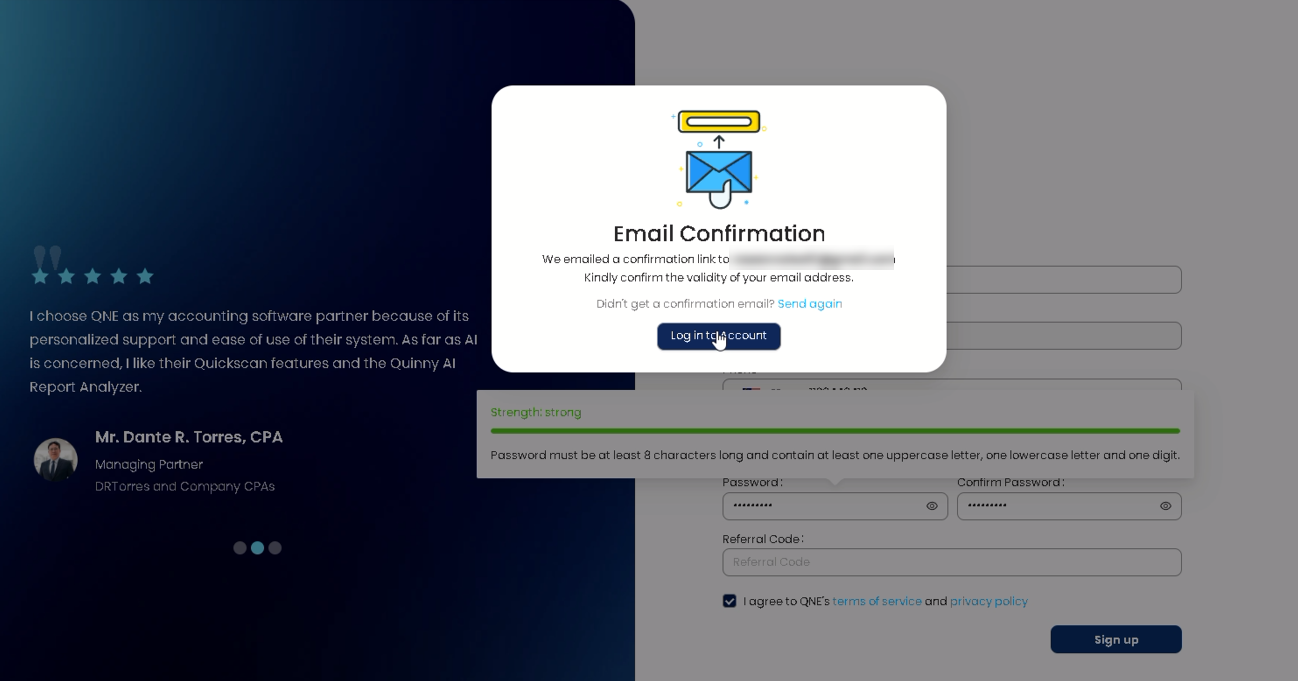
4. Go to your email inbox and look for the N3 AI Accounting email verification email. 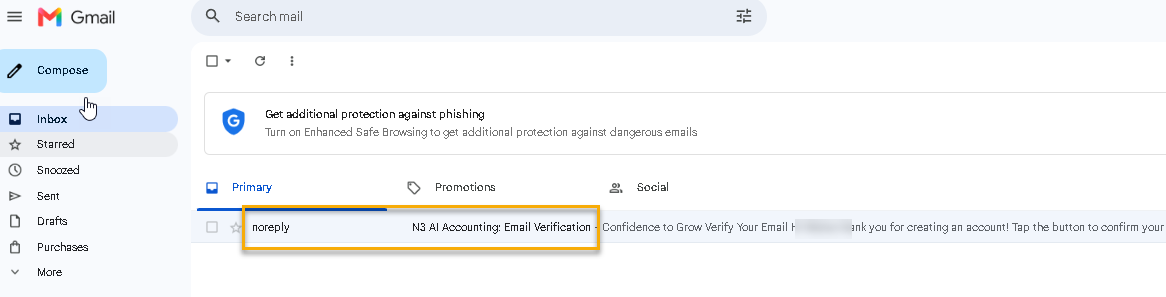
Click to verify the email 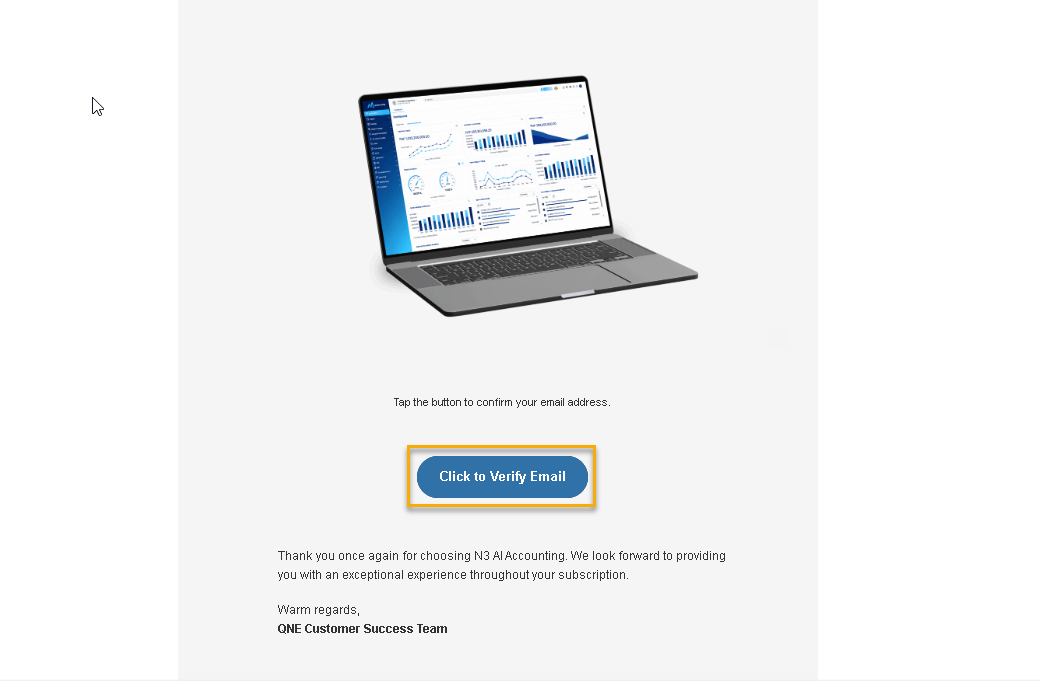
Click on Get Started

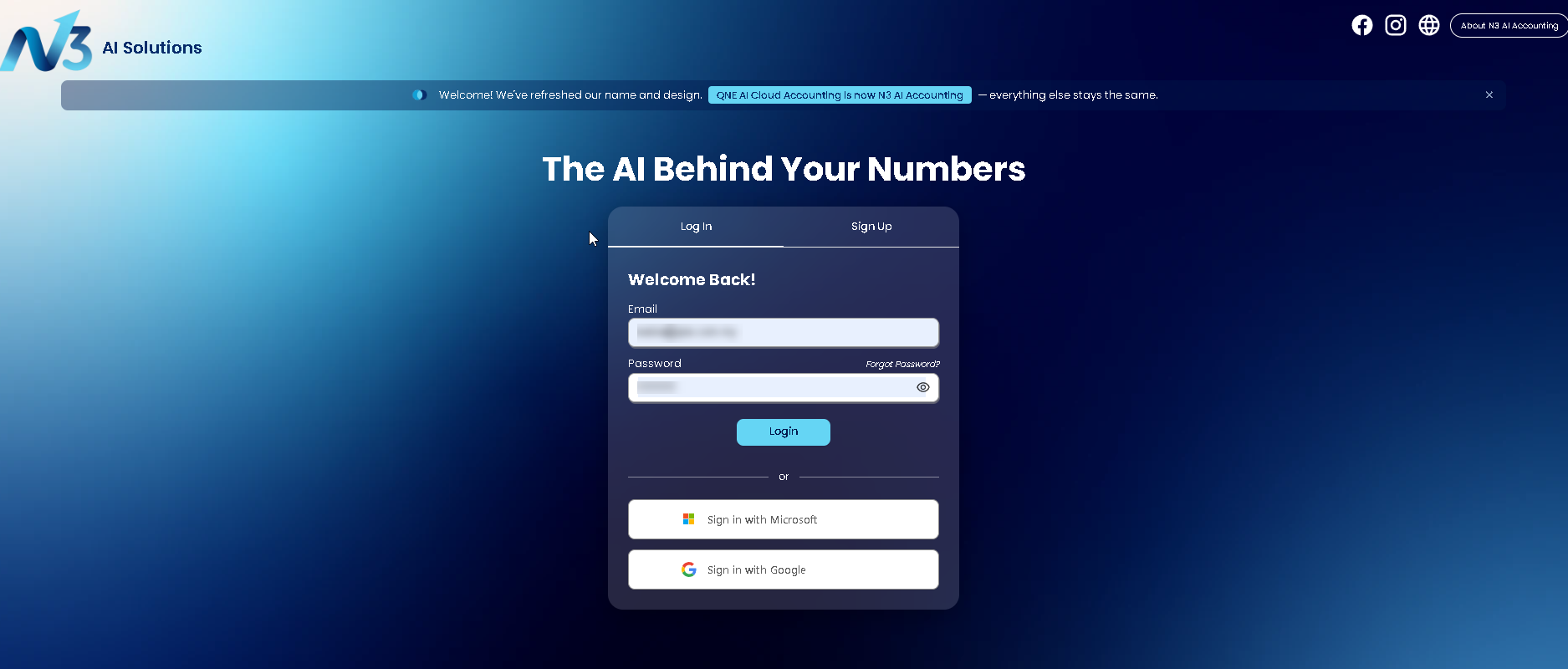
5. The system will redirect you to the login page. Enter your email address and password to login
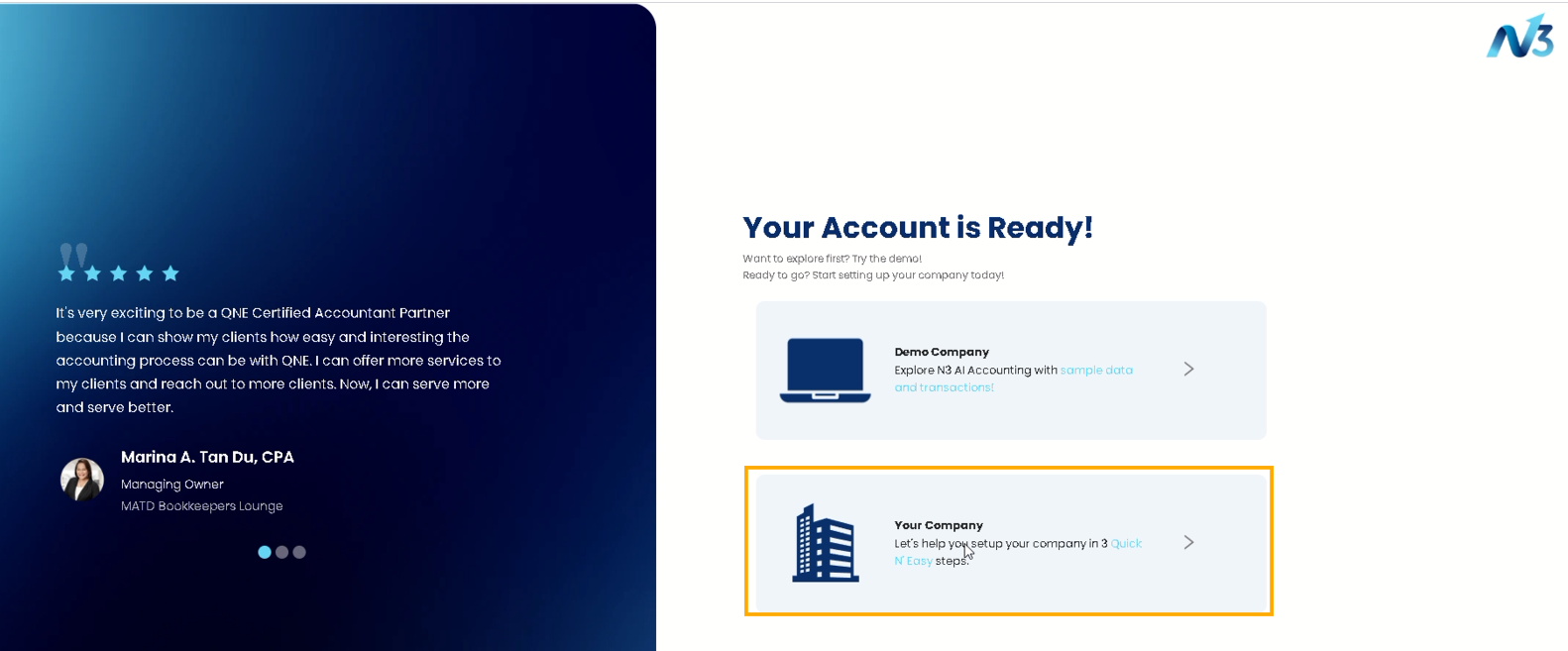
6. You will be directed to Welcome Page, and head to the On-boarding Process.
Click on "Your Company"
7. Your N3 AI Accounting account has been successfully created.
Please refer to the next article to continue with the onboarding setup.
NOTES
Click on Sign up in Log in page.
Fill in all of the required fields, including your login email and password.
Click ‘Create Account’ to complete your account registration.
Click HERE to continue next article to complete the onboarding process
System Scope: QNE AI Cloud Accounting / N3 AI Accounting
Was this article helpful?
That’s Great!
Thank you for your feedback
Sorry! We couldn't be helpful
Thank you for your feedback
Feedback sent
We appreciate your effort and will try to fix the article
