Below is the step-by-step guide on how to transfer account ownership on N3 AI Accounting (formerly QNE AI Cloud Accounting). The steps are simple to follow. Check it out.
Transfer Account Ownership on N3 AI Accounting is one of the latest features on N3 AI Accounting that will surely benefits the lots of users that are currently using the software.
Before we start the Transfer, please make sure that you have done the below steps and pre-settings.
First of all, please make sure that you have invited the new owner into the system and had given the new email account the system Administrator role.
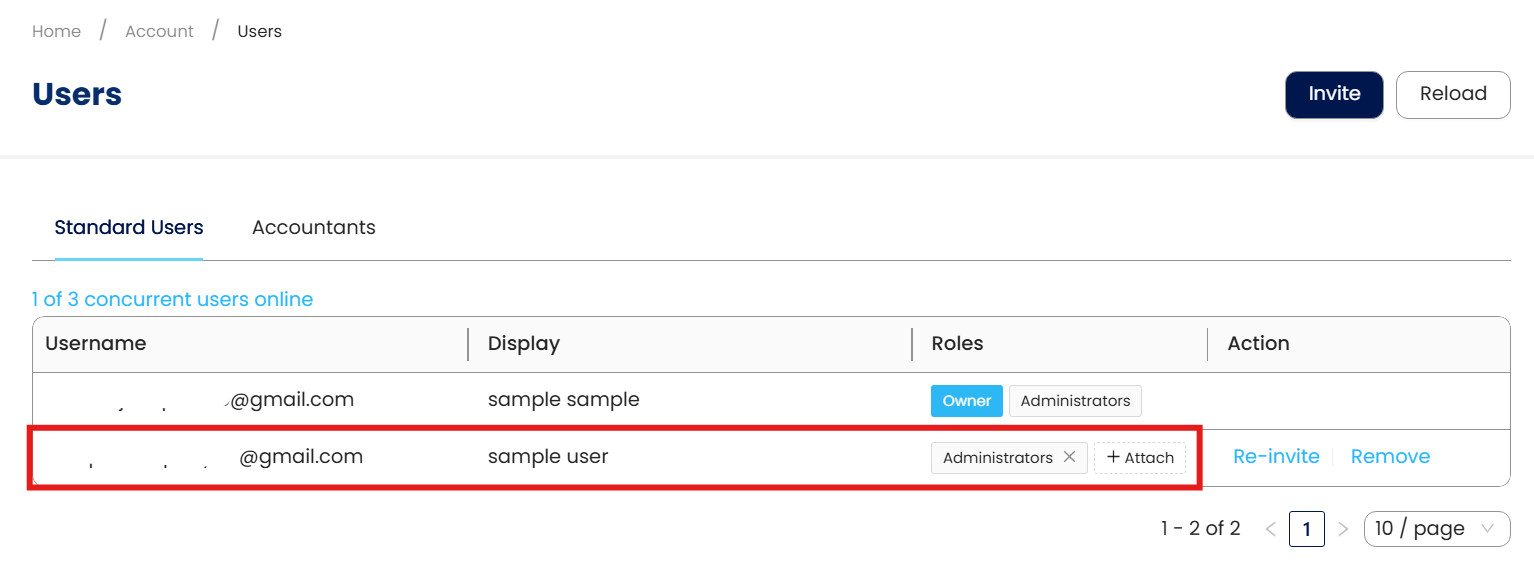
Transfer Account Ownership on N3 AI Accounting
Logging in to the current owner’s email. Kindly take note that only the current owner can perform account ownership transfer.
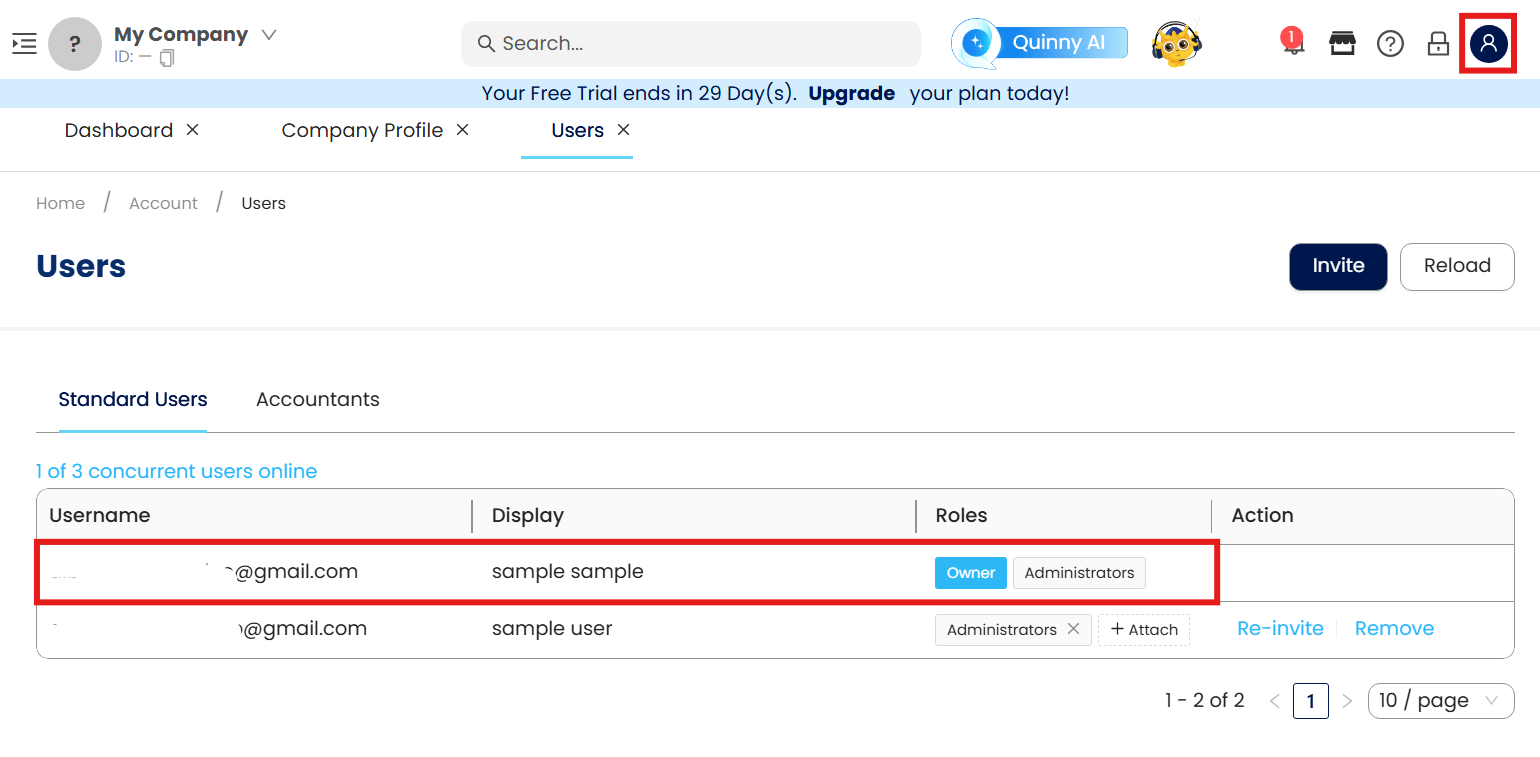
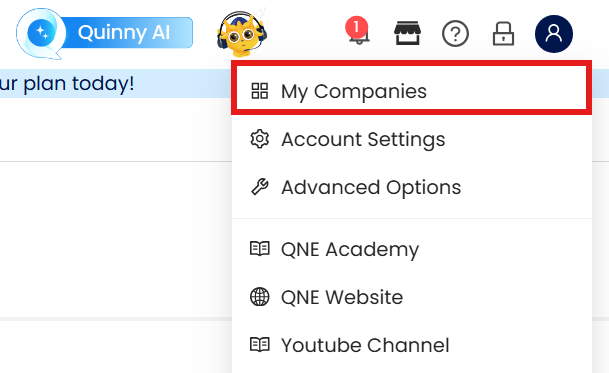
Mouse over to the User Profile Icon in the upper right corner and click on My Companies in the dropdown selections.
In the My Companies screen, press the three dots button (...), on the company which wants to Transfer ownership.
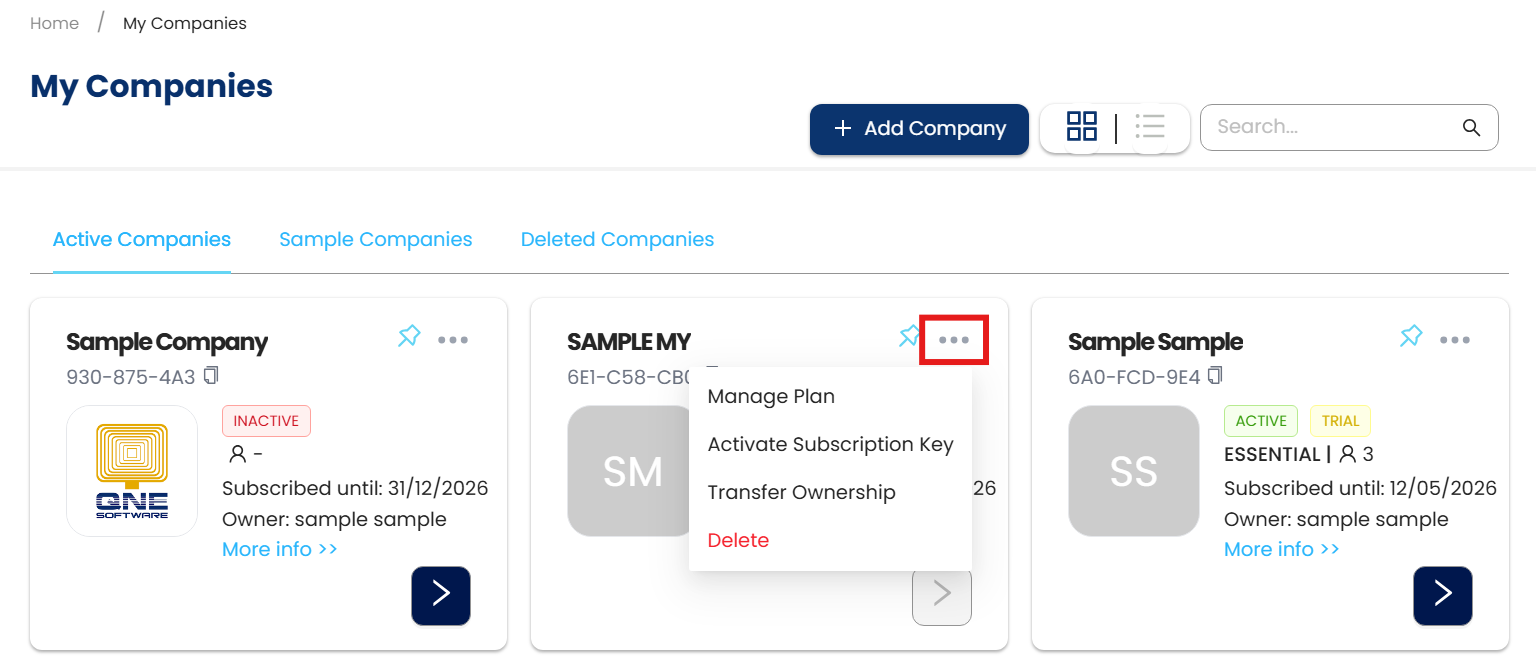
Press Transfer Ownership
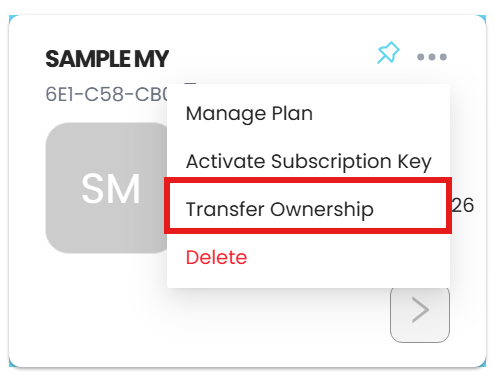
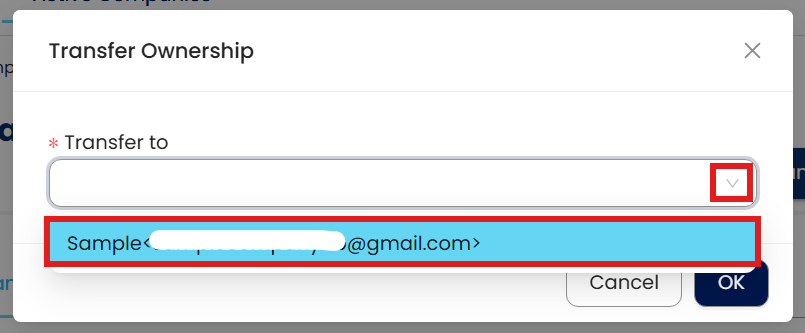
Click on the Transfer Ownership button and the transfer ownership windows box will prompt. Click on the email field and selects the new email from the dropdown list. Click on Transfer complete the process.
A successful message will prompt upon successfully transfer account ownership on N3 AI Accounting.

** Learn more about Azure Cloud
** Learn more about QNE Hybrid Cloud Software
System Scope: QNE AI Cloud Accounting / N3 AI Accounting
Was this article helpful?
That’s Great!
Thank you for your feedback
Sorry! We couldn't be helpful
Thank you for your feedback
Feedback sent
We appreciate your effort and will try to fix the article
