Overview
When saving a transaction, you may encounter the following validation message:
"Tax Exempt Details on the line X is required for exempt tax items."
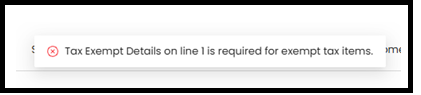
This message indicates that one or more transaction lines are using an exempt tax code, but the Tax Exempt Details field has not been filled in.
Solution
1. Click Column Options at the top-right of the item grid.

2. Tick Tax Exempt Details > Click Apply Options.
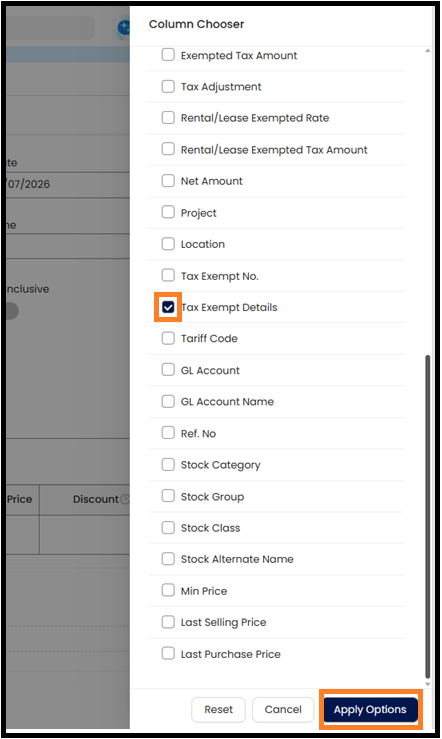
3. Enter the Tax Exempt Details for the item that using the exempt tax code.

Thanks for Viewing
Was this article helpful?
That’s Great!
Thank you for your feedback
Sorry! We couldn't be helpful
Thank you for your feedback
Feedback sent
We appreciate your effort and will try to fix the article
