What’s New
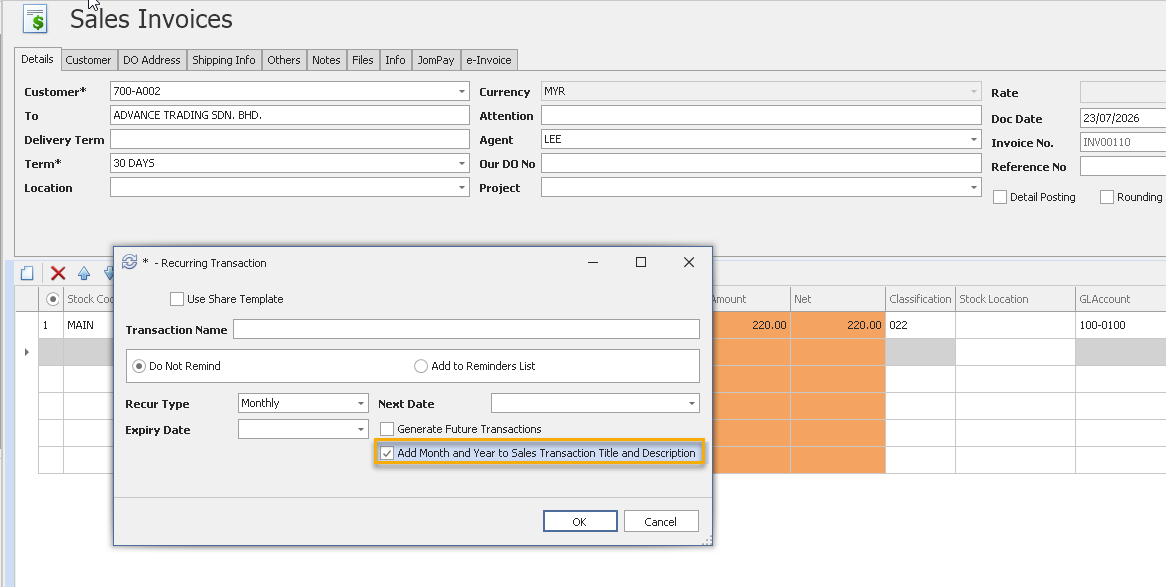
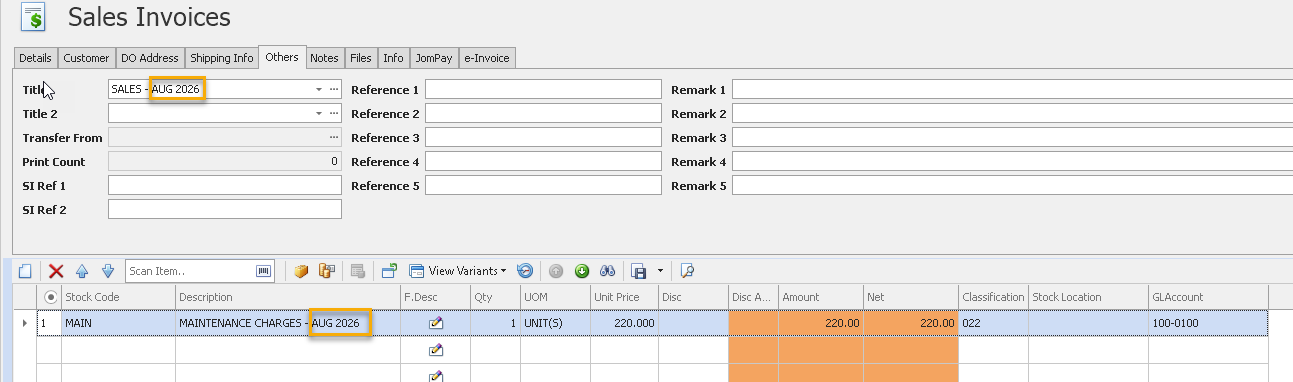
✨ 1. Recurring Module: Enhance Month and Year in Sales Transaction Title and Description
- Added a new option to automatically append the Month and Year to the Sales Transaction Title and Description when generating recurring sales invoices.
- Ensures recurring invoices are automatically updated with the relevant billing period.
- For complete guidance on using this feature - Click HERE
✨ 2. Enhanced Customer Revaluation Posting for Advance Currency Module
- Previously, all revaluation amounts were posted as a lump sum to the Debtor Control Foreign Exchange Account.
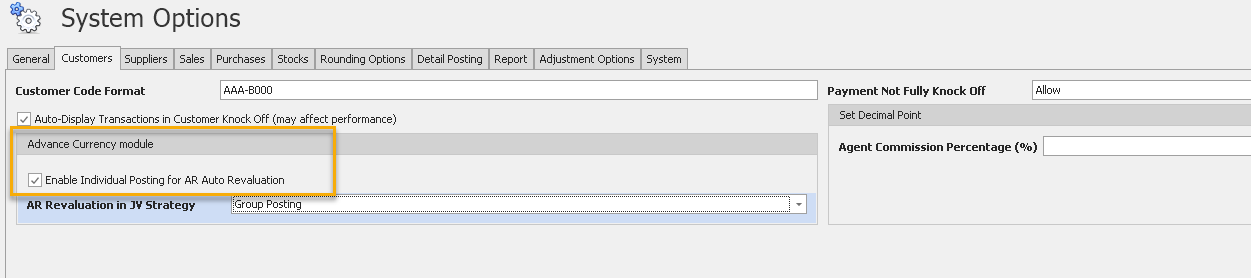
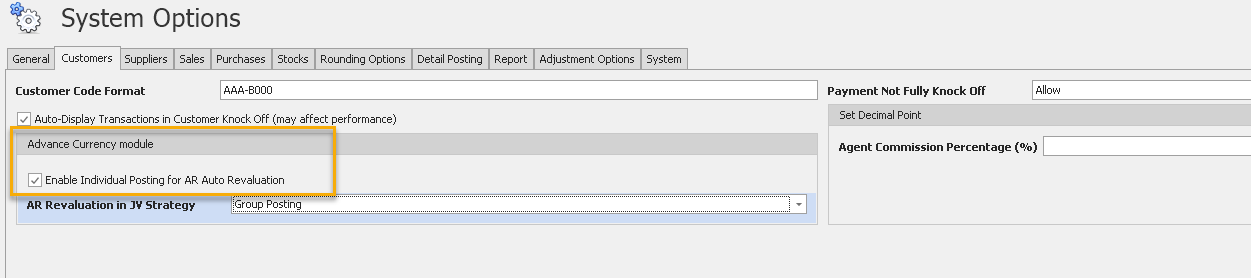
- Added a new option "Enable Individual Posting for AR Auto Revaluation" under System Options > Customers > Advance Currency Module.
- Allows users to generate individual journal entries for each customer during the Customer Revaluation process.
- With this option enabled, the system posts the unrealised foreign exchange gain or loss separately for each customer, providing clearer transaction details.
- Improves traceability, reconciliation, and audit of customer revaluation postings.
✨3. Added Maybank2e in Payment Voucher
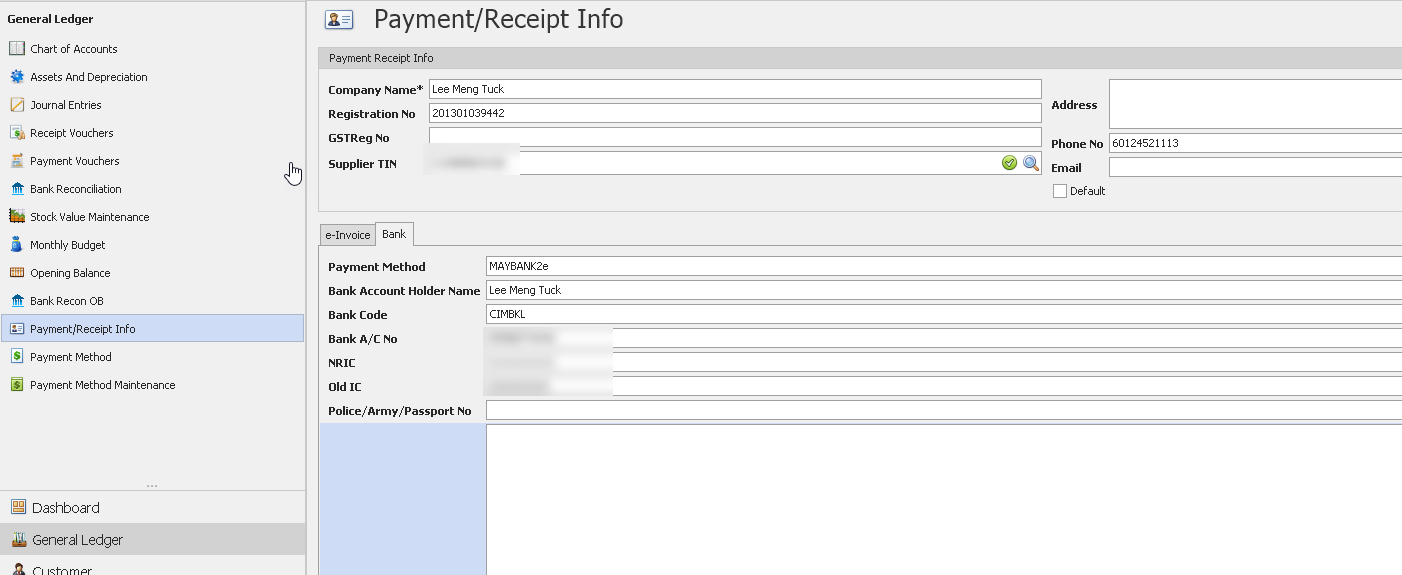
- Introduced Maybank2e support in Payment Voucher.
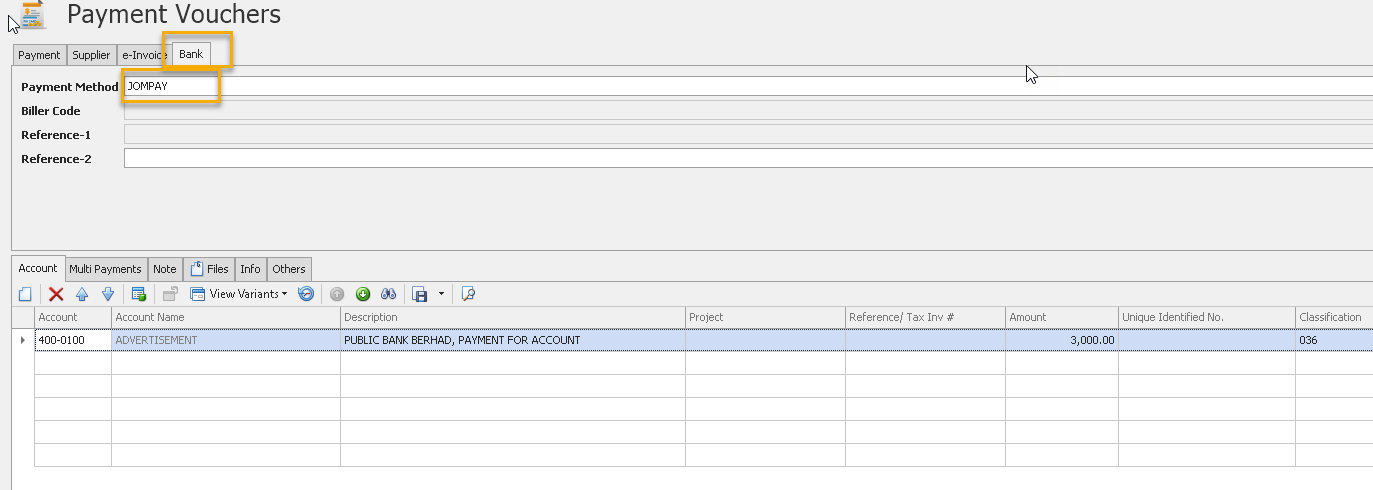
- Users can now select Maybank2e as the payment method when preparing Payment Vouchers.
- Added a Bank tab to capture and display the required Maybank2e payment information.
- Payment details maintained in Payment/Receipt Info are automatically populated into the Payment Voucher.
- Simplifies the preparation of Maybank2e payment transactions and reduces manual data entry.
✨ 4. POS Module: Allow Customers to Request e-Invoice via QR Code
- Added support for Post-Transaction e-Invoice Requests in the POS module.
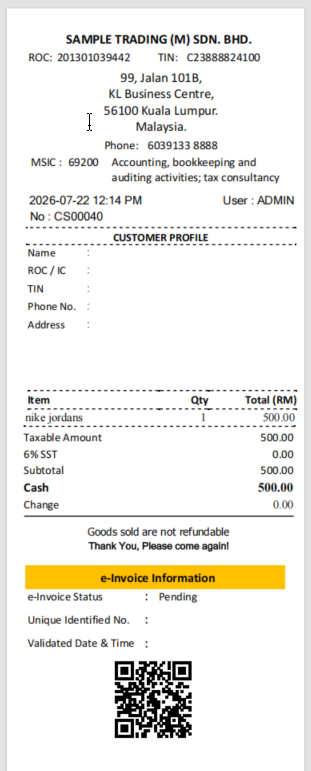
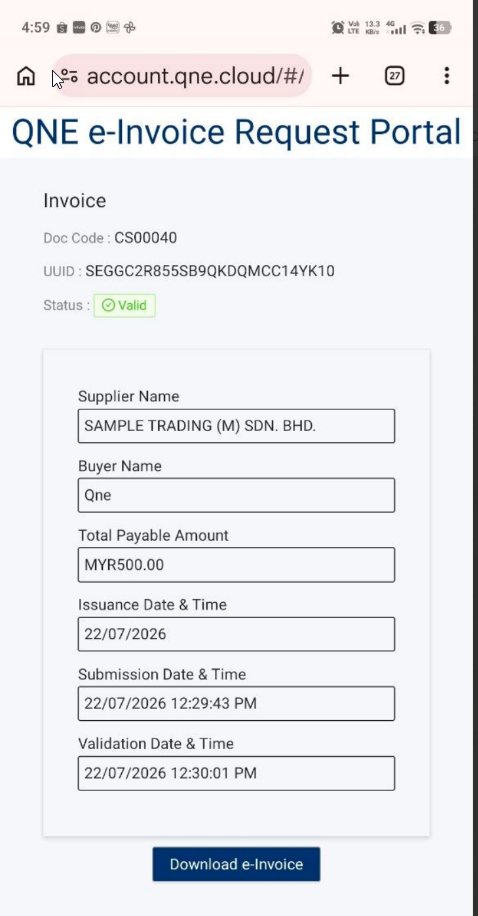
- POS receipts now include a QR Code that directs customers to the QNE e-Invoice Request Portal.
- Customers can submit their e-Invoice information after purchase by scanning the QR Code.
- The system automatically processes the e-Invoice request and allows customers to download the validated e-Invoice from the portal.
- Improves customer convenience while reducing manual e-Invoice request handling.
Also See:
Optimum Release Notes: 2026.1.2.0
Was this article helpful?
That’s Great!
Thank you for your feedback
Sorry! We couldn't be helpful
Thank you for your feedback
Feedback sent
We appreciate your effort and will try to fix the article
