What’s New
✨1. e-Invoice Module: Enhanced Customer Information Request QR Code
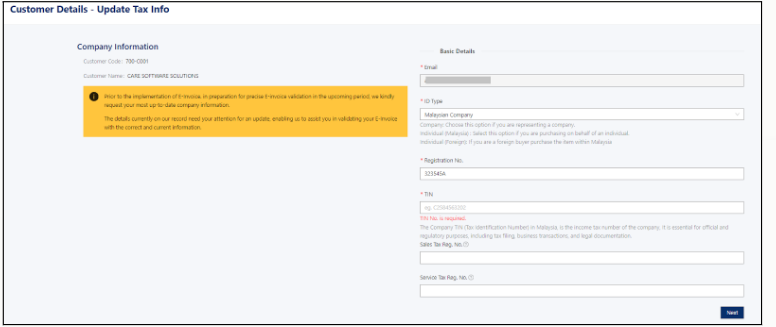
- Extended the Customer Information Request QR Code feature to Quotation (QT), Sales Order (SO), and Delivery Order (DO).
- Customers can scan the QR Code to securely update their tax and e-Invoice information through the customer portal.
- Eliminates manual collection of customer information and improves data accuracy before invoice issuance.
- Available for Cloud Hosting users.
- For complete guidance on using this feature - Click Part 1 and Part 2
✨2. Enhanced e-Invoice Submission by Item Line or Item Classification
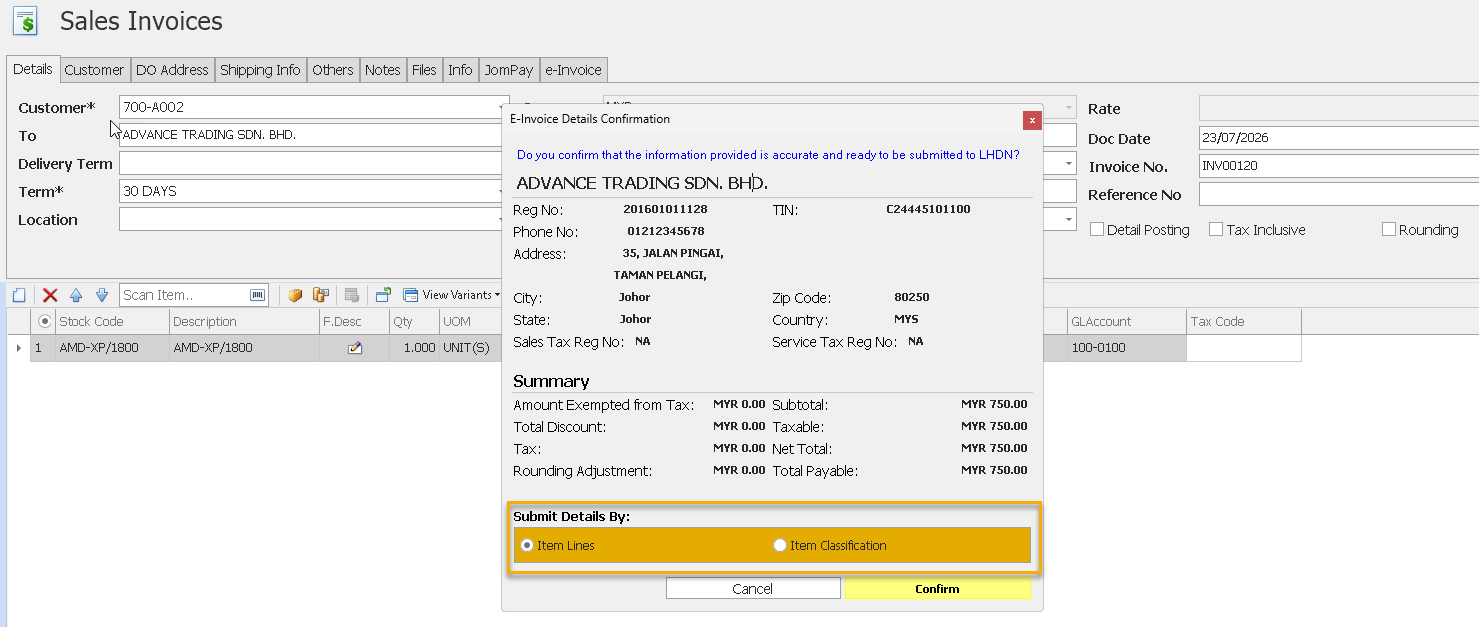
- Added support for submitting e-Invoices using either Item Line or Item Classification.
- Users can choose to submit individual item lines or group items by their classification code during e-Invoice submission.
- Grouping items by classification helps reduce the number of document lines and prevents submission failures caused by exceeding the maximum line limit.
✨ 3. e-Invoice Module: Edit Non-e-Invoice Fields After e-Invoice Submission
- Users can now edit non-e-Invoice-related fields after an e-Invoice has been successfully submitted.
- Applies to all e-Invoice transaction types except Consolidated e-Invoices.
- Allows post-submission updates without affecting validated e-Invoice data.
- Provides greater flexibility when maintaining transaction records.
- Note: Editing of Serial No. and Stock Batch No. was not supported in this version and was introduced in a later release.
✨4. e-Invoice Module: Online Stock Classification Update
- Added support for online updates of Stock Classification Codes.
- The system automatically updates newly added classification codes without requiring manual maintenance.
See Also:
Optimum Release Notes: 2024.1.0.8
Was this article helpful?
That’s Great!
Thank you for your feedback
Sorry! We couldn't be helpful
Thank you for your feedback
Feedback sent
We appreciate your effort and will try to fix the article
