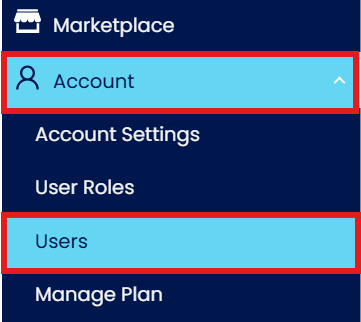
Press Account > Press Users
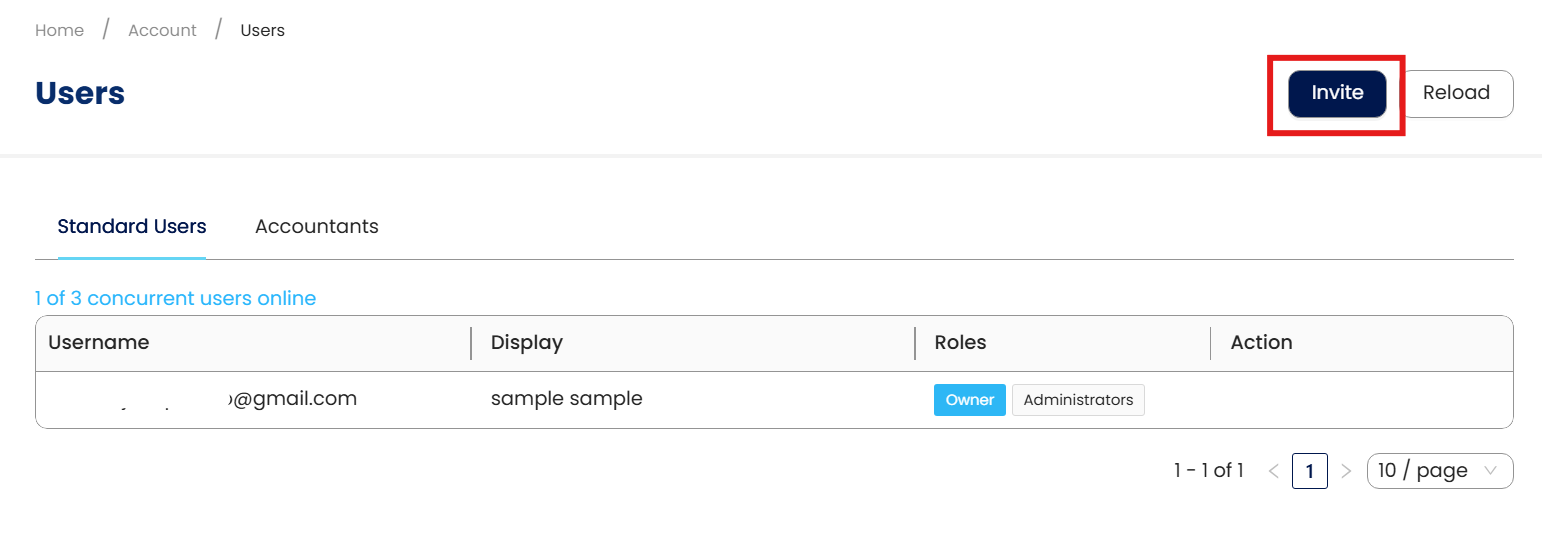
Press Invite
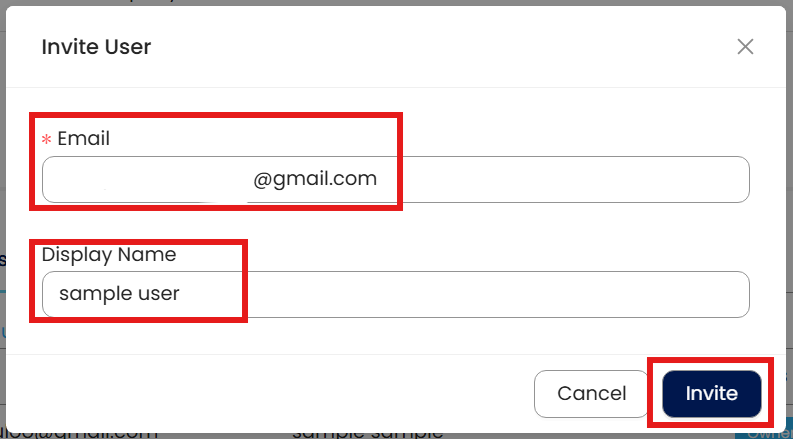
Insert Email Address and Display Name, then Press Invite
Remember Press Attach
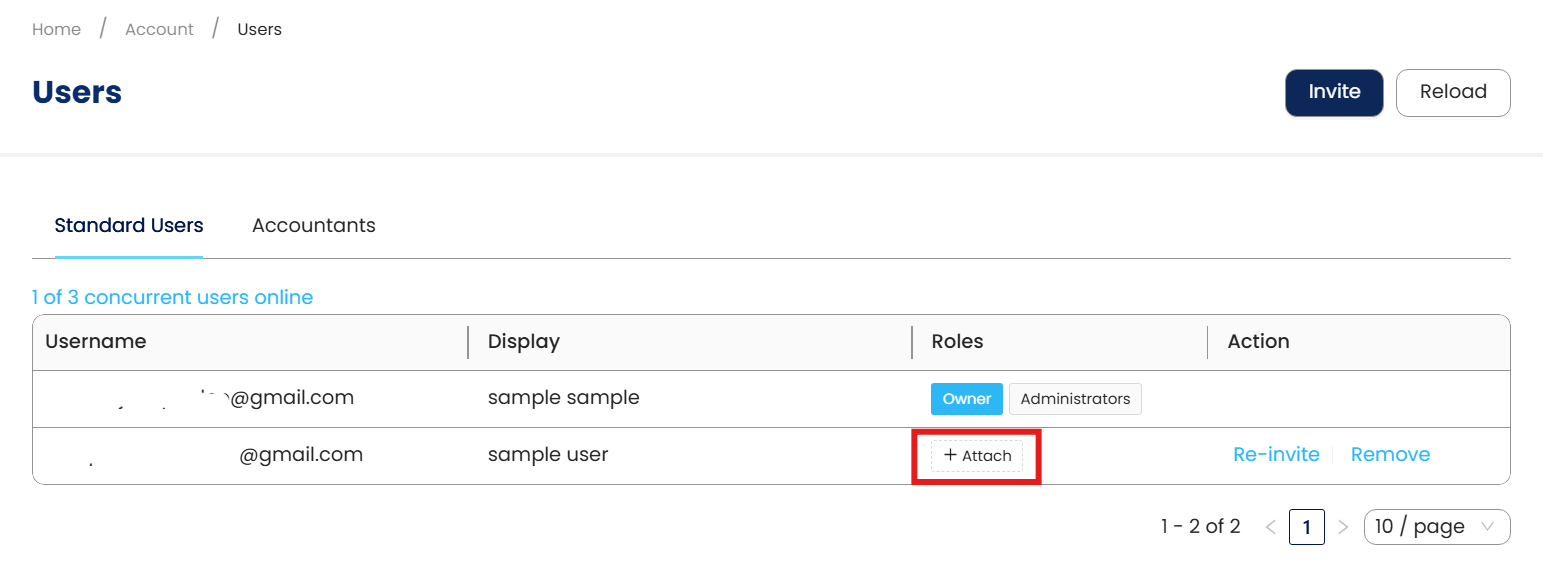
Choose a suitable User role
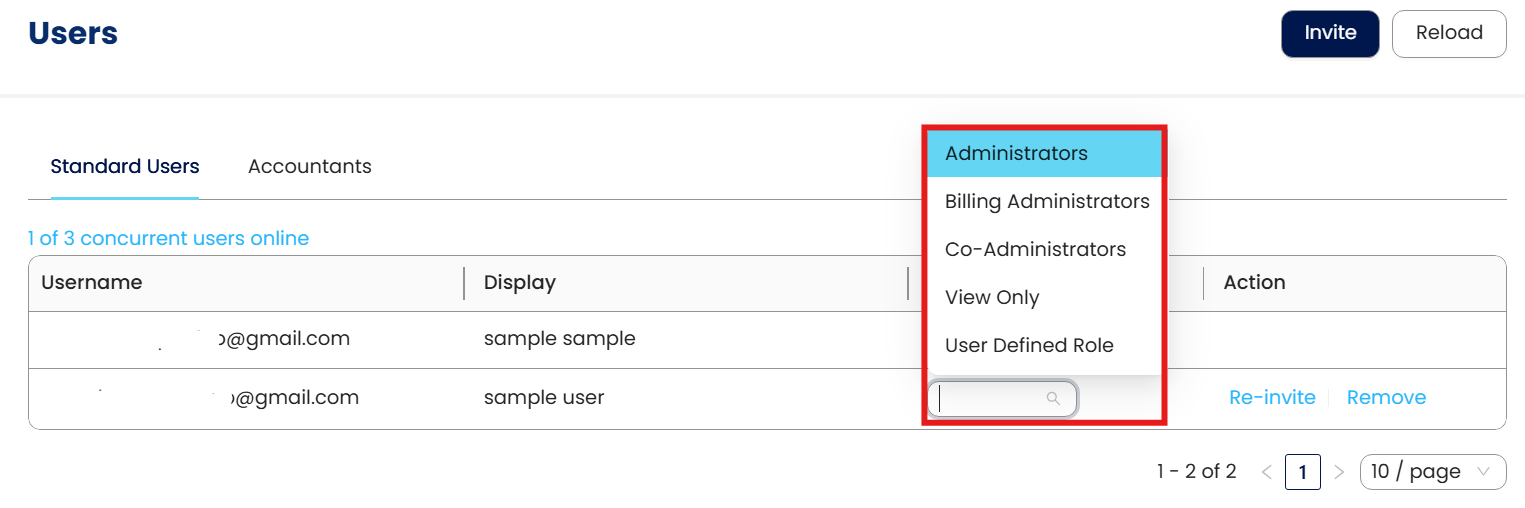
After Successfully Invite user
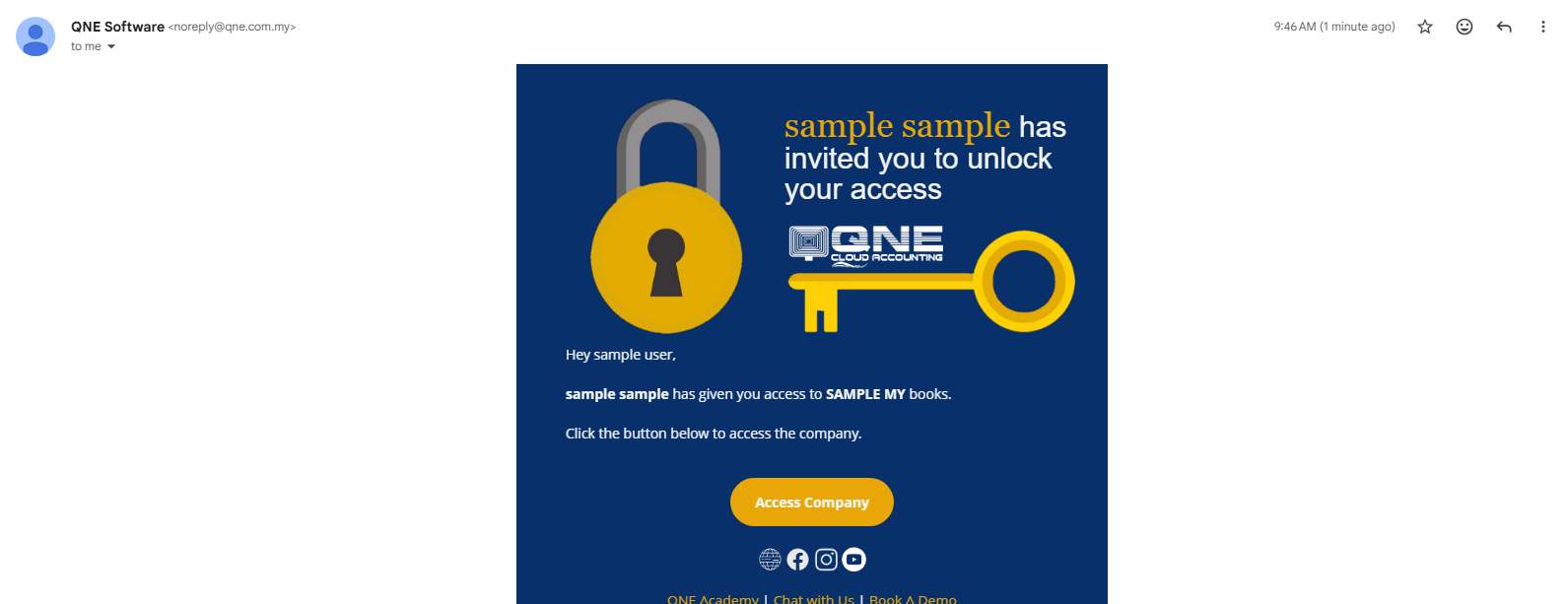
User will receive email to access the Company DB
** Learn more about Azure Cloud
** Learn more about QNE Hybrid Cloud Software
System Scope: QNE AI Cloud Accounting / N3 AI Accounting
Was this article helpful?
That’s Great!
Thank you for your feedback
Sorry! We couldn't be helpful
Thank you for your feedback
Feedback sent
We appreciate your effort and will try to fix the article
