Overview:
Under PERKESO's SKBBK (Lindung 24 Jam) guidelines, employees who have two or more employers at the same time must select only one employer to make the SKBBK contribution.
If the employee has designated another employer for the contribution, you may exclude the employee from SKBBK contribution calculation in QNE Payroll.
Scenario:
This option should only be used if the employee has officially selected another employer to contribute for SKBBK.
Solution:
1) Go to Employees Information
Employees > Employee Profile > Payroll Info > SOCSO, EIS & HRDF
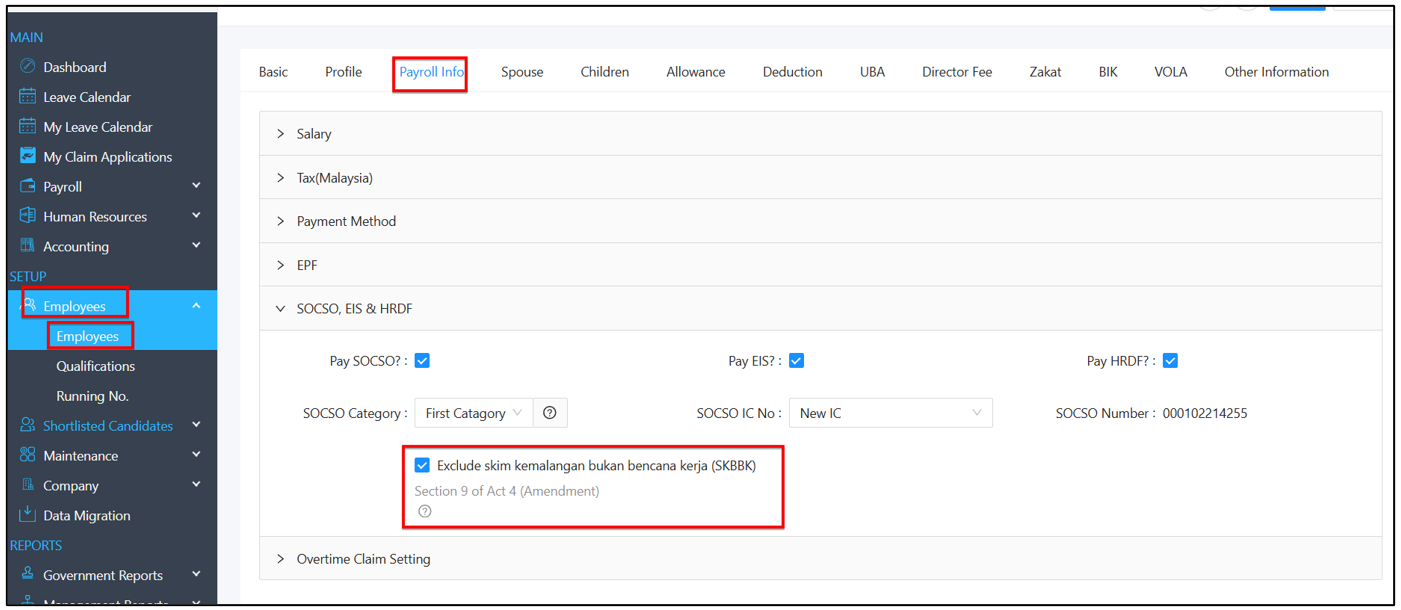
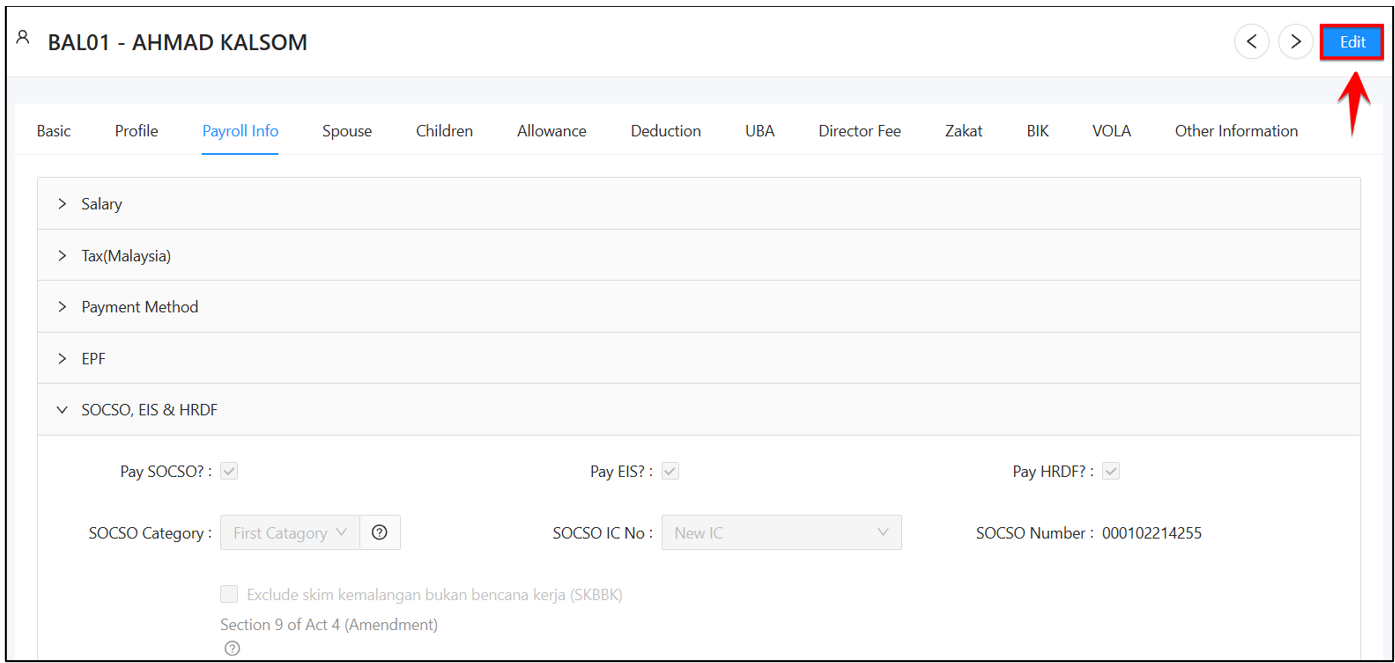
2) Click “Edit”
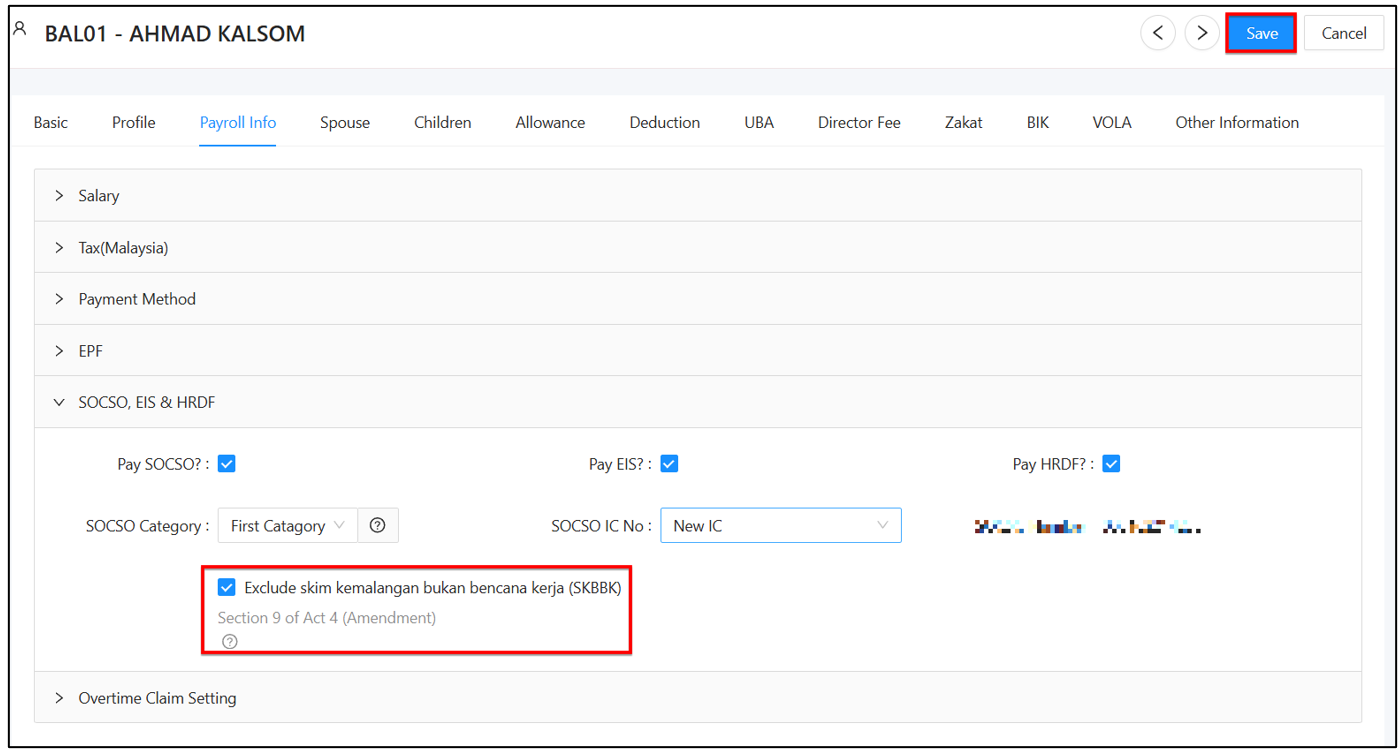
3) Tick the "Exclude Lindung 24 Jam" option and Click “Save”
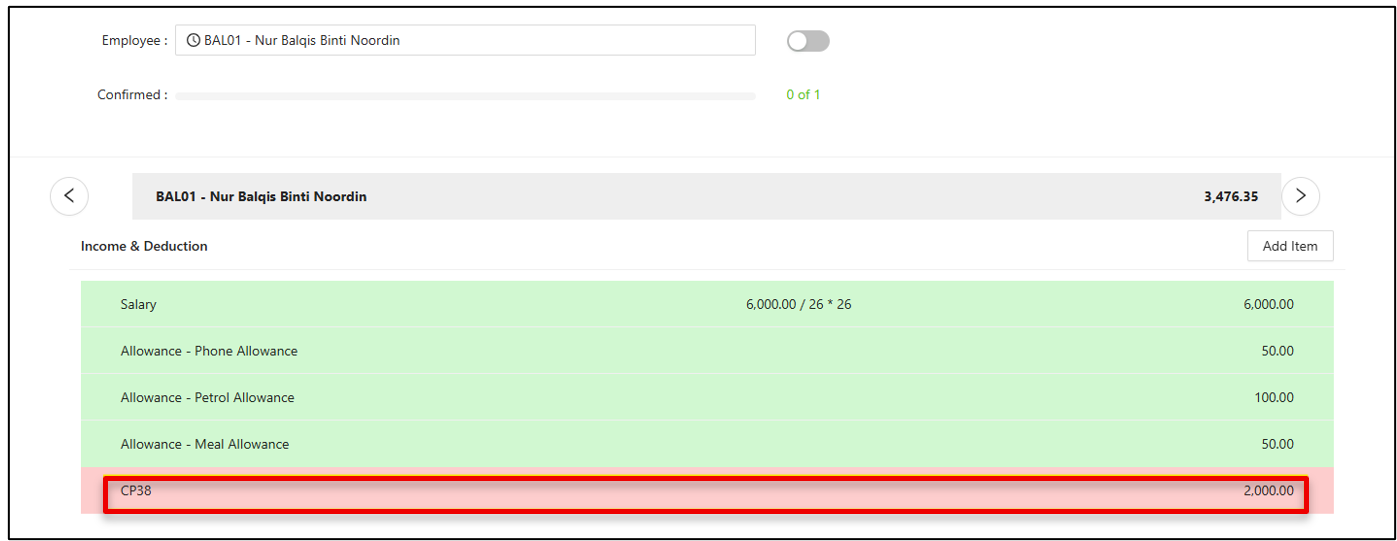
4) Generate Payroll
When you generate the payroll for that month, the system will automatically deduct the CP38 amount from the employee’s salary and display it in the PaySlip.
Reference
PERKESO Circular:
Pekeliling Majikan Bilangan 3 Tahun 2026 – Pelaksanaan Skim Lindung 24 Jam dan Pemilihan Majikan Bagi Maksud Pembayaran Caruman
PERKESO - Skim Kemalangan Bukan Bencana Kerja (Lindung 24 Jam)
Thanks for viewing
Was this article helpful?
That’s Great!
Thank you for your feedback
Sorry! We couldn't be helpful
Thank you for your feedback
Feedback sent
We appreciate your effort and will try to fix the article
