What is Lindung 24 Jam (SKBBK)?
Lindung 24 Jam, also known as the Skim Kemalangan Bukan Bencana Kerja (SKBBK), is a social security scheme introduced by PERKESO to provide protection for employees against accidents that occur outside the course of employment.
The scheme is effective from 1 June 2026 and is administered by PERKESO.
How Does It Work in QNE Payroll?
No setup is required in the system, as the SKBBK contribution will be calculated automatically together with the SOCSO contribution based on the employee's wages. During payroll processing, the system will:
- Automatically calculate the SKBBK contribution based on the latest PERKESO contribution table.
- Include the SKBBK contribution together with the SOCSO contribution.
QNE Payroll has been updated to support the SKBBK (Lindung 24 Jam) contribution in accordance with the latest PERKESO requirements.
May refer to the Maintenance > SOCSO
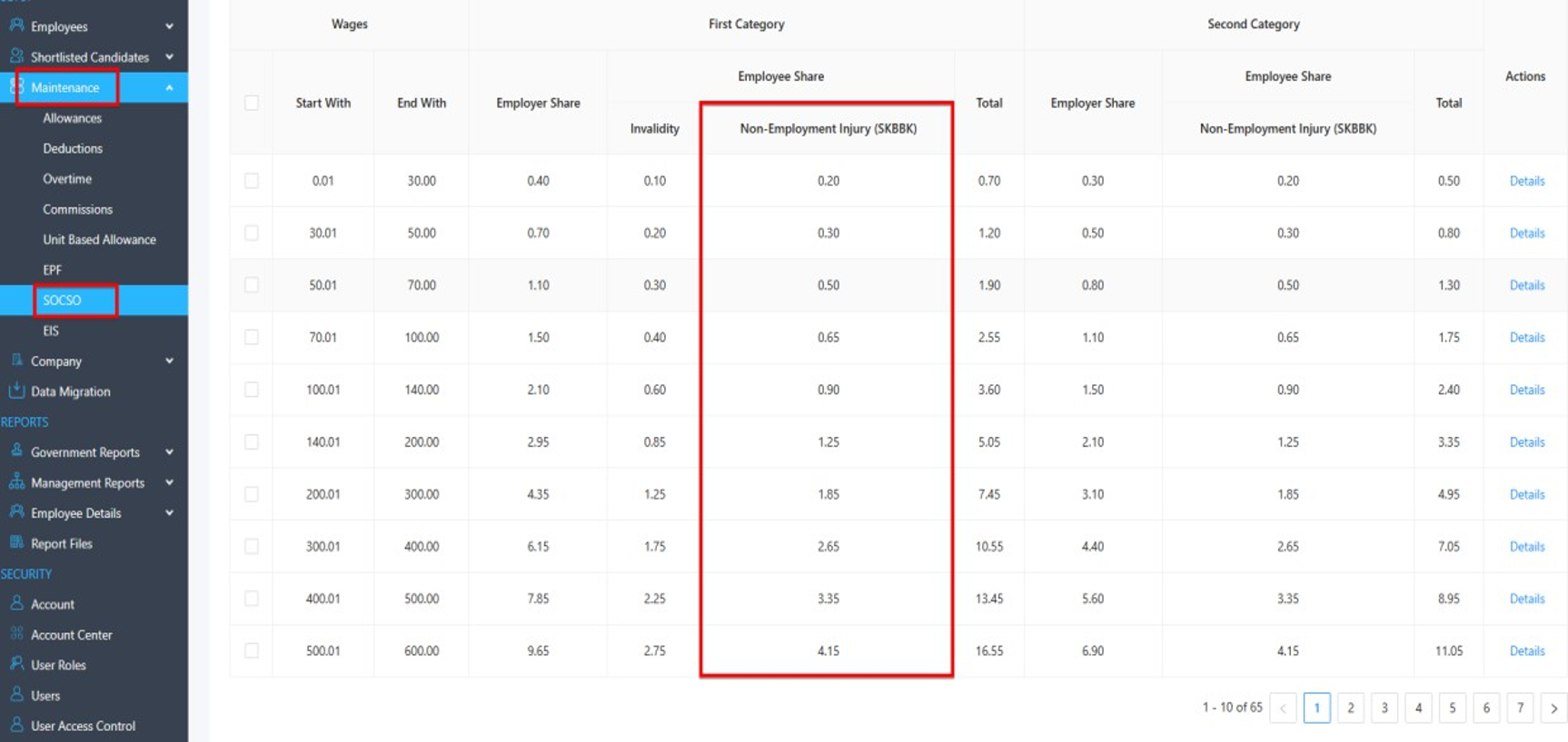
How It Works (Example Payroll Calculation)
Staff: Staff A
Basic Salary: RM 2500.00
Before SKBBK Implementation
Description | Amount |
SOCSO Employee Contribution | RM 12.25 |
SKBBK Contribution | Not Applicable |
Total Employee Contribution | RM 12.25 |
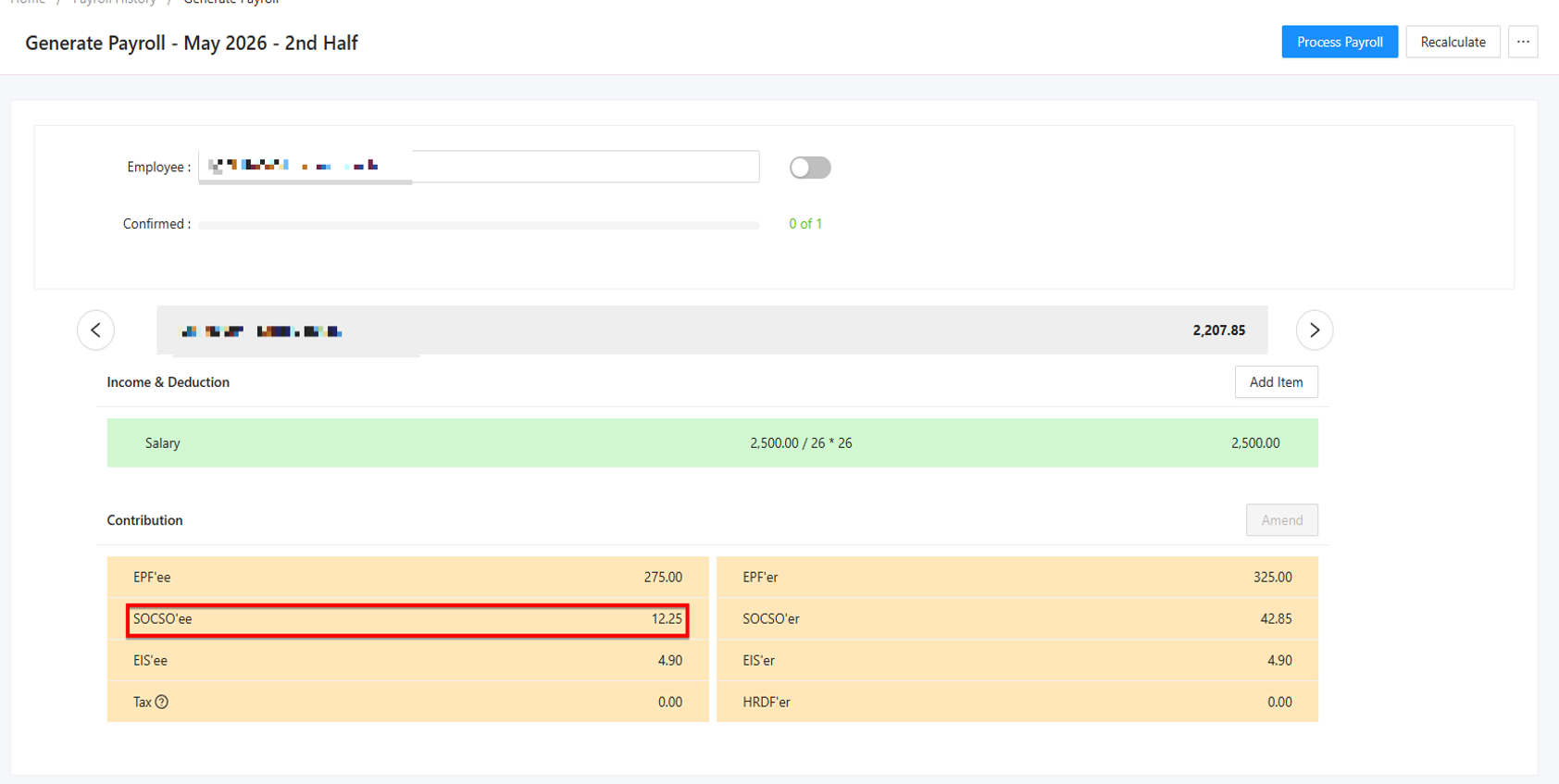
Generate Payroll – May 2026
After SKBBK Implementation
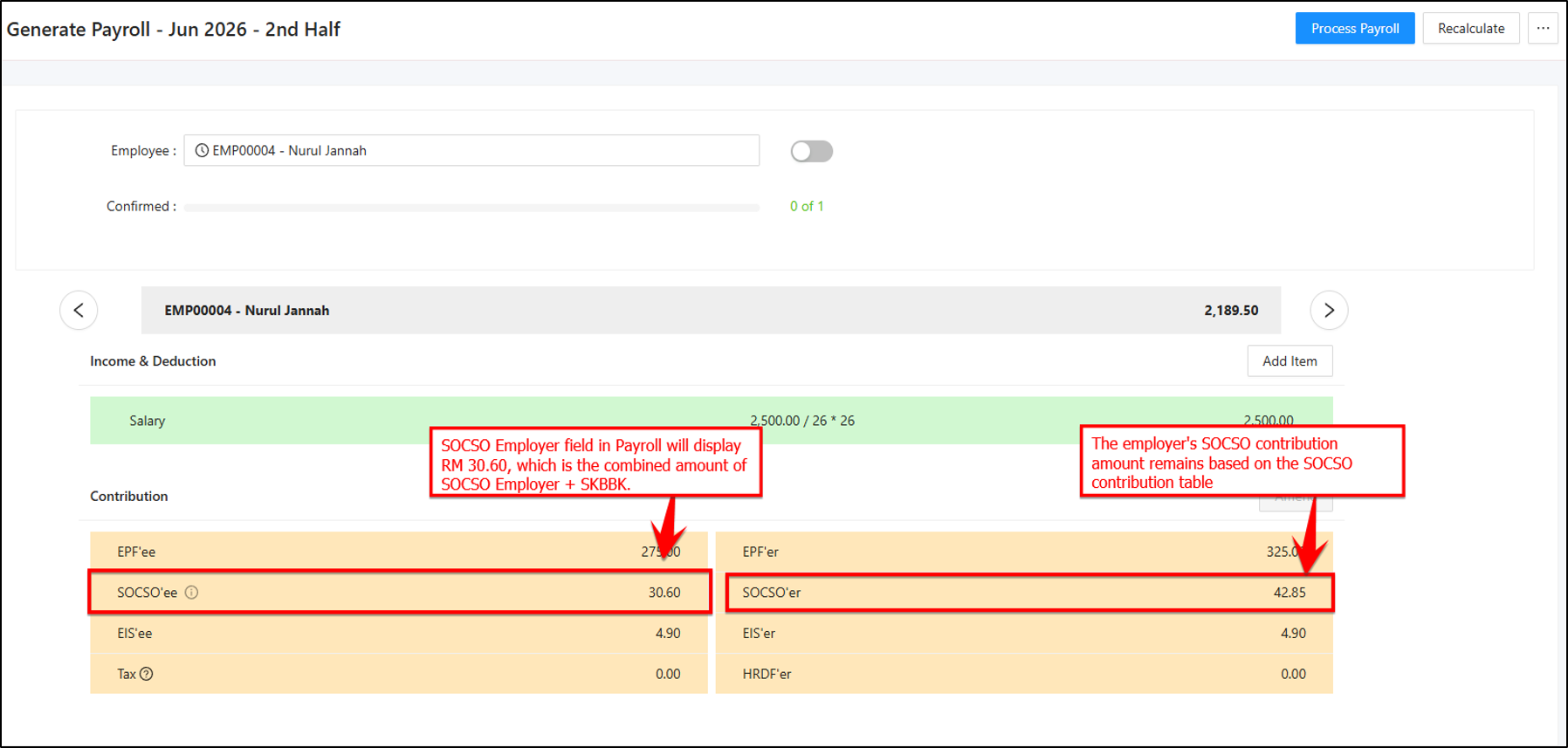
When generating payroll for June 2026 onwards, the system will automatically calculate the SKBBK contribution based on the employee's wages.
Please refer to the screenshots below:
You can also hover over or click the “i” icon next to SOCSO’ee to view the contribution breakdown details.
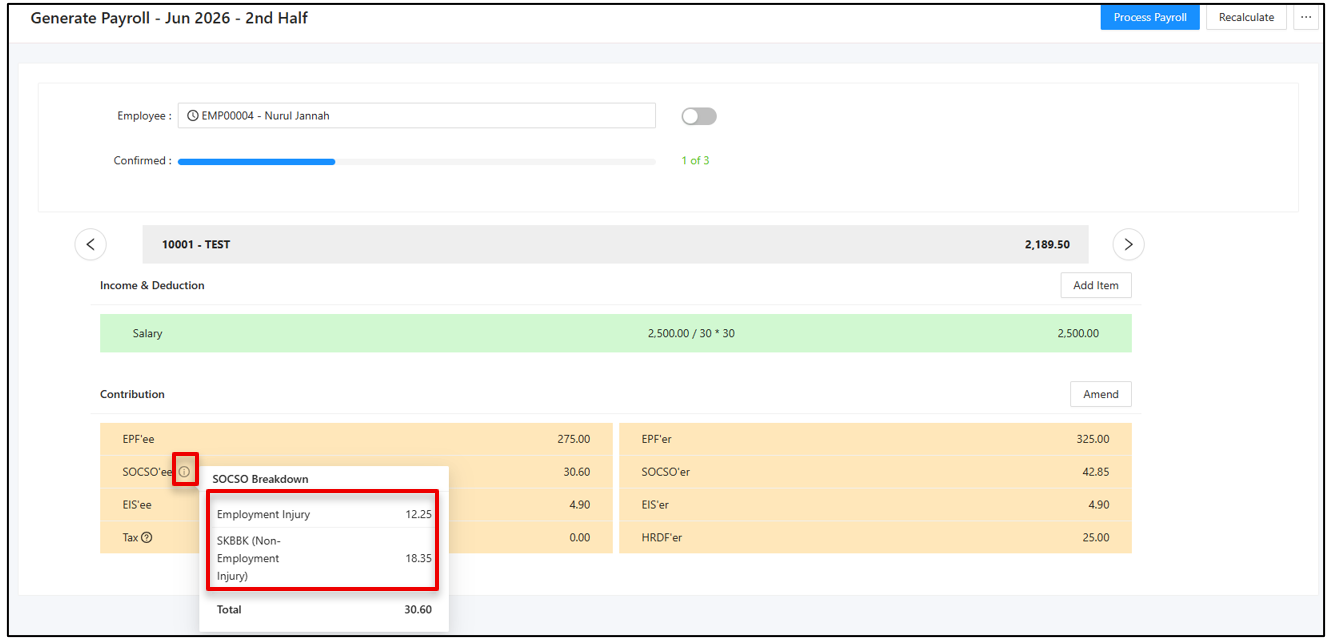
Generate Payroll – June 2026
Based on the SOCSO contribution table:
Description | Amount |
SKBBK Contribution | RM 18.35 |
SOCSO Employee Contribution | RM 12.25 |
Total Employee Contribution | RM 30.60 |
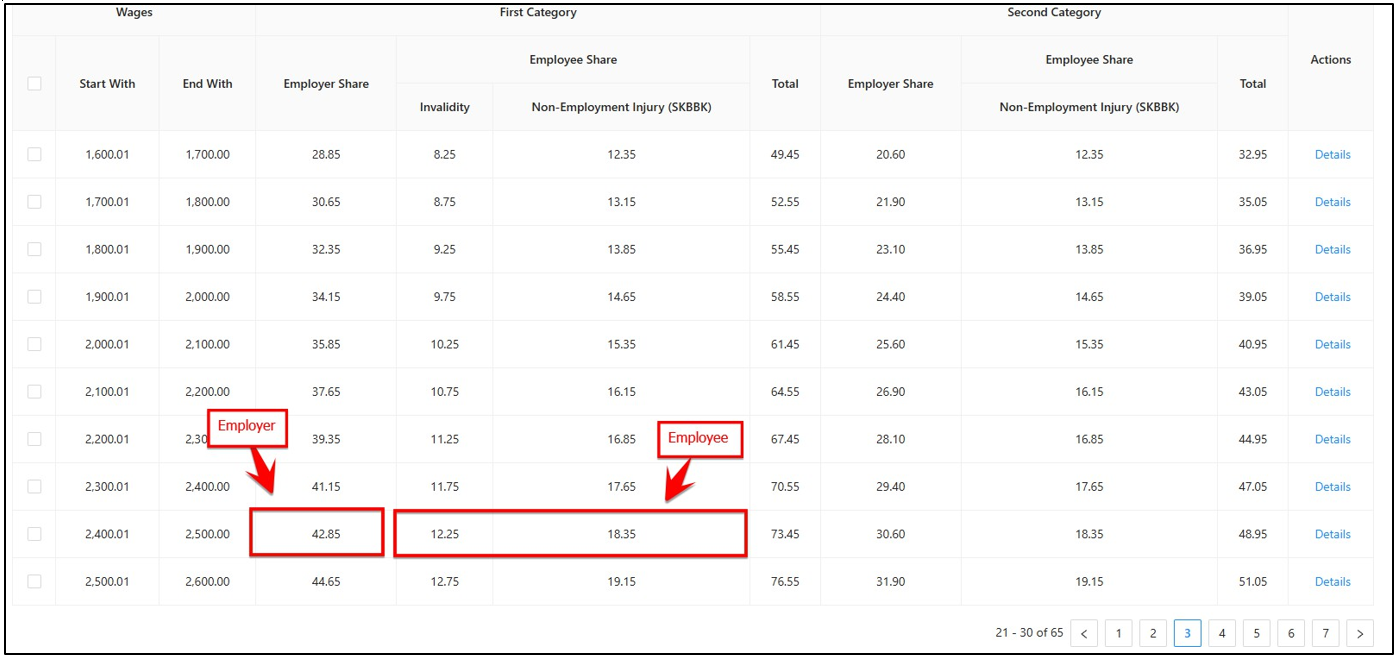
SOCSO TABLE
Notes: The employer's SOCSO contribution amount remains based on the SOCSO contribution table
Where Can I Verify the SKBBK Contribution?
The contribution details can be verified in the TXT SOCSO + EIS file generated by the system.
Navigate to:
Reports > Management Reports > Statutory Transfer > TXT SOCSO + EIS
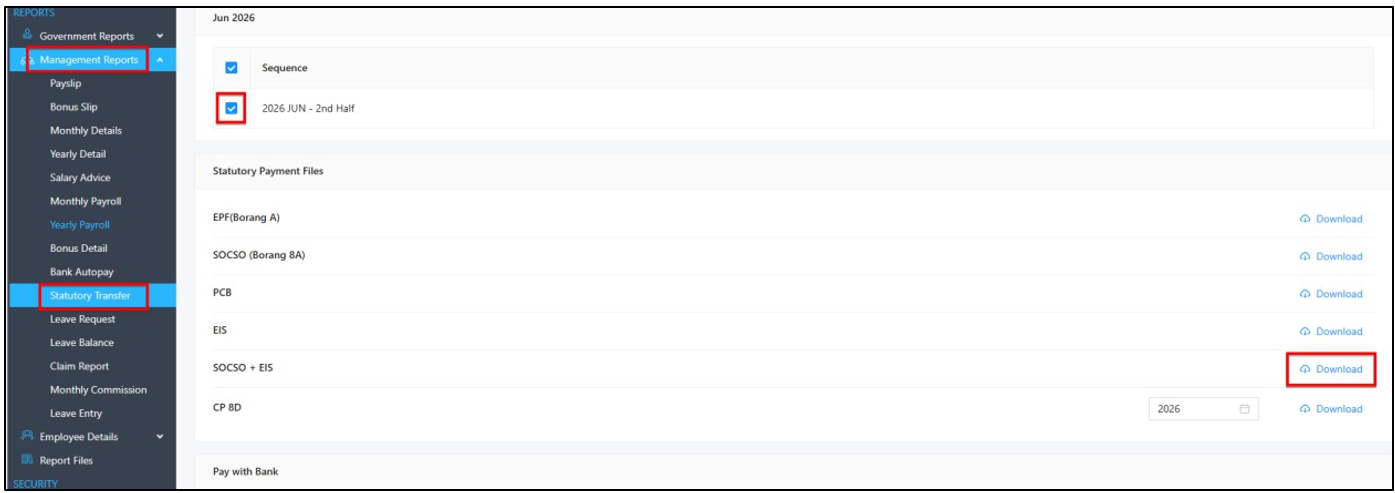
After generating the TXT SOCSO + EIS file, the SKBBK contribution amount will be reflected under the highlighted column, as shown in the example below.

TXT FILE SOCSO + EIS
Thanks for viewing.
Was this article helpful?
That’s Great!
Thank you for your feedback
Sorry! We couldn't be helpful
Thank you for your feedback
Feedback sent
We appreciate your effort and will try to fix the article
