Overview
The Non-Employment Injury Scheme (Skim Bencana Kerja Bukan Pekerjaan or SKBBK) is a PERKESO/SOCSO scheme in Malaysia designed to provide 24/7 protection for employees against accidents or injuries occurring outside of working hours.
To ensure statutory compliance, HR administrators often need to enable or disable the SKBBK option across multiple employee profiles. Updating each employee’s profile individually can be time-consuming. The Batch Update Include SKBBK feature streamlines this process, allowing you to view, filter, and update SKBBK settings for multiple employees at once with just a few clicks.
Scenario
ABC Sdn Bhd wants to enable SKBBK contributions for all eligible active employees starting from the current month's payroll processing. Instead of manually editing each employee record, the HR Executive uses the batch update tool to filter all unassigned staff, check the SKBBK box for everyone at once, and save the changes instantly.
Step-by-Step Guide: How to Batch Update SKBBK
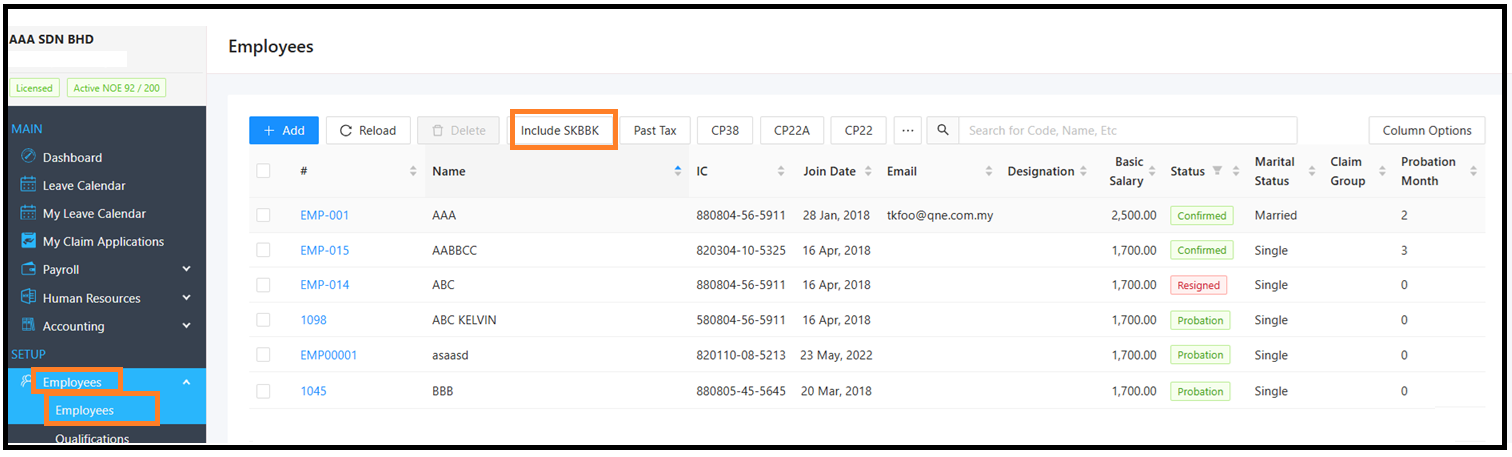
1) On the main menu, go to SETUP > Employees > Employees > In the top action bar, click the Include SKBBK button.
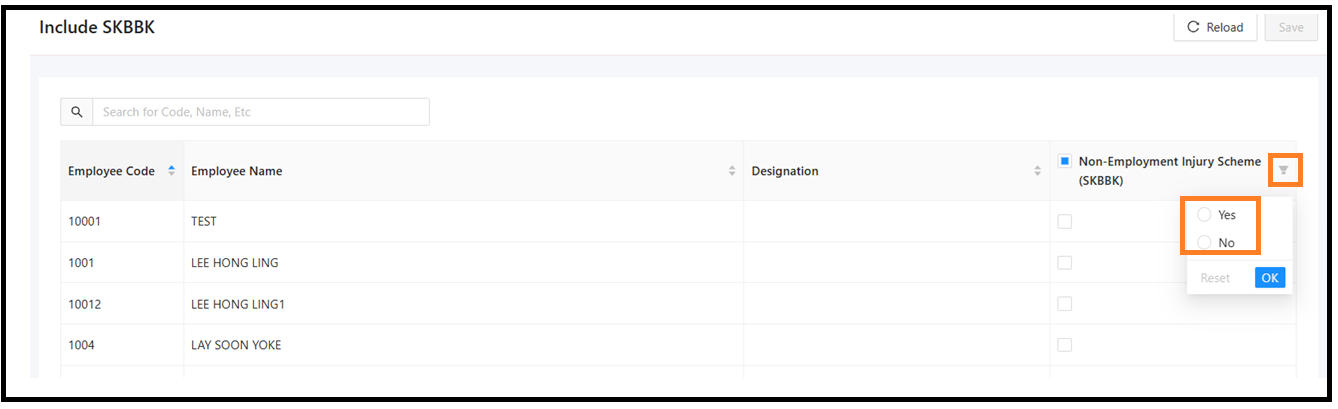
2) Locate the Non-Employment Injury Scheme (SKBBK) column > Click the Filter icon > Choose Yes or No to filter employees based on their current SKBBK status (e.g., filter by No to see who hasn't been enabled yet). > Click OK.
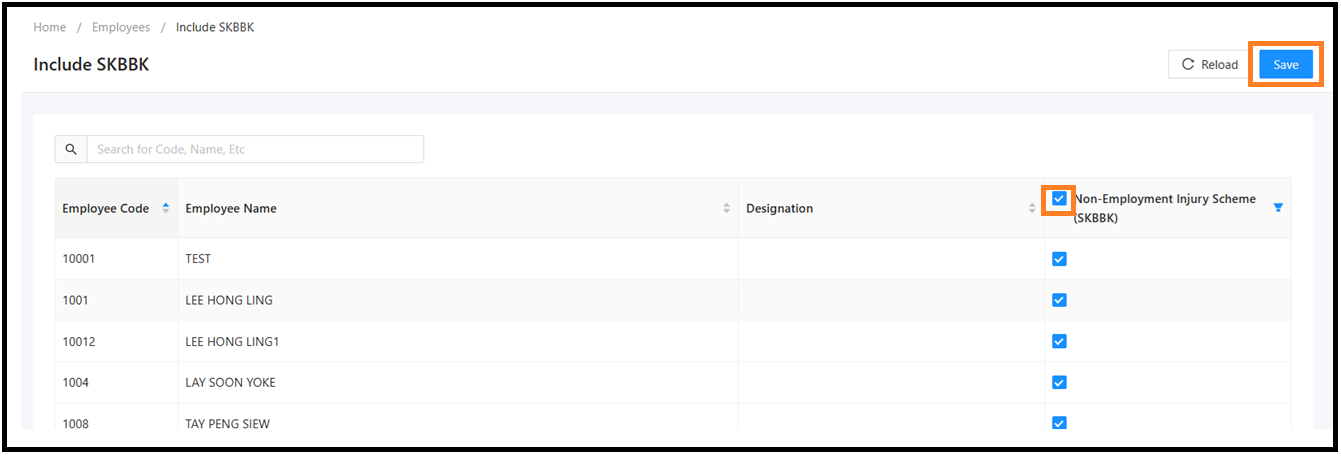
3) To enable SKBBK for all displayed employees, tick the checkbox in the header of the Non-Employment Injury Scheme (SKBBK) column. This will automatically select all rows in the table. Alternatively, check or uncheck individual checkboxes next to specific employee names > Once your updates are complete, click the Save button in the top right corner.
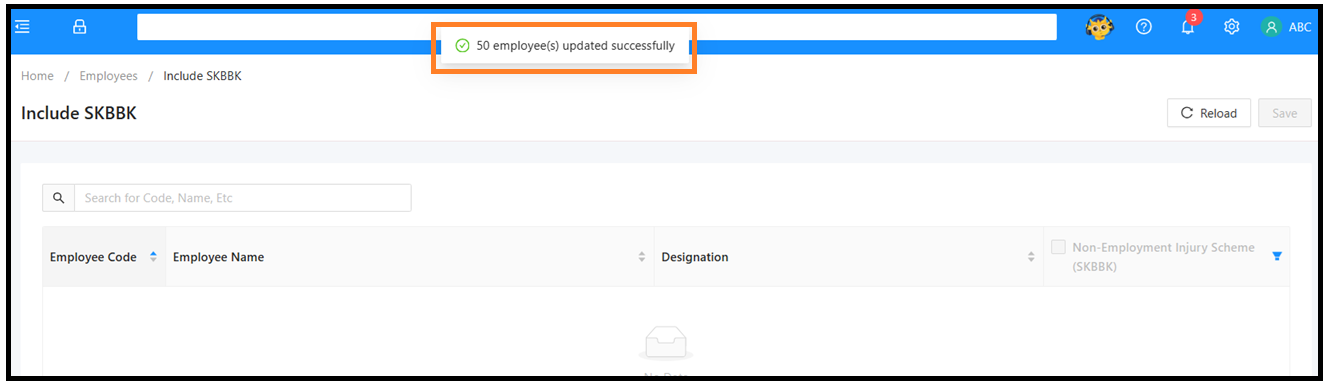
4) Include SKBBK is update successful for the employee that you checked
Thanks for viewing
Was this article helpful?
That’s Great!
Thank you for your feedback
Sorry! We couldn't be helpful
Thank you for your feedback
Feedback sent
We appreciate your effort and will try to fix the article
