What’s New
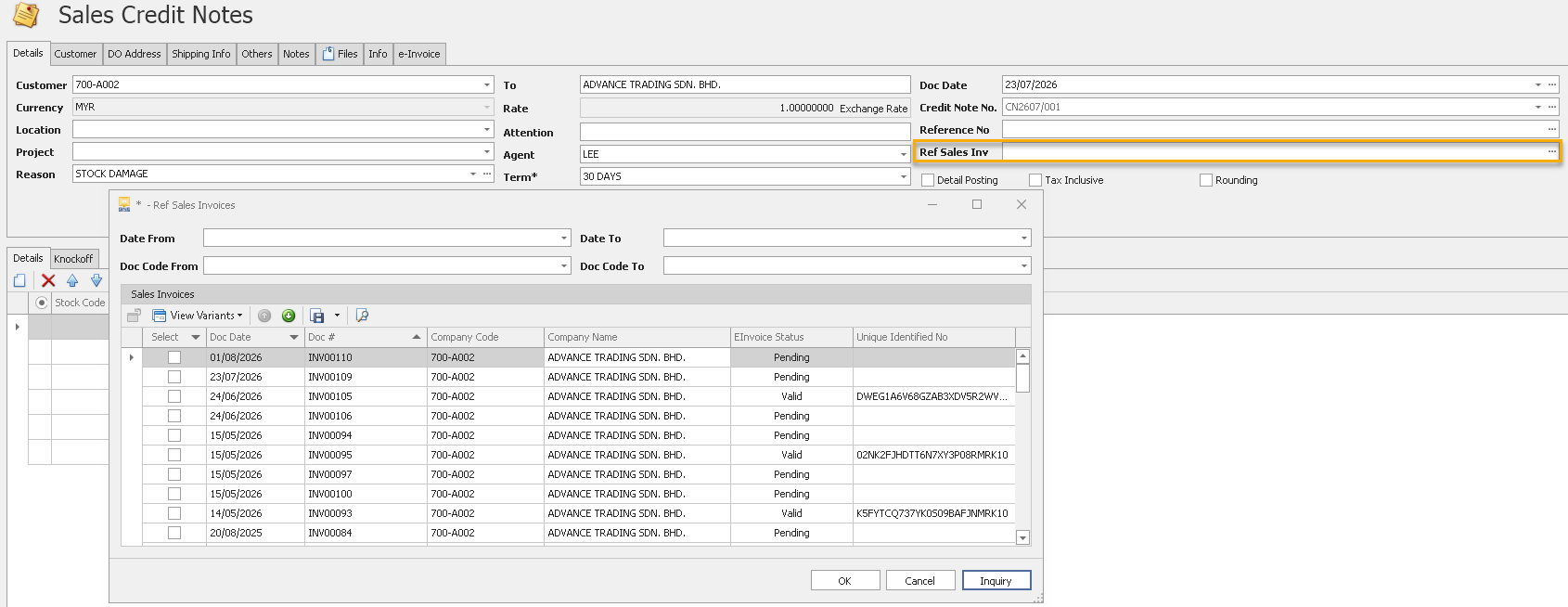
✨ 1. e-Invoice Module: How to update Original e-Invoice Reference Number in Credit Notes or Debit Notes?
- Added the ability to update the Original e-Invoice Reference Number for Credit Notes and Debit Notes.
- Users can modify the reference number after the transaction is created, ensuring the correct original e-Invoice is linked.
- Improves flexibility when handling corrections or adjustments related to previously issued e-Invoices.
- For complete guidance on using this feature - Click HERE
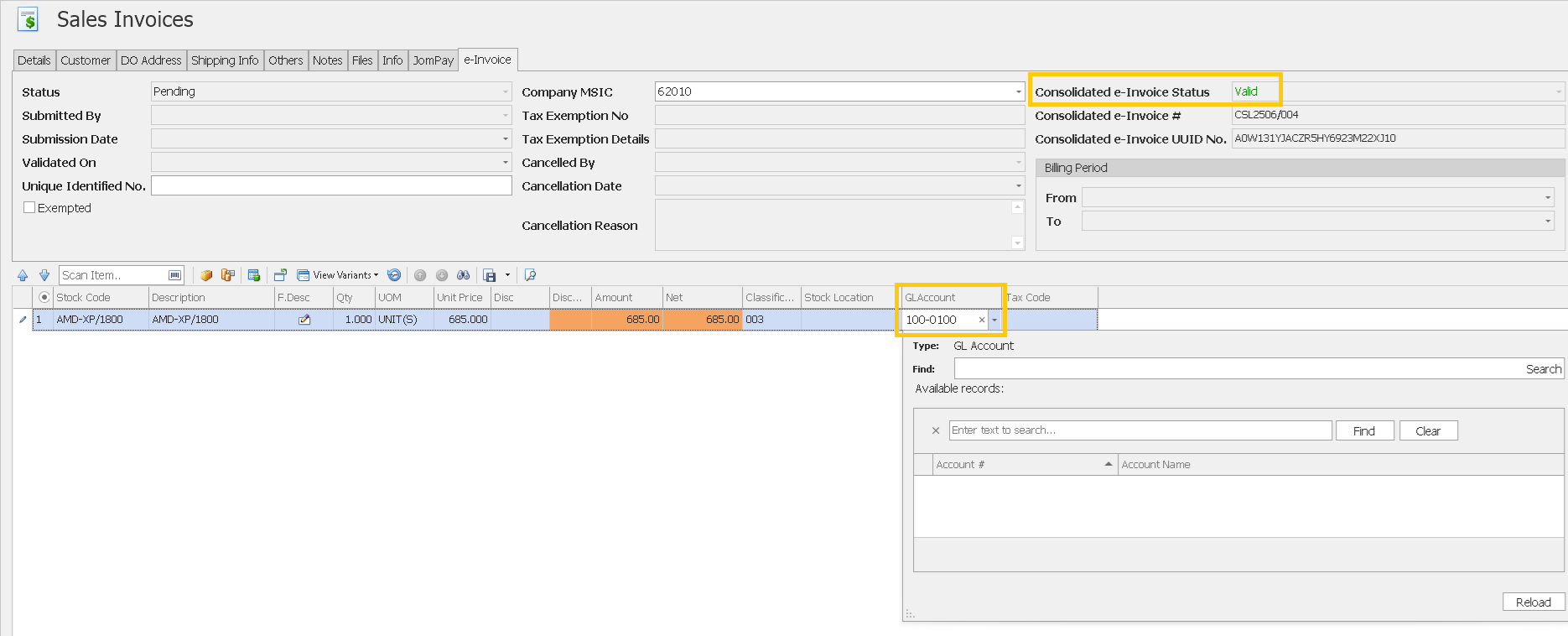
✨ 2. e-Invoice Module: Enhanced GL Account Editing After Consolidated e-Invoice Submission
- Users can now edit the GL Account in a Sales Invoice even after the Consolidated e-Invoice has been successfully submitted.
- Removes the previous restriction that prevented GL Account modifications after consolidated e-Invoice submission.
- Allows users to make accounting adjustments without affecting the submitted Consolidated e-Invoice status.
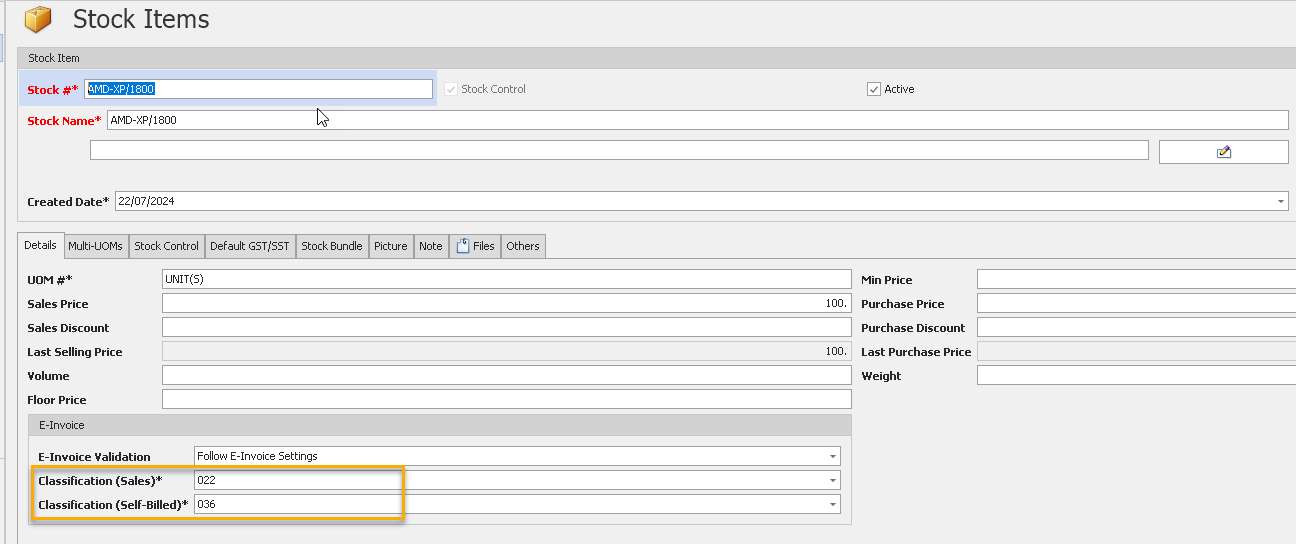
✨3. e-Invoice Module: Enhanced e-Invoice Classification Codes for Sales & Self-Billed
- Added separate Classification (Sales) and Classification (Self-Billed) fields in Stock Item maintenance.
- Allows different e-Invoice Classification Codes to be defined for Sales and Self-Billed transactions.
- Existing Classification values are automatically copied to Classification (Self-Billed) during system upgrade, ensuring a seamless transition.
- Added a Batch Update function to assign classification codes to multiple stock items simultaneously, improving maintenance efficiency.
- For complete guidance on using this feature - Click HERE
Also See:
Optimum Release Notes: 2025.1.7.2
Was this article helpful?
That’s Great!
Thank you for your feedback
Sorry! We couldn't be helpful
Thank you for your feedback
Feedback sent
We appreciate your effort and will try to fix the article
