Overview:
When selected for a Monthly Tax Deduction (PCB/MTD) audit by Lembaga Hasil Dalam Negeri (LHDN), companies must submit detailed earnings and tax deduction records using official statutory audit formats. The system enables payroll administrators to directly generate the Lampiran B - SWASTA form (Penyata Saraan & Potongan Cukai), which aggregates employee monthly gross remuneration, relief deductions, and PCB deductions.
Scenario:
LHDN notifies an employer of an upcoming payroll audit and requests submission of the Lampiran B - SWASTA statement for verification.
Instead of manually compiling monthly salary details, PCB deductions, and employee tax reliefs into individual statements, you can generate this report directly from the system for any required assessment year and export it in formats such as PDF or Excel
Solution:
Follow these steps to generate and export the Lampiran B - SWASTA form:
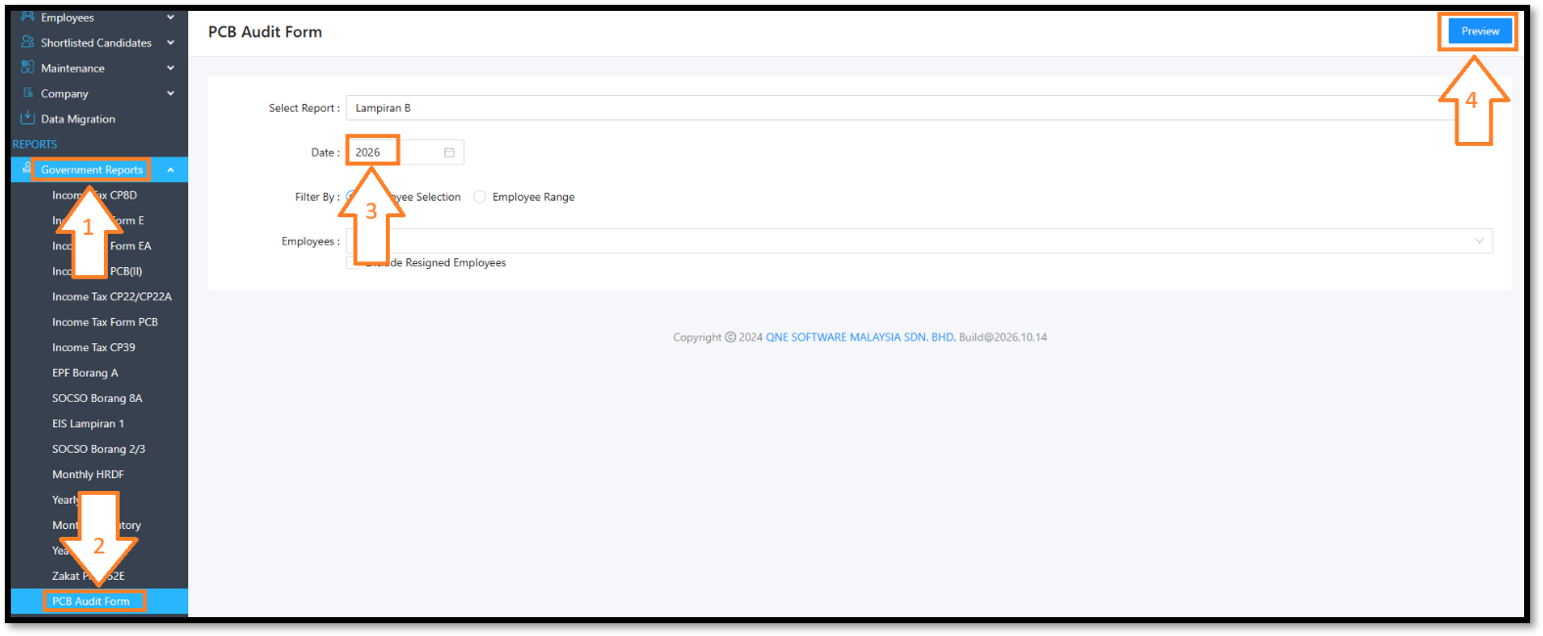
- On the left navigation menu under REPORTS, click Government Reports > Scroll down and select PCB Audit Form > Under Date / Year, enter or select the assessment year required by LHDN > Click the Preview button at the top right.
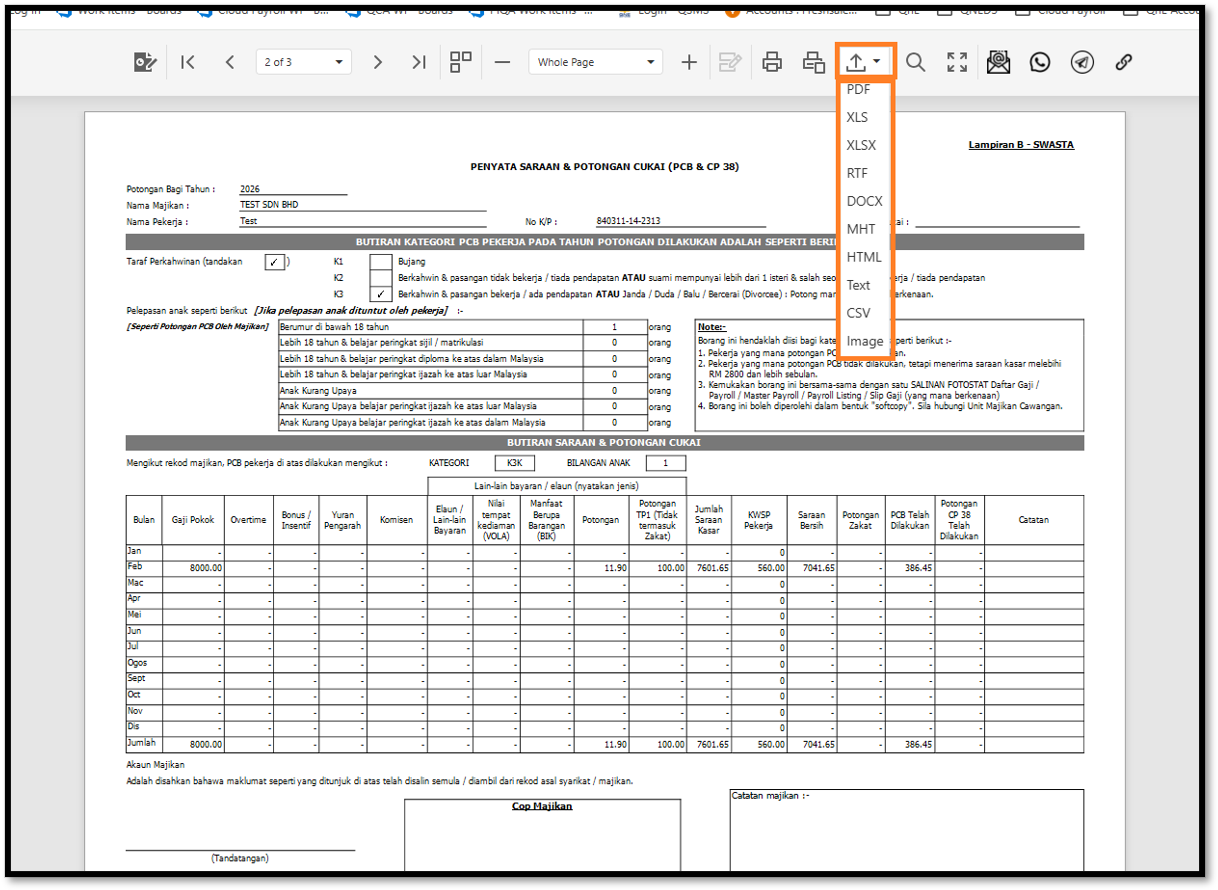
- The Lampiran B - SWASTA statement will display on the screen. You also can click the Export / Download icon on the top toolbar to choose your preferred file format (e.g., PDF, XLSX, XLS, DOCX, or CSV) to save the document for audit submission
Note:
• Make sure the payroll for the year has been processed before you print, because the monthly table is filled from the payroll records.
• Check the marital status category and the number of children before printing, because they are printed on the form.
• The form has a signature and company stamp (Cop Majikan) area. Print it, then sign and stamp it before you submit it for the audit.
• Use Employee Range when you need to print the form for many employees at once.
• Export to PDF if you also need a softcopy for your records.
Was this article helpful?
That’s Great!
Thank you for your feedback
Sorry! We couldn't be helpful
Thank you for your feedback
Feedback sent
We appreciate your effort and will try to fix the article
