Overview :
A Purchase Return records goods you send back to a supplier, e.g. damaged or wrong items. Its lines always come from a Purchase Invoice or a Cash Purchase of the supplier, so you return only what you bought. Purchase returns are sent to N3 AI Accounting (n3.qne.cloud), in the database that N3 AI POS is linked to. This article guides you through creating a purchase return in the N3 AI POS Portal.
At the end of this article, you will be able to:
Create a purchase return from a purchase invoice
Create a purchase return from a cash purchase
Keep only the items you return and change their quantity
Start a purchase return from the purchase invoice or cash purchase itself
Scenario :
Kuala Lumpur finds 6 damaged Coca-Cola 325ml from Lim Kee Wholesale Sdn Bhd. Some came on purchase invoice PINV2611/001 and some on cash purchase CP2611/001. The purchaser creates one purchase return for each, in the POS Sdn. Bhd. Live database.
Solution :
Create a Purchase Return from a Purchase Invoice
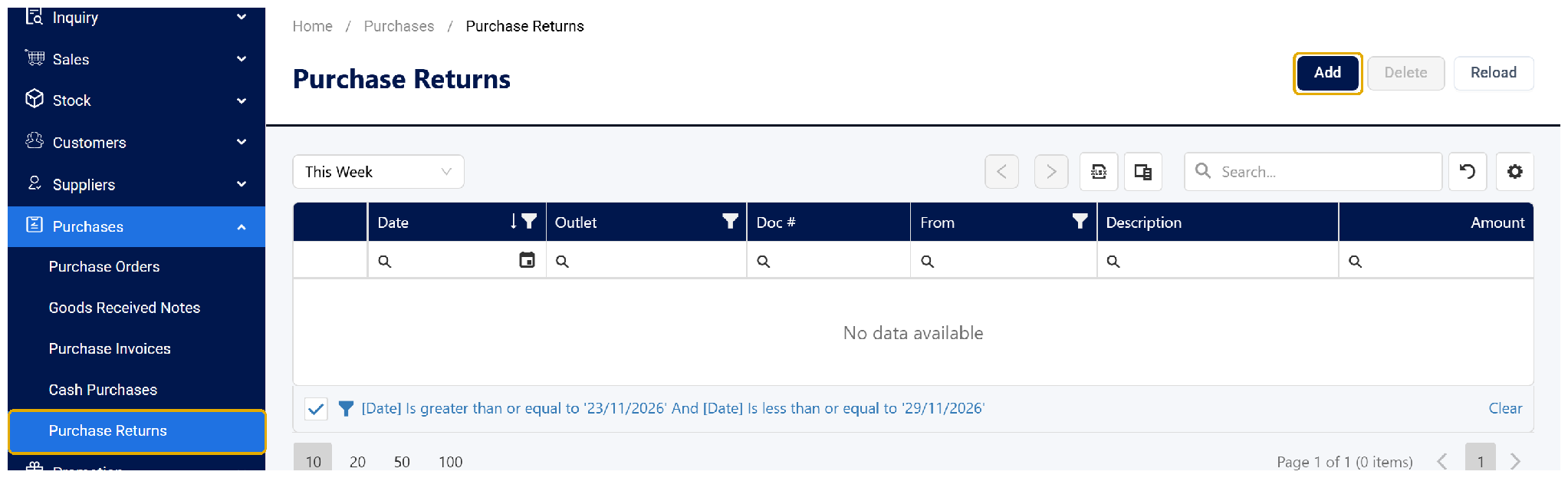
Navigate to Purchases > Purchase Returns and click Add.
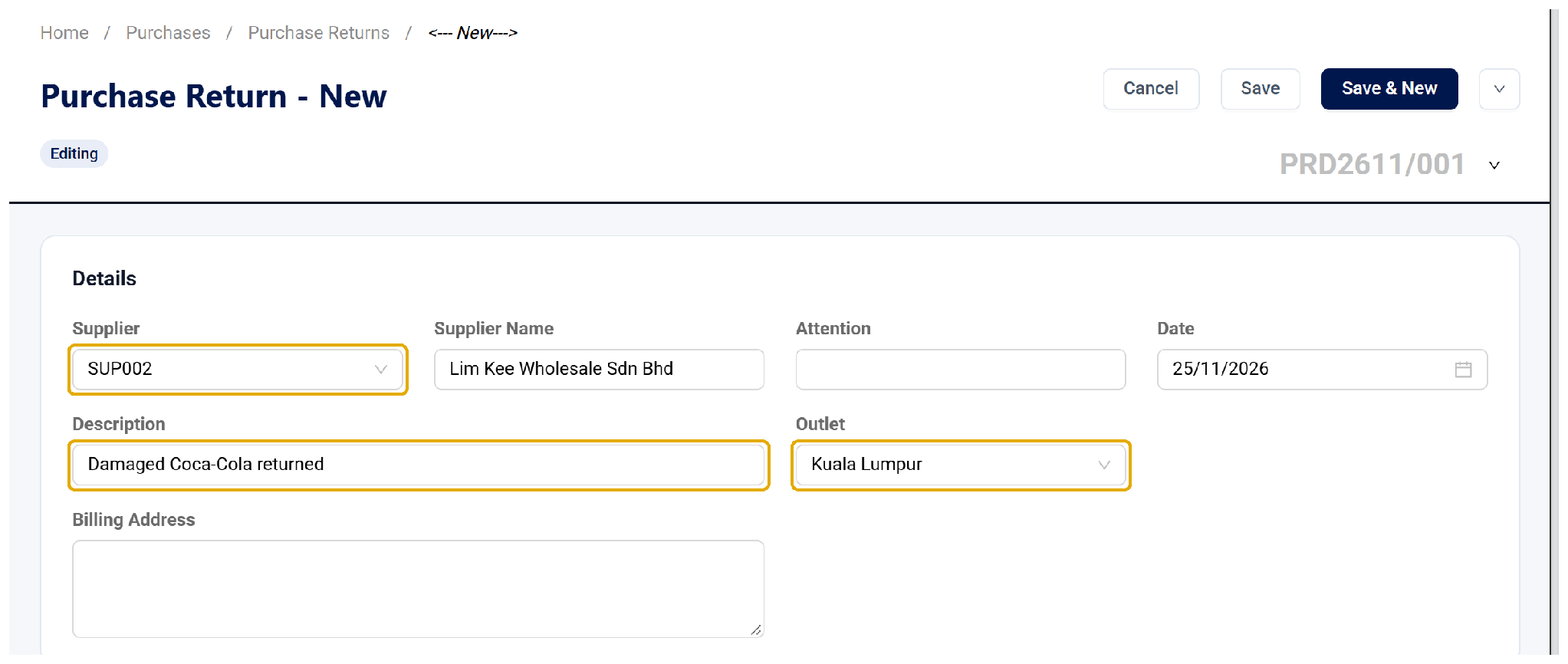
Fill in the Details. The Doc #, e.g. PRD2611/001, is given by the running number.
Supplier – Choose the supplier, e.g. SUP002. The Supplier Name fills in by itself.
Description – The reason, e.g. Damaged Coca-Cola returned.
Outlet – The outlet that sends the goods back, e.g. Kuala Lumpur.
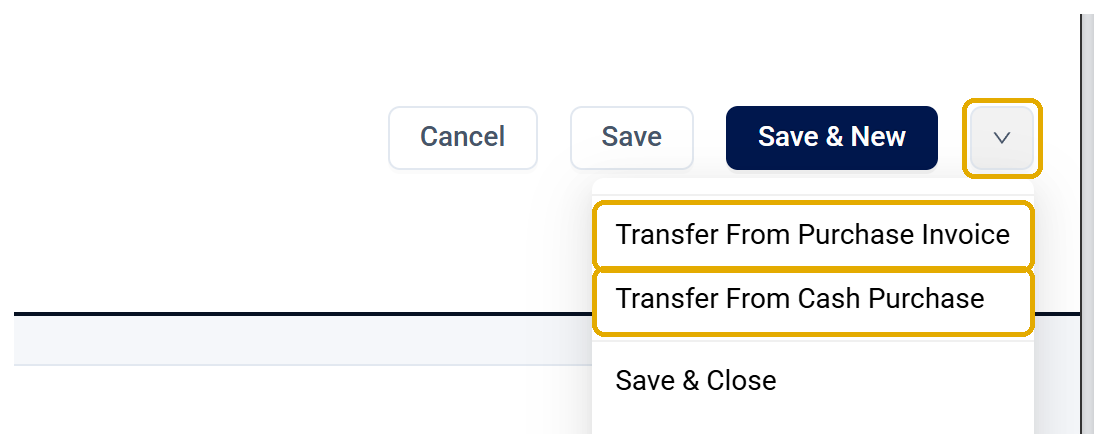
Click the arrow next to Save & New and choose where the items come from:
Transfer From Purchase Invoice – The goods were billed on a purchase invoice.
Transfer From Cash Purchase – The goods were paid on a cash purchase.
Note: You cannot key in items on a purchase return. Every line comes from a transfer. Once you transfer from one type, the purchase return is locked to it, e.g. Type: Purchase Invoice. Use a new purchase return for the other type.
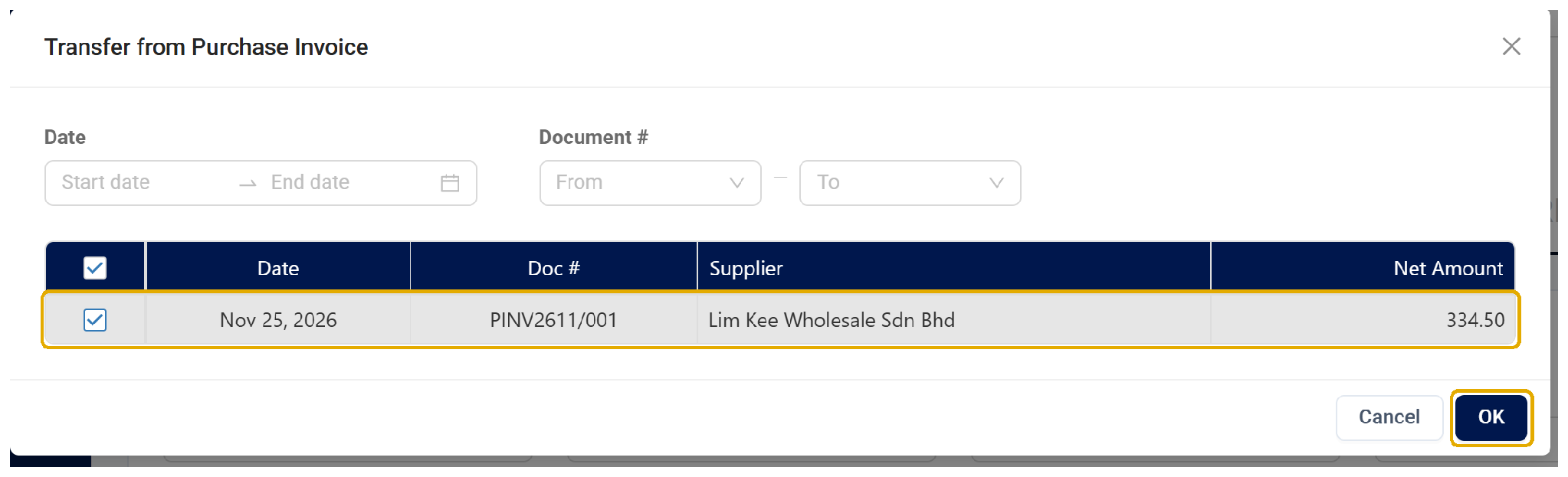
The purchase invoices of the supplier are listed. Tick the purchase invoice, e.g. PINV2611/001, 334.50, and click OK.
All the lines of the purchase invoice are brought in. Keep only the items you return:
Delete – Click the bin icon at the end of a line, then OK, to remove an item you keep, e.g. Pepsi 325ml.
Qty – Change it to the quantity you return, e.g. 6 Coca-Cola 325ml. The Net Total becomes e.g. RM 15.96.
Tip: The description of the purchase invoice is brought in too, so type your own Description after the transfer.
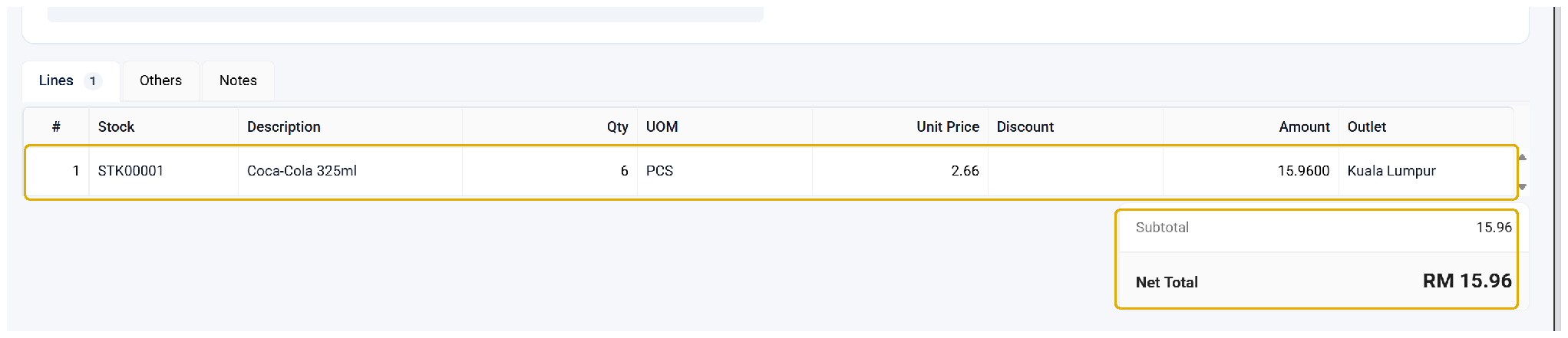
Click Save.
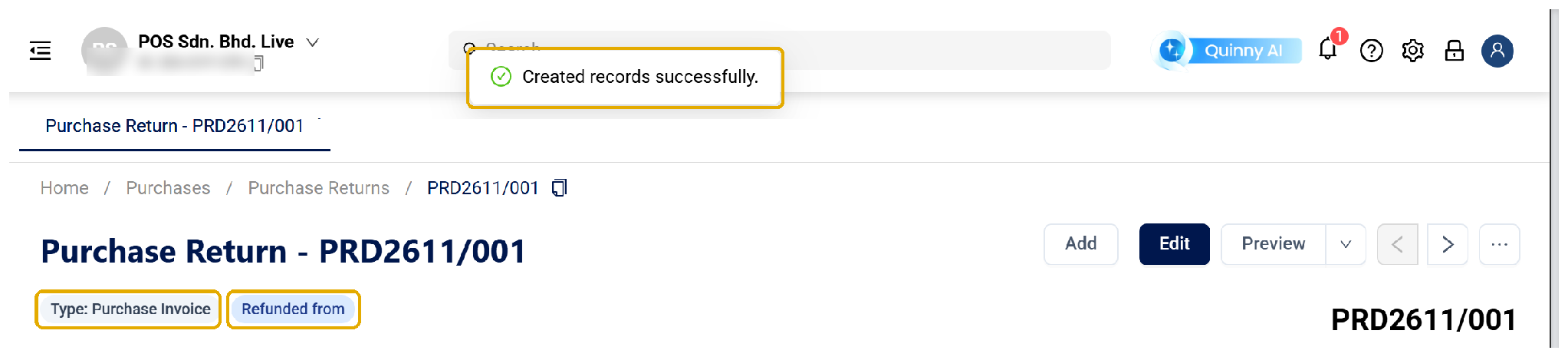
Result: Created records successfully. appears and the purchase return opens, e.g. PRD2611/001, marked Type: Purchase Invoice and Refunded from. Point to Refunded from to see the purchase invoice, e.g. PINV2611/001.
Create a Purchase Return from a Cash Purchase
Click Add and fill in the Details as above. Click the arrow next to Save & New and choose Transfer From Cash Purchase.
Tick the cash purchase, e.g. CP2611/001, 436.77, and click OK.
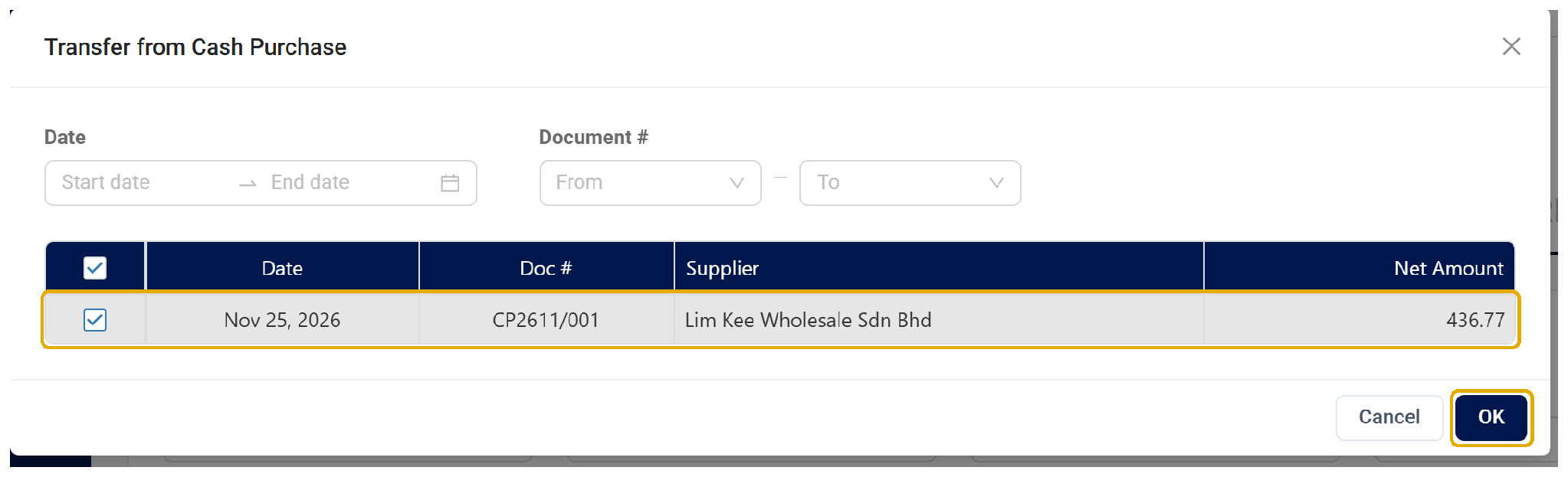
Keep only the items you return and change the Qty, e.g. 6 Coca-Cola 325ml, RM 15.96. Click Save.
Result: The purchase return opens, e.g. PRD2611/002, marked Type: Cash Purchase and Refunded from CP2611/001.

Both purchase returns are listed in Purchases > Purchase Returns. In Purchases > Purchase Invoices or Cash Purchases, the Refund Status of the document shows Partially when only some of its items are returned.

Start from the Purchase Invoice or Cash Purchase
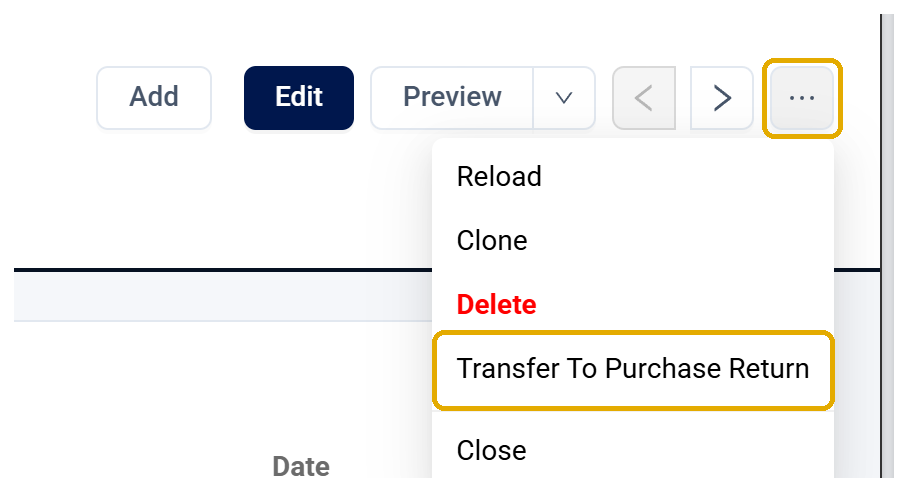
Open the purchase invoice or cash purchase, e.g. PINV2611/001, click the three-dot button at the top right and choose Transfer To Purchase Return. Click OK to confirm. A new purchase return opens with its lines; keep only the items you return and click Save.
What's Next :
Send the goods back to the supplier with the purchase return, and check the stock of the outlet in Stock.
** Learn more about Azure Cloud
** Learn more about QNE Hybrid Cloud Software
Was this article helpful?
That’s Great!
Thank you for your feedback
Sorry! We couldn't be helpful
Thank you for your feedback
Feedback sent
We appreciate your effort and will try to fix the article
