Overview
When using the N3 AI Accounting (formerly QNE AI Cloud Accounting) solution, managing company and transaction data is crucial. As your business evolves, there may be instances where you need to reset company information or clear transaction records. This guide will walk users through the simple steps to accomplish these tasks, ensuring system accuracy and data integrity.
Solution:
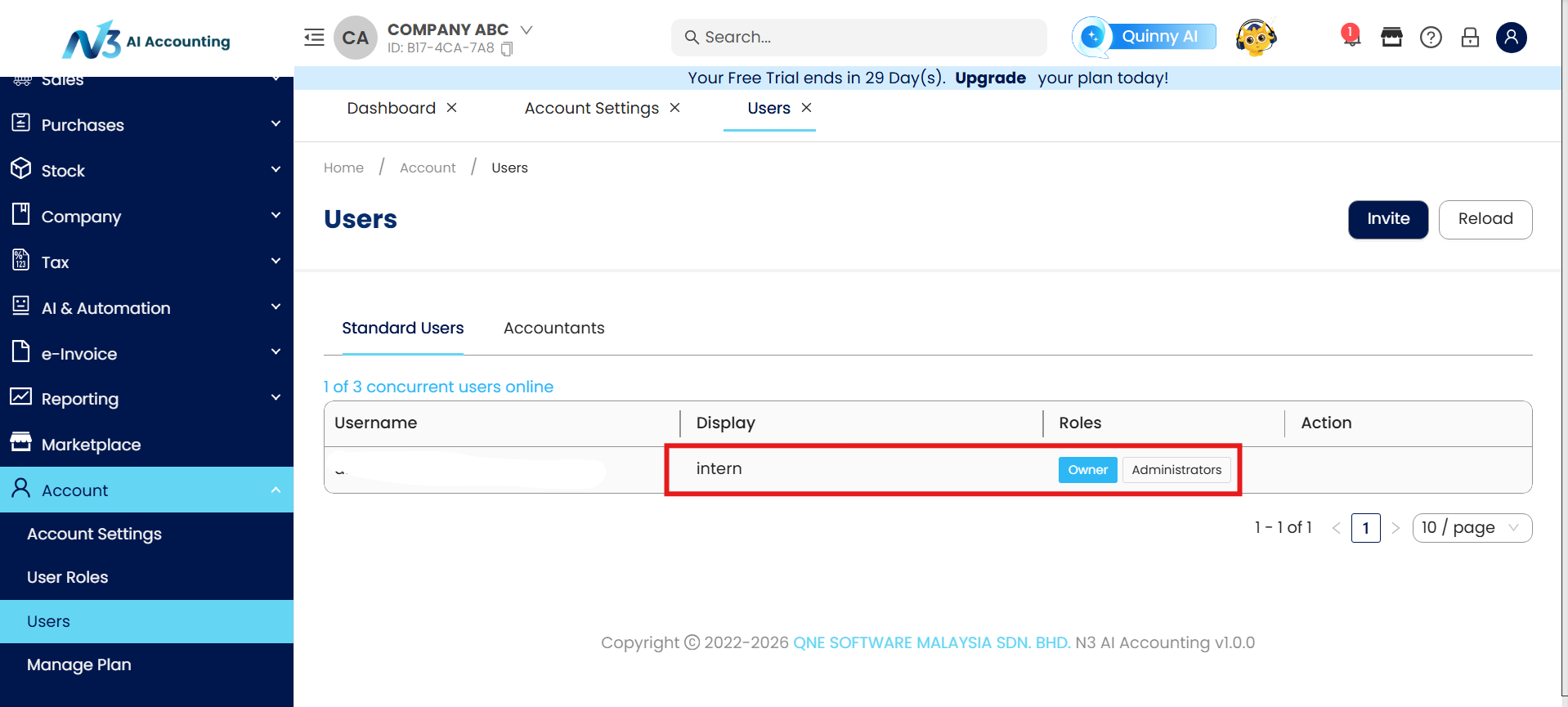
Step 1 - must be login with username which is owner of the company
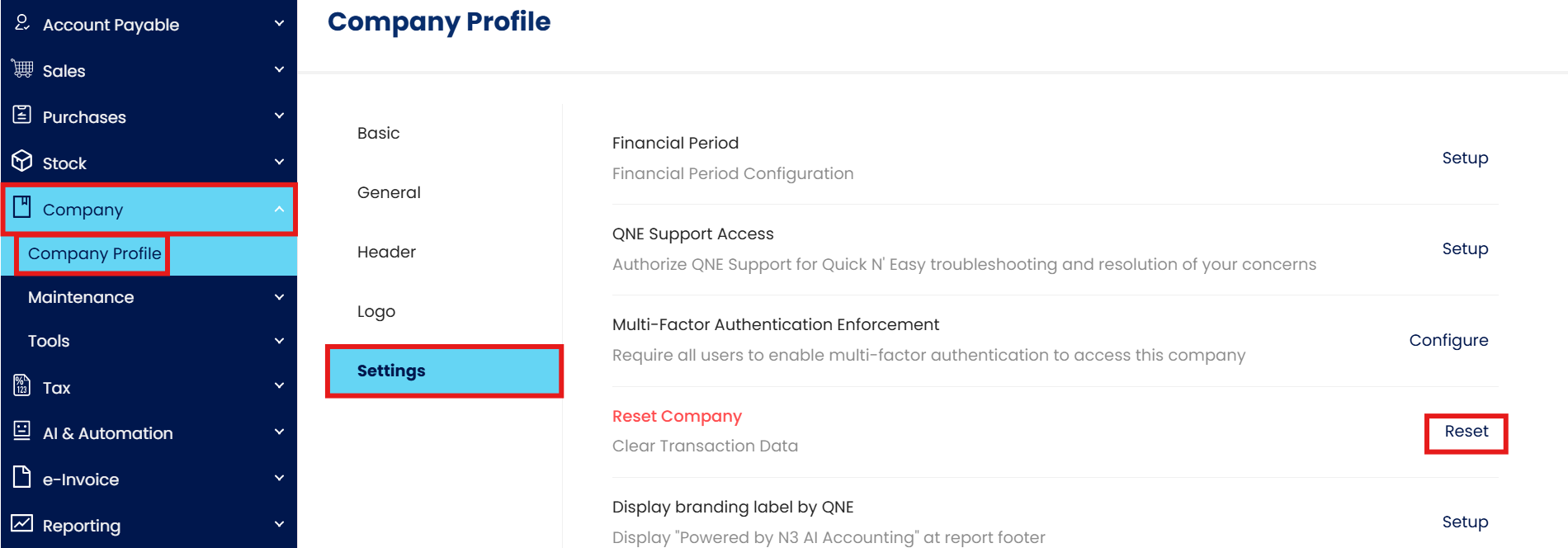
Step 2 - Press Company > Press Company Profile > Press Settings.
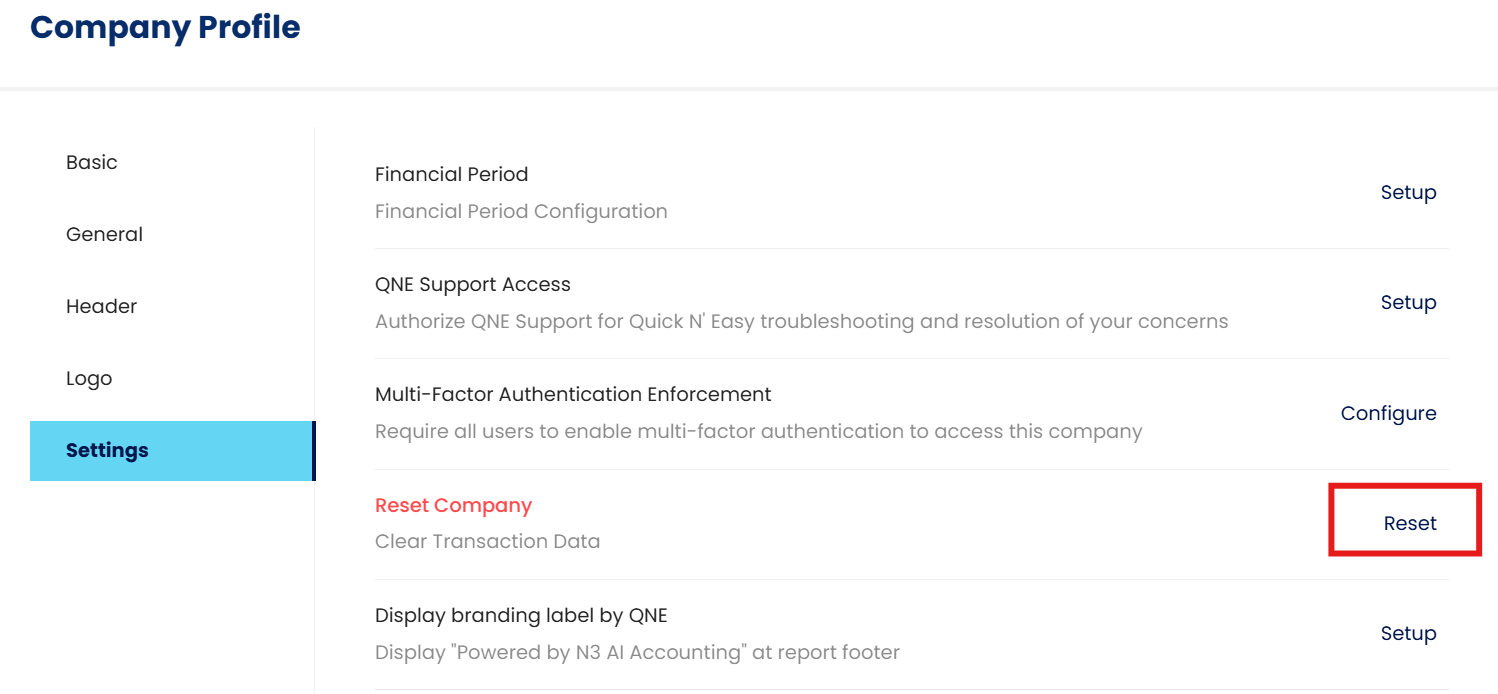
Step 3 - Press Reset button next to Reset Company Feature.
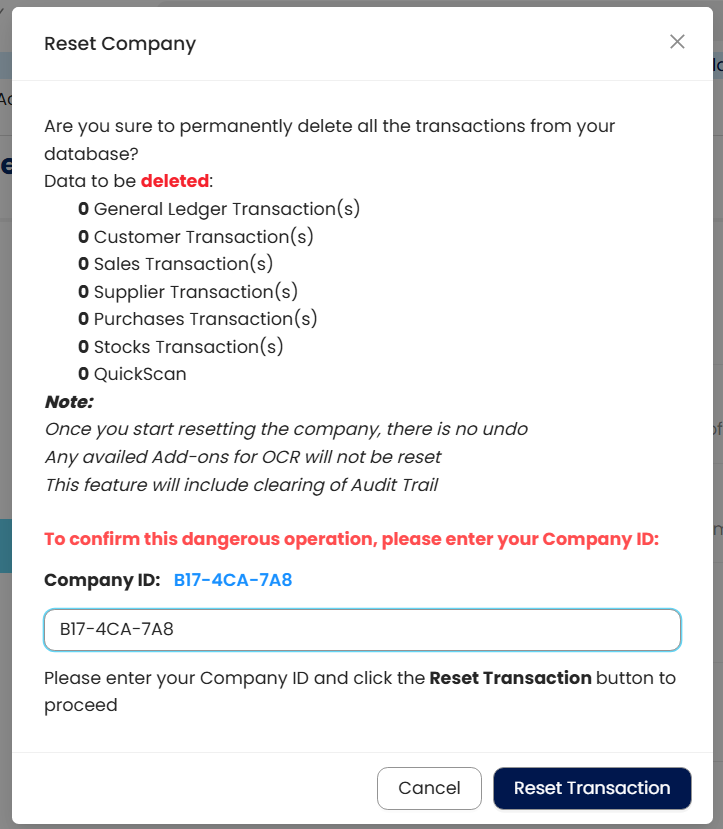
Step 4 - After Press 'Reset', system will prompt out below screen, Type in your Company ID and Press Reset Transaction.
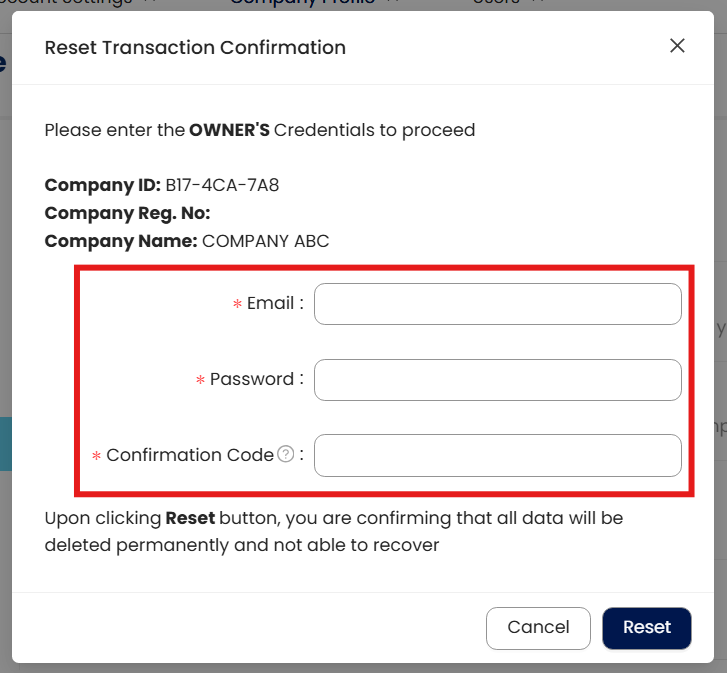
Step 5 - after Press 'Reset Transaction', insert Company ID and please make sure using owner email address and password > Then Press Reset.
Step 6 - Processing.
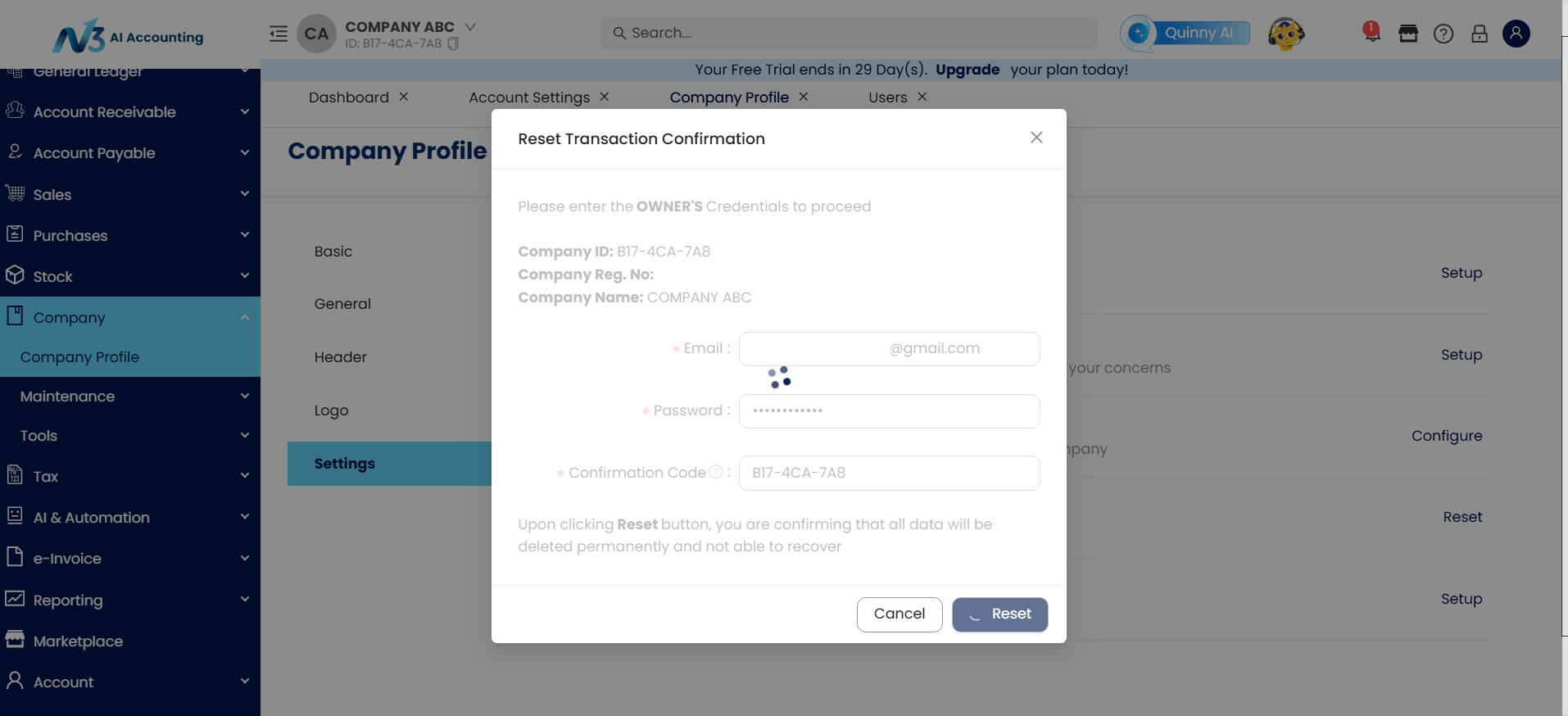
Done!
** Learn more about Azure Cloud
** Learn more about QNE Hybrid Cloud Software
System Scope: QNE AI Cloud Accounting / N3 AI Accounting
Was this article helpful?
That’s Great!
Thank you for your feedback
Sorry! We couldn't be helpful
Thank you for your feedback
Feedback sent
We appreciate your effort and will try to fix the article
