Overview:
Your profile picture is a part of your digital identity in N3 AI Accounting (formerly QNE AI Cloud Accounting). Updating your picture helps team members easily recognize you, especially in systems with multiple users. This guideline provides a quick, step-by-step process to help you update your profile picture in just a few clicks.
Solution:
On the top right corner of the screen, click your Profile Icon or Username.
From the dropdown menu, select Account Settings
In Basic Settings, click Change Avatar.
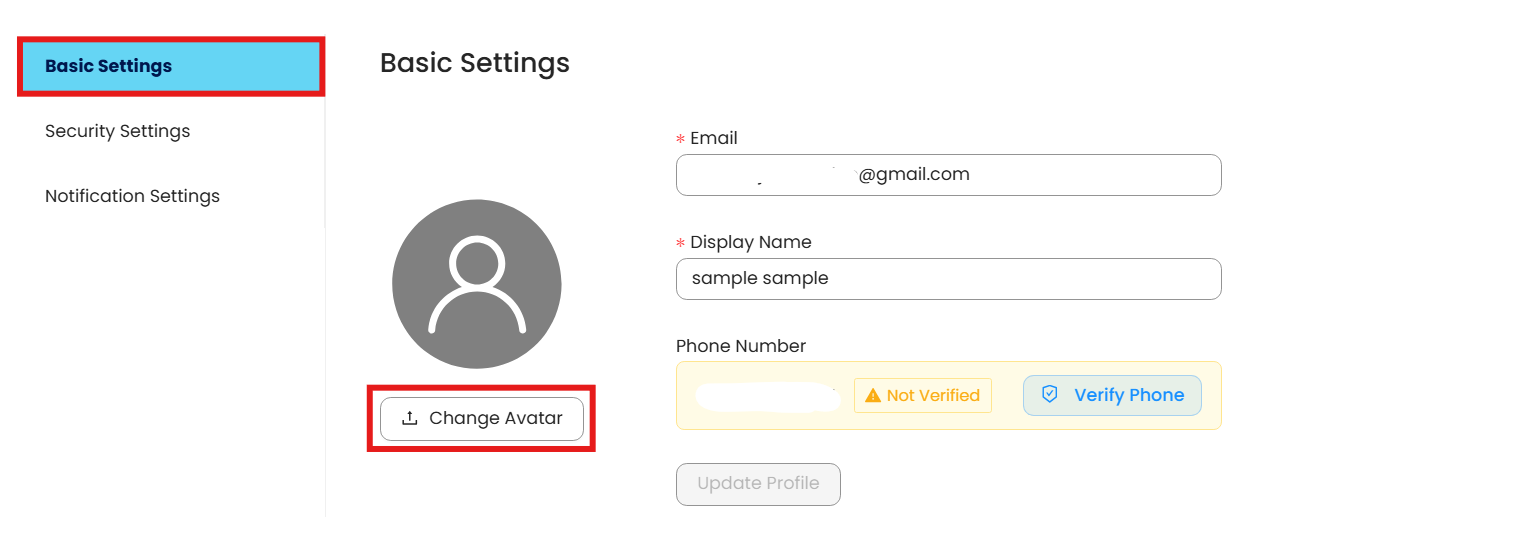
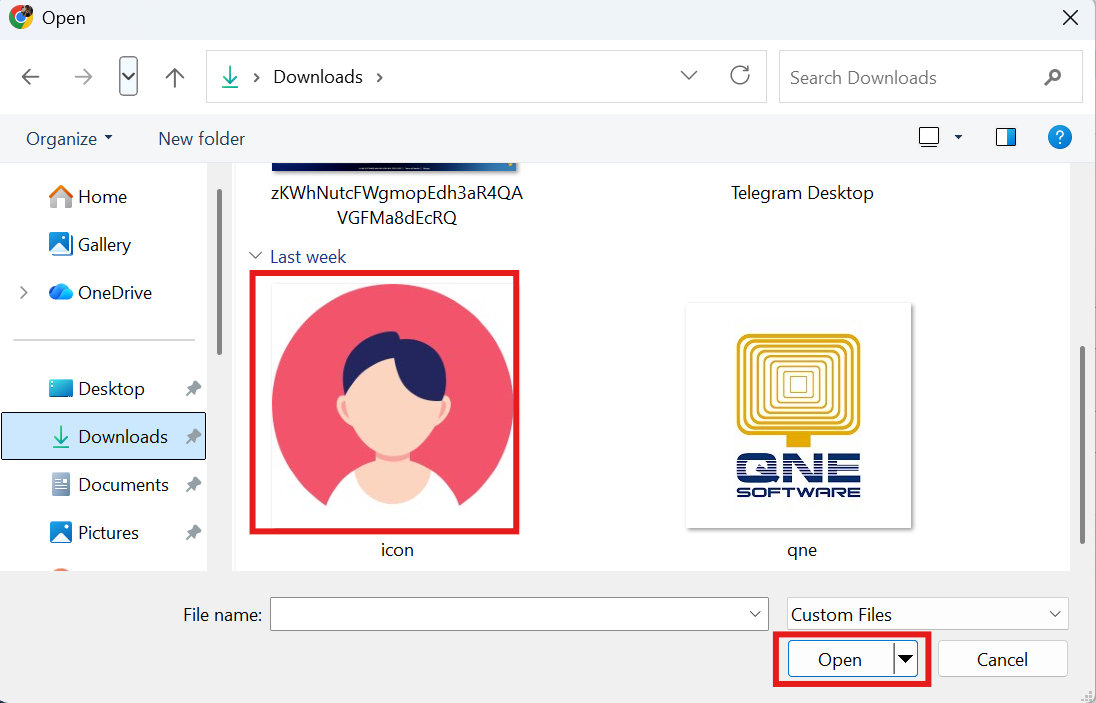
Choose a new image file from your device (JPG, PNG, or JPEG).
Click Open to upload picture. Your profile picture will be updated immediately.
System Scope: QNE AI Cloud Accounting / N3 AI Accounting
Was this article helpful?
That’s Great!
Thank you for your feedback
Sorry! We couldn't be helpful
Thank you for your feedback
Feedback sent
We appreciate your effort and will try to fix the article
