Overview:
User tried to recreate the consolidated e-invoice to update some details from the original file. However, when generating the new version, the documents that were supposed to appear in the Details section were not shown there and were listed under Excluded Records instead.
Scenario:
You just noticed you’re using the wrong date after generating the consolidated e-invoice & decided to regenerate the consolidated e-invoice but the records went missing? No worries! In this segment, we’ll show you how you can handle this efficiently. ?
Solution:
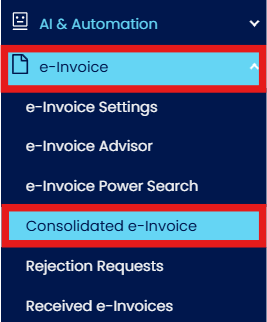
On the sidebar navigation (left-hand side), head over to E-invoice > Consolidated E-invoice.
In the Consolidated e-Invoice, click on the Add button available on the your right
Select the related documents as below:
Once the consolidated e-invoice is generated, all the invoices included in the consolidation will appear under the Details section.
However, if you later discover an error in the generated consolidated e-invoice and need to correct it, you will need to regenerate the consolidated e-invoice.

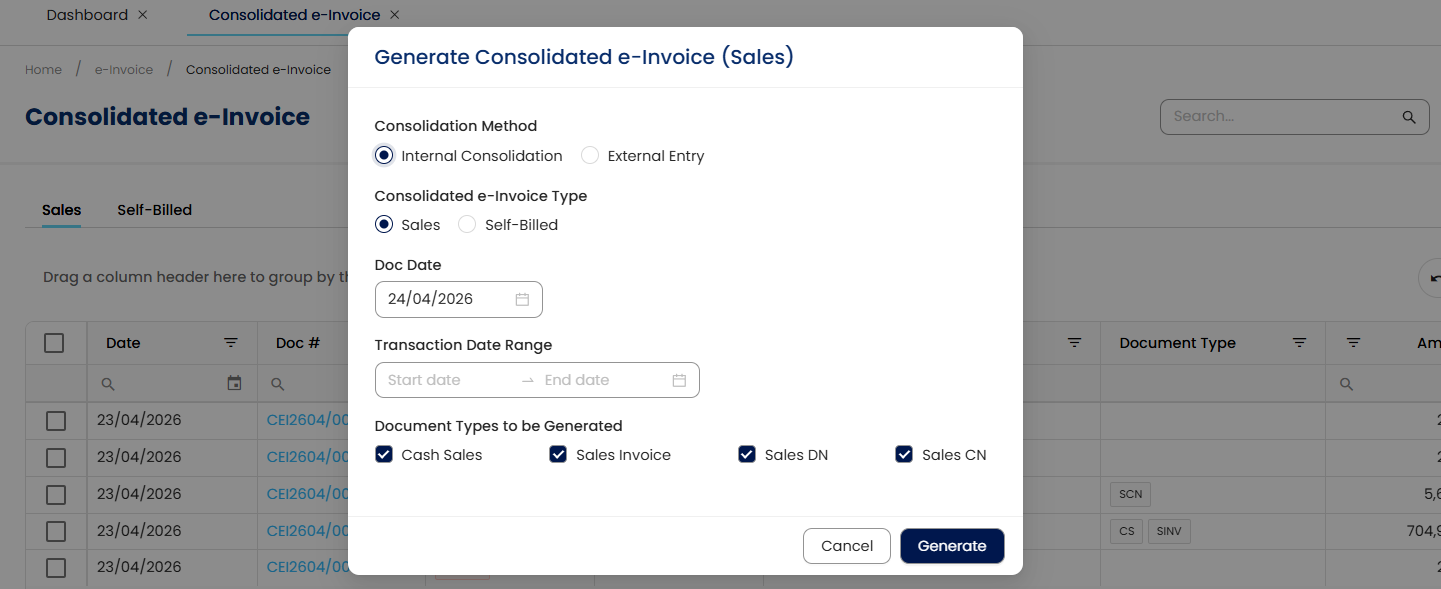
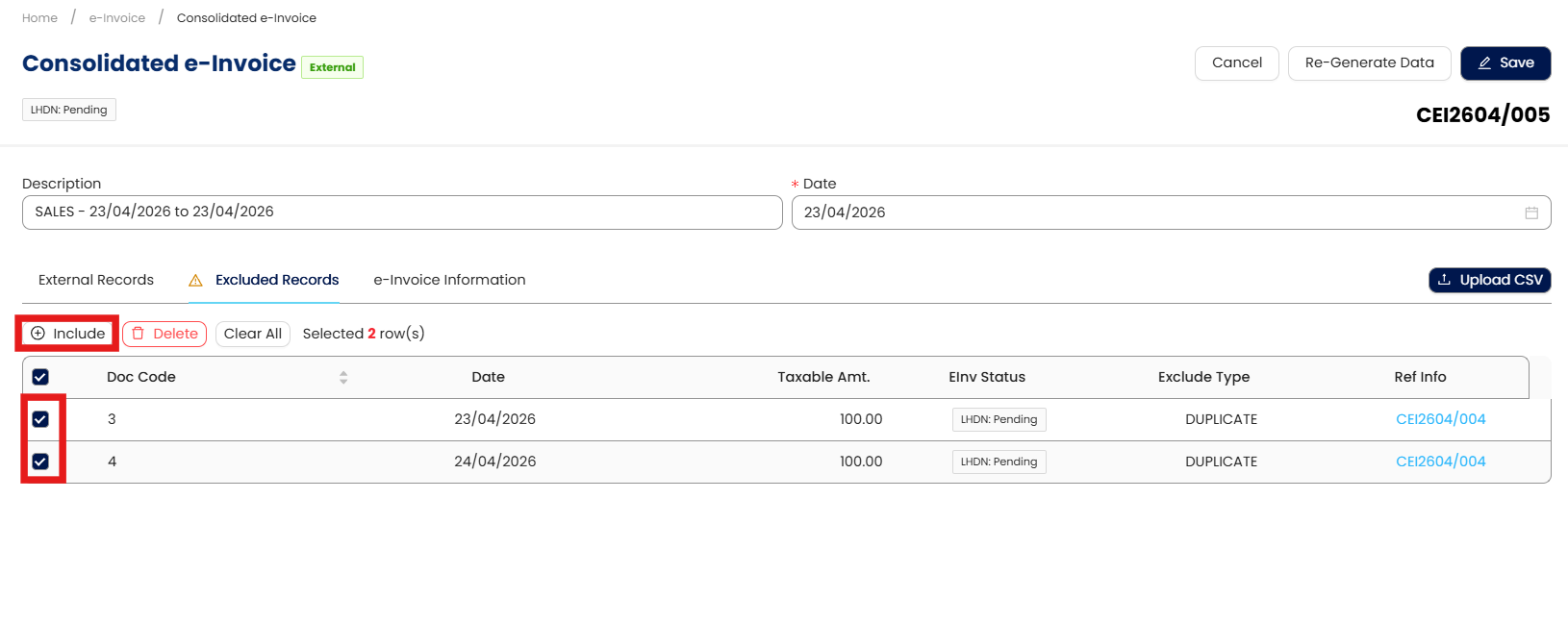
While regenerating the consolidated e-invoice, you’ll notice that some of the consolidated e-invoice will not be included in the list. They’ll be on the Excluded Records.
Click Edit > Regenerate Data.
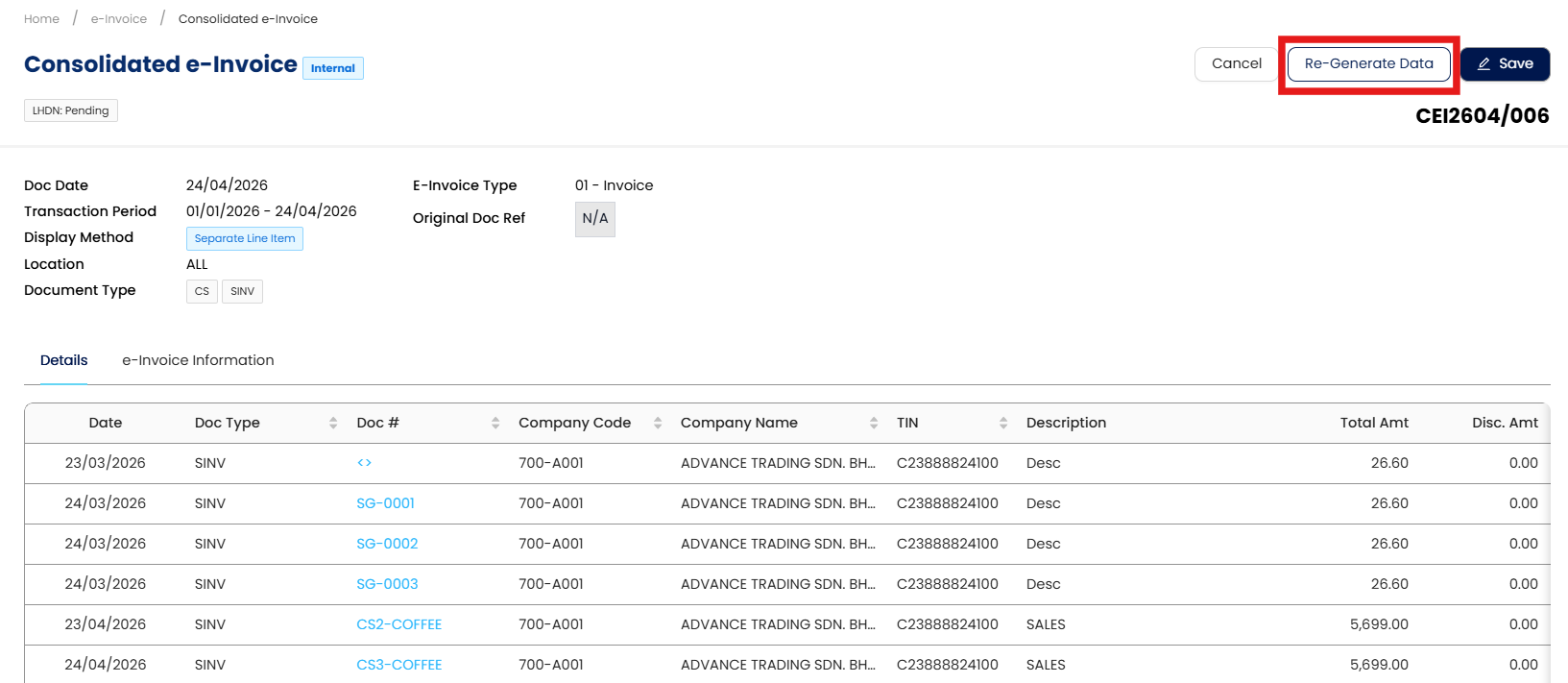
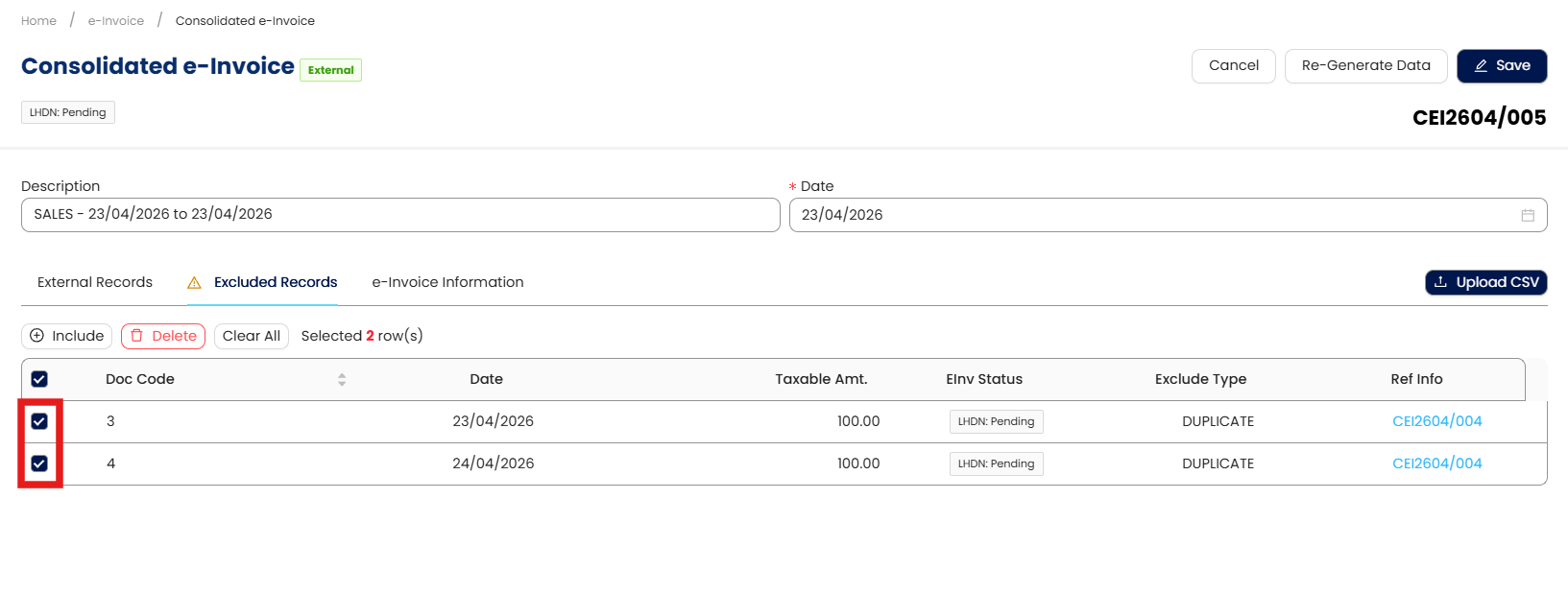
Next, you can proceed to select the documents that have been listed.
Once all the related documents have been selected, please click on the include button available.
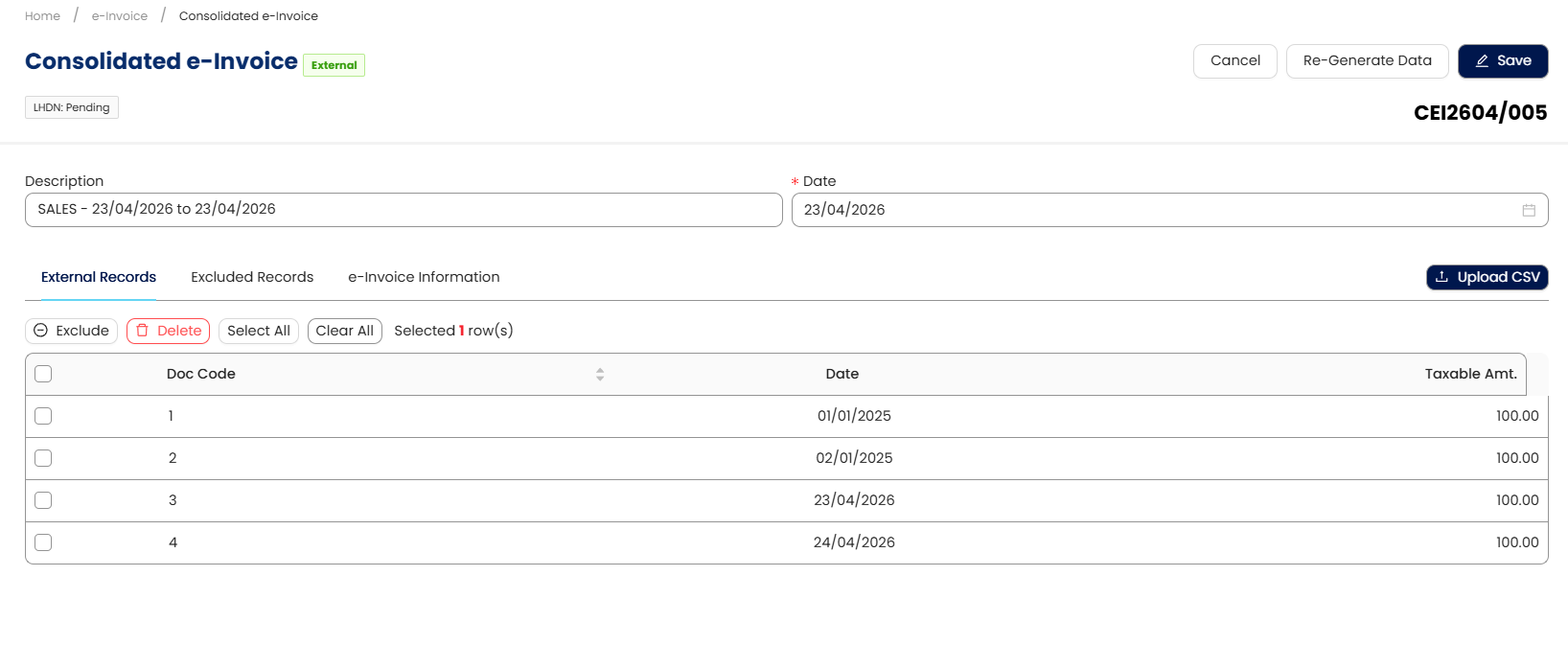
The system will help to include all of the documents that are being consolidated in the External Records section and Save.
Once all the document details have been checked and successfully included, you may proceed for consolidated e-invoice submission by clicking on the Submit E-invoice button available.
This means that the consolidated e-invoice is successfully submitted and validated by MyInvoice


Done!
** Learn more about Azure Cloud
** Learn more about QNE Hybrid Cloud Software
System Scope: QNE AI Cloud Accounting / N3 AI Accounting
Was this article helpful?
That’s Great!
Thank you for your feedback
Sorry! We couldn't be helpful
Thank you for your feedback
Feedback sent
We appreciate your effort and will try to fix the article
