Overview
When a company operates more than one stock location (such as warehouses, branches, outlets, or fulfilment centres), each stock location that issues e-Invoices must be treated separately for consolidated e-Invoice submission, in accordance with regulatory requirements.
Although the legal entity remains the same, stock is physically stored and issued from different locations. For e-Invoicing, this physical movement of stock determines where a transaction originates and requires consolidation to be performed by the correct location.
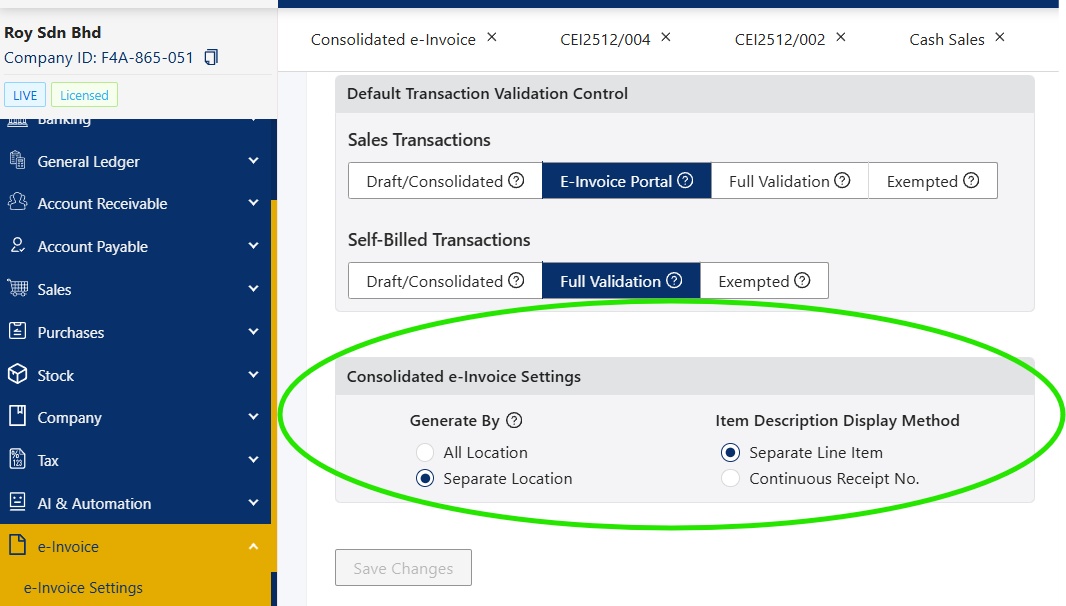
To support different business operating models, the system provides a “Generate By” setting that determines how consolidated e-Invoices are grouped:
All Locations, or
Separate Location
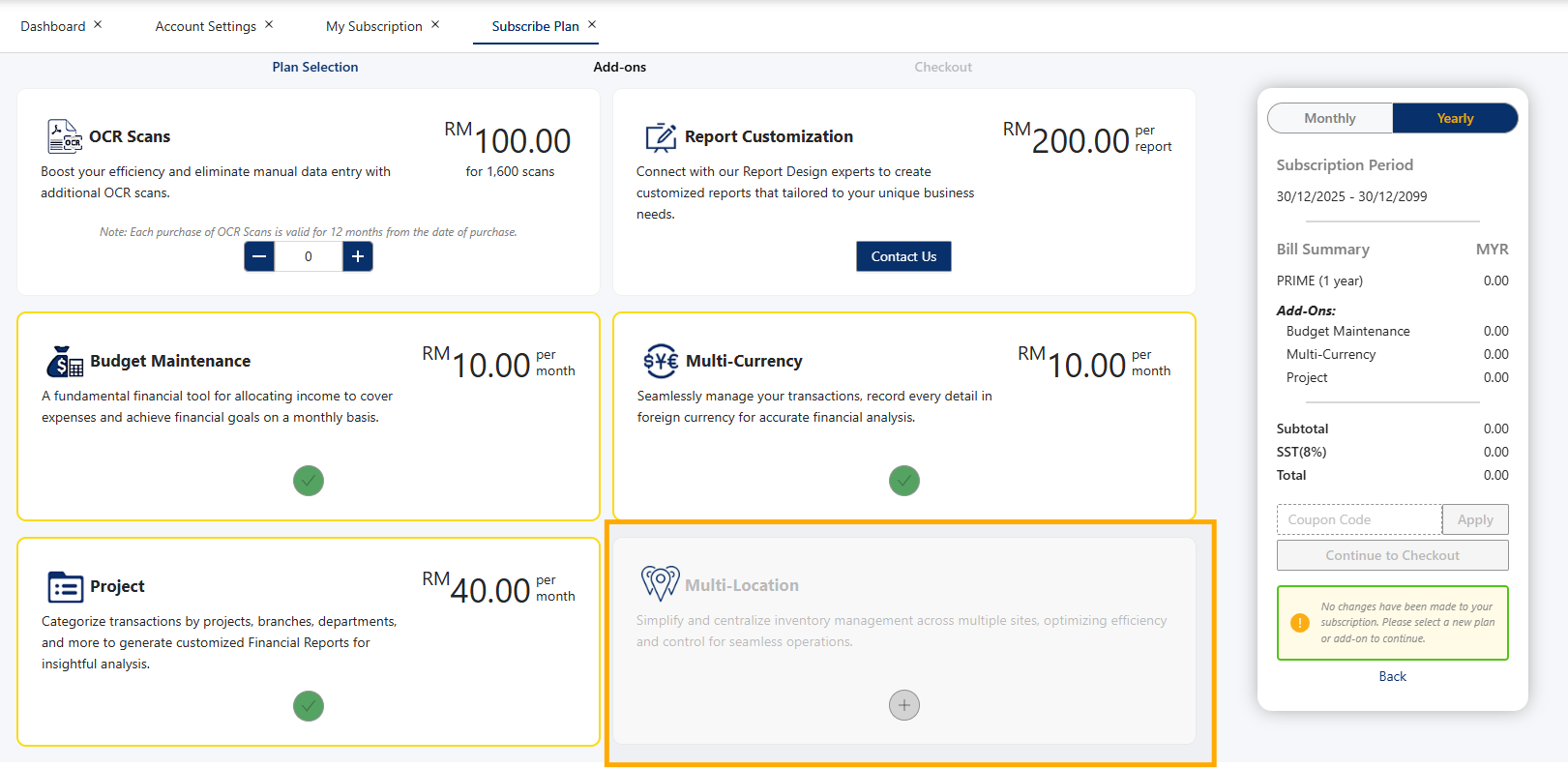
To use this feature, ensure your license includes the Multi-Location Add-on Module.
How to Choose “All Location” vs “Separate Location"?
The correct option depends on how your business uses the Location field.
Select “All Locations” if:
Location is used for inventory or stock tracking purposes only
Example:
1 retail outlet
1 warehouse
e-Invoices are issued only from the retail outlet
No e-Invoice originates from the warehouse location
In this case, consolidated e-Invoices can be generated together because only one issuing location exists.
Select “Separate Location” if:
Location represents different branches or outlets
Each branch/outlet issues its own sales documents
Each location is an issuing point for e-Invoices
In this case, consolidated e-Invoices must be generated separately by location to comply with regulations.
This single section resolves the “why is it a setting if it’s mandatory?” question.
If this applies to your business, go to your e-Invoice module → e-Invoice Settings, and set “Generate By” to “Separate Location”.
Scenario:
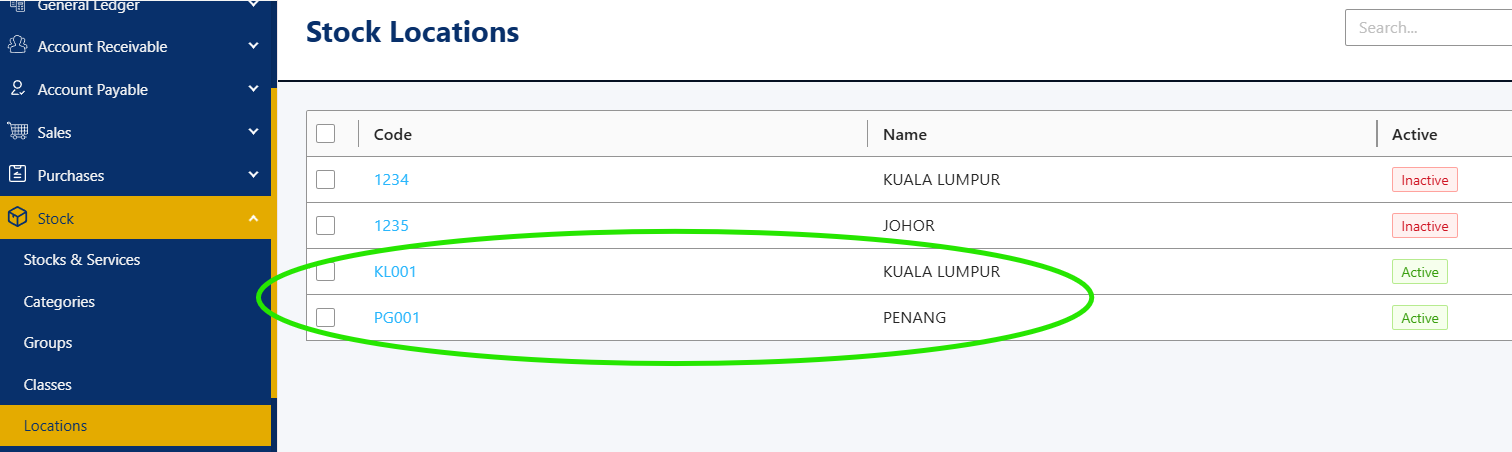
ABC Sdn Bhd is a company that sells soya drinks across Malaysia. They have two warehouses. Therefore, you’ll need to create 2 stock locations:
Warehouse A in Kuala Lumpur (Location Code: KL001)
Warehouse B in Penang (Location Code: PG001)
Proceed to create your transaction. In this example, we will use Cash Sales (CS):
CS 006 → for KL warehouse (Location Code: KL001)
CS 007 → for Penang warehouse (Location Code: PG001)
Make sure to select the correct location code for each transaction so that the consolidated e-Invoice is generated separately by stock location, in compliance with LHDN requirements.
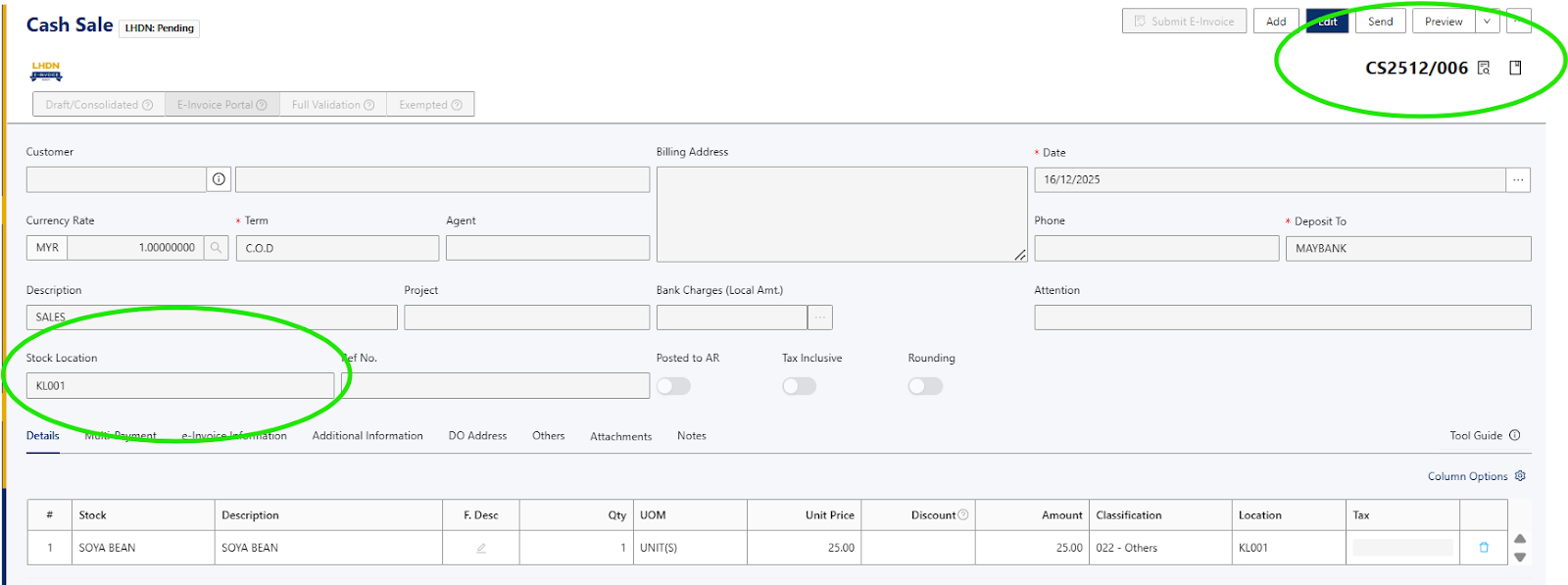
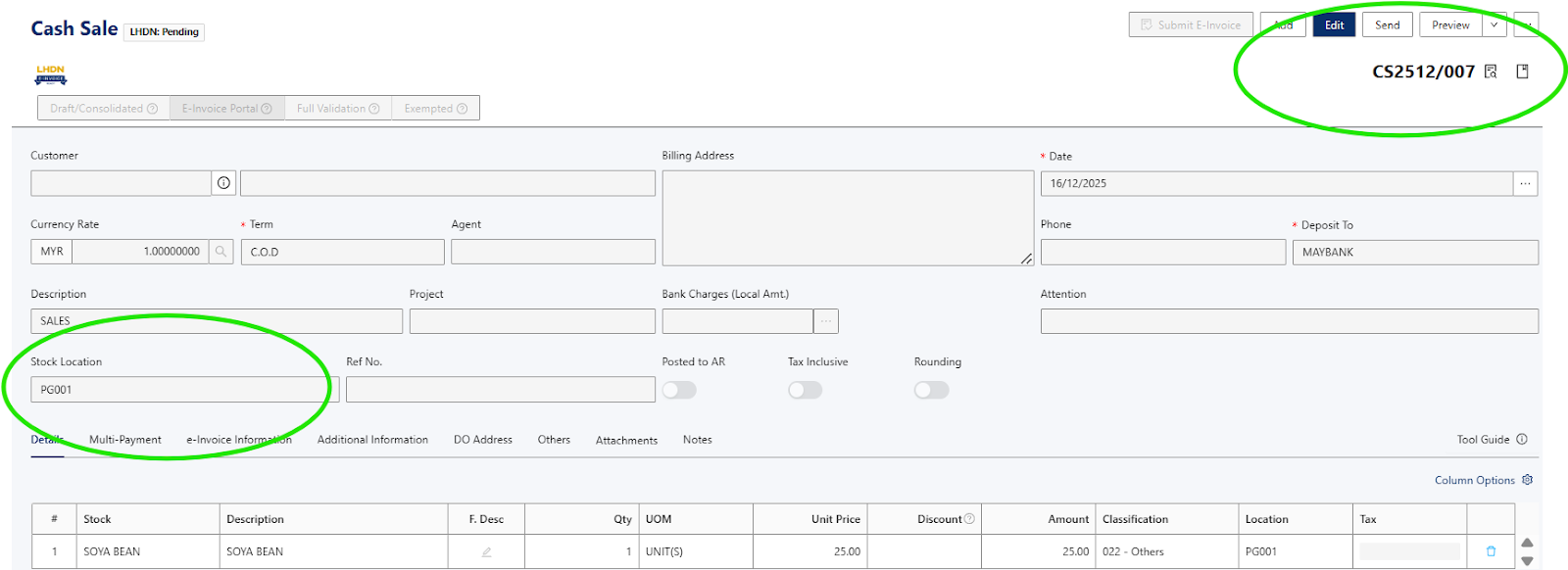
Proceed to create the 2 transactions.
Once you’ve selected the date range, you will notice that the cash sales are automatically split into separate consolidated e-Invoices by stock location:
CEI2512/006: contains CS 007 for Penang warehouse (Location Code: PG001)
CEI2512/005: contains CS 006 for KL warehouse (Location Code: KL001)
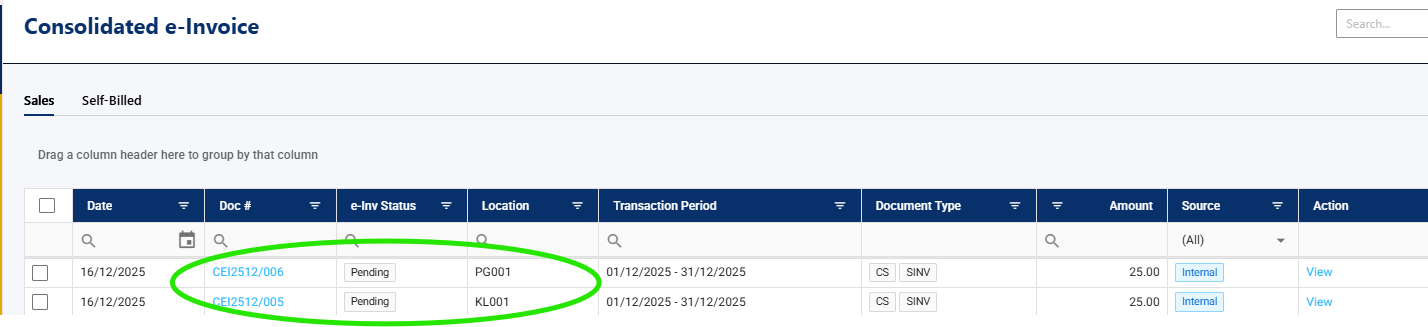
You can now proceed to submit each consolidated e-Invoice individually, ensuring compliance with LHDN requirements.
Additional takeaway
Branch(es) or location(s) will submit a consolidated e-Invoice, using either a summary display with each receipt on a separate line or a continuous list of receipts by receipt number.”
Consolidated e-Invoices by Separate Locations Q&A
Q1: Is a consolidated e-Invoice by different locations of the same business mandatory?
Yes. If multiple locations issue e-Invoices, each location must be treated separately for consolidated e-Invoice submission, as required by regulation.
Q2: Why is there an “All Locations” option if separation is required?
The “All Locations” option is intended for businesses that use the Location field only for inventory purposes, where e-Invoices are issued from a single operational location.
Q3: When must I select “Separate Location”?
You must select “Separate Location” if:
Locations represent branches or outlets, and
Each location issues its own sales transactions or receipts.
Q4: Do I need an additional module to use this feature?
Yes. The Multi-Location Add-on Module is required to generate consolidated e-Invoices by location.
Was this article helpful?
That’s Great!
Thank you for your feedback
Sorry! We couldn't be helpful
Thank you for your feedback
Feedback sent
We appreciate your effort and will try to fix the article
