Overview:
If a consolidated e-Invoice has already been generated but additional transactions are recorded within the same month before submission, you can use Re-Generate Data to update the consolidated e-Invoice to include the latest transactions.
Consolidated e-Invoices are prepared on a monthly basis and must be submitted by the 7th day of the following month (e.g., December 2025 → submit by 7 January 2026).
Use Re-Generate Data to update an unsubmitted consolidated e-Invoice and include any additional transactions recorded within the same month before the submission deadline.
Scenario:
Beans Retail Sdn Bhd records daily cash sales in April 2026. To streamline month-end closing, the company generated a consolidated e-Invoice on 23 April 2026, covering cash sales from 1–23 April 2026.
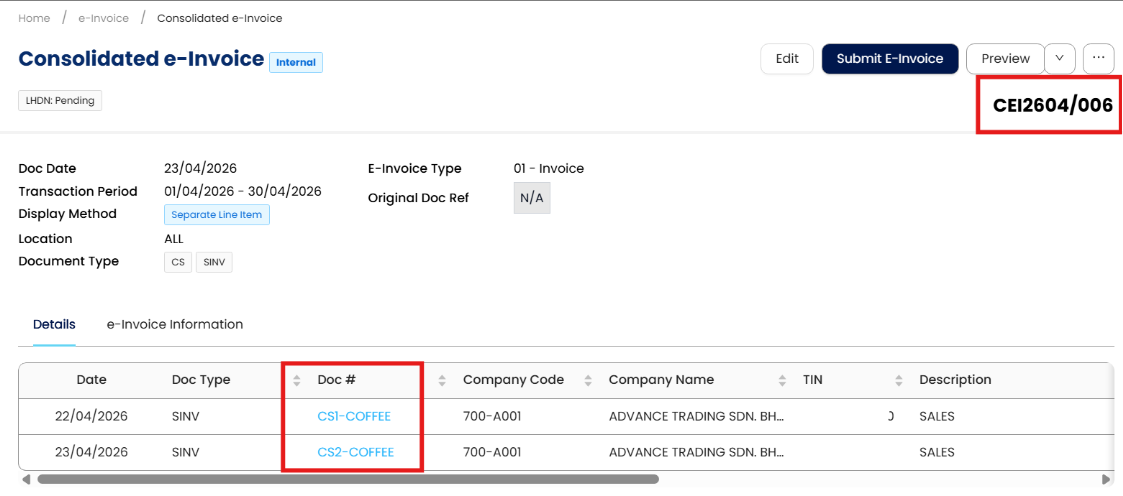
Consolidated e-Invoice reference: CEI2604/006
Included transactions: CS1-COFFEE, CS2-COFFEE
At this stage, CEI2604/006 is ready for submission, subject to any additional cash sales recorded before the statutory submission deadline of 7 May 2026.
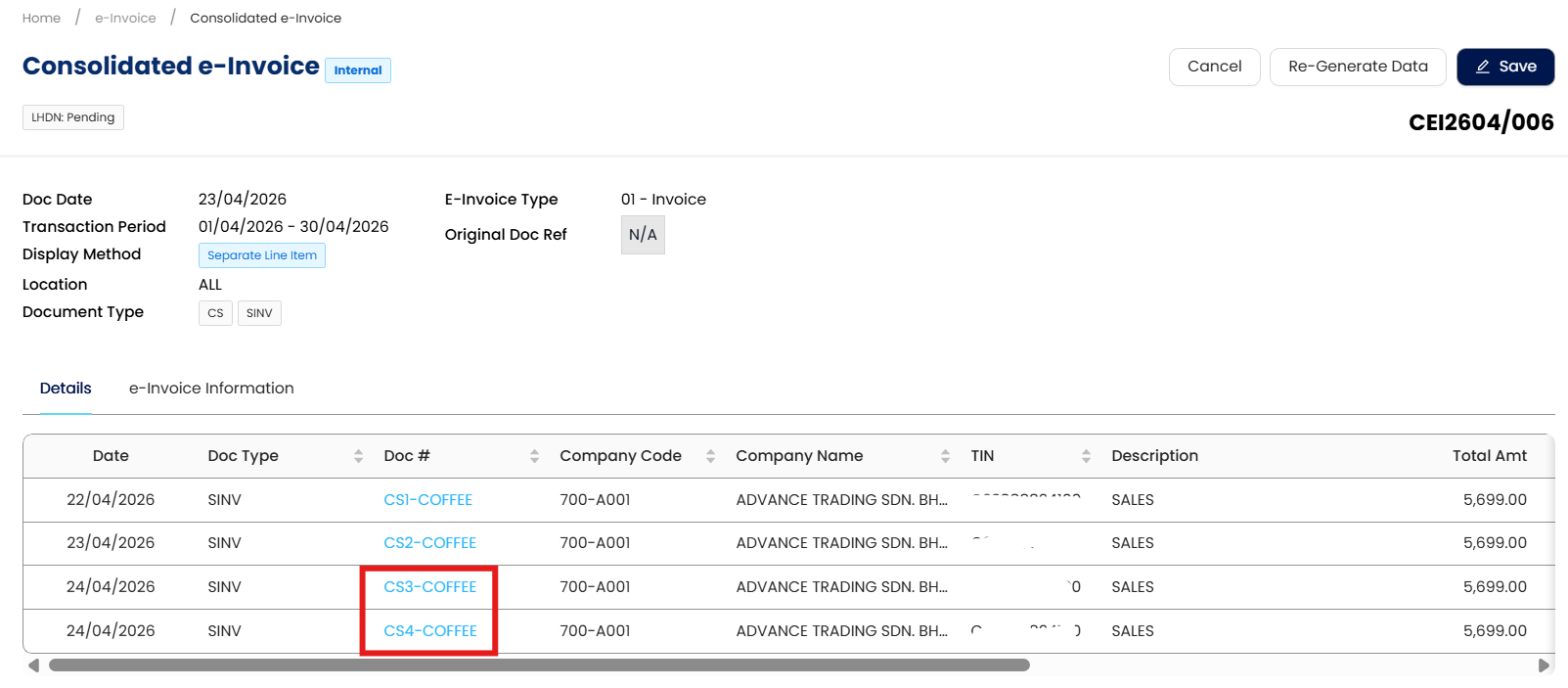
On 24 April 2026,, two additional cash sales were recorded: CS3-COFFEE, CS4-COFFEE
Steps to update CEI2604/006:
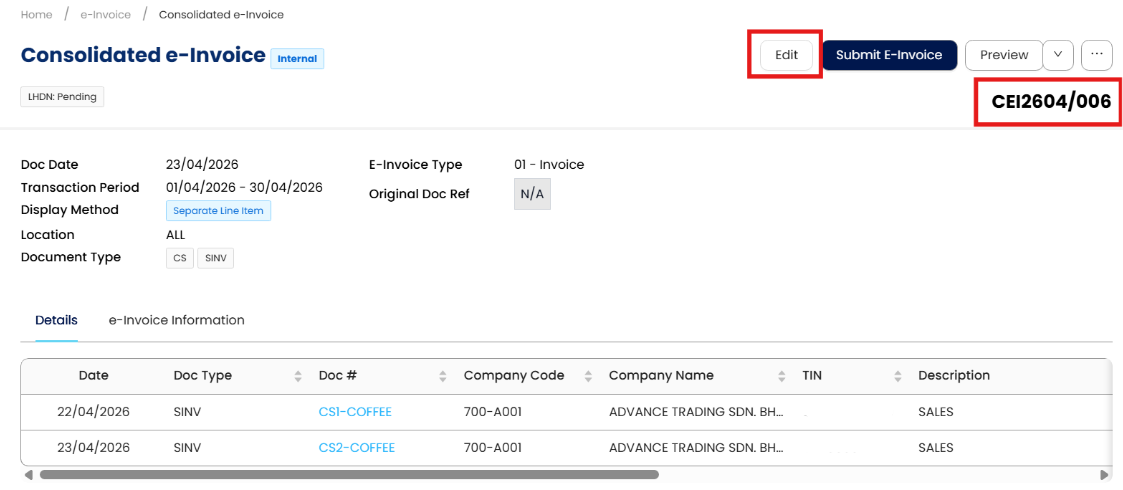
Open CEI2604/006 and click Edit
Select Re-Generate Data
After regeneration, CS3-COFFEE and CS4-COFFEE will be added to the consolidated e-Invoice together with the earlier transactions. You can then proceed to submit CEI2604/006 and remain compliant.
Re-Generate Data is used for unsubmitted consolidated e-Invoices. Once submitted, updates require a different compliance process.
Regenerate Data in Consolidated e-Invoice — Q&A
Q1: When should I use the “Re-Generate Data” function in a consolidated e-Invoice?
Use Re-Generate Data when a consolidated e-Invoice has already been generated, but new eligible transactions are recorded within the same month before submission.
This ensures all transactions for that month are included before the consolidated e-Invoice is submitted.
Q2: Why is this function needed?
Consolidated e-Invoices are often generated before month-end to support internal reconciliation and closing.
If additional transactions occur after the consolidated e-Invoice is generated — but before submission — Re-Generate Data allows you to update the same consolidated e-Invoice instead of creating a new one.
Q3: What happens when I click “Re-Generate Data”?
When you select Edit → Re-Generate Data, the system refreshes the consolidated e-Invoice and:
Retains all previously included transactions
Adds any newly recorded eligible transactions within the same month/date range
Keeps the same consolidated e-Invoice reference number (if applicable)
No existing data is removed.
Q4: Does Re-Generate Data overwrite or delete existing transactions in the consolidated e-Invoice?
No.
Re-Generate Data does not delete or replace existing transactions. It only adds newly eligible transactions that were not included previously.
Q5: Can I use Re-Generate Data after the consolidated e-Invoice has been submitted?
No.
Re-Generate Data is intended for unsubmitted consolidated e-Invoices only.
Once a consolidated e-Invoice has been submitted, any changes must follow the applicable cancellation or adjustment process, in accordance with e-Invoicing regulations.
Q6: Is there a deadline for updating a consolidated e-Invoice using Re-Generate Data?
Yes.
Consolidated e-Invoices are prepared on a monthly basis and must be submitted no later than the 7th day of the following month.
Example:
Transactions in December 2025
Submission deadline: 7 January 2026
Re-Generate Data can be used any time before submission, as long as the deadline has not passed.
Q7: Can I regenerate data multiple times before submission?
Yes.
You may re-generate data multiple times, as long as the consolidated e-Invoice has not yet been submitted and new eligible transactions exist.
Q8: What types of transactions are included when regenerating data?
The system includes all eligible transactions for the selected month/date range, based on the consolidated e-Invoice criteria (for example, cash sales).
Transactions already submitted in another consolidated e-Invoice or outside the date range will not be included.
Q9: Will the consolidated e-Invoice reference number change after regeneration?
Typically, the consolidated e-Invoice reference number remains the same, as the document is being updated rather than recreated.
If you generate a consolidated e-Invoice early and record more transactions later in the same month, use Re-Generate Data before submission to ensure all transactions are included and remain fully compliant.
System Scope: QNE AI Cloud Accounting / N3 AI Accounting
Was this article helpful?
That’s Great!
Thank you for your feedback
Sorry! We couldn't be helpful
Thank you for your feedback
Feedback sent
We appreciate your effort and will try to fix the article
