Overview:
QNE has enhanced the Stock Items module with an e-Invoice UOM Code field, allowing users to define the applicable e-Invoice UOM code for their stock items. When an e-Invoice is submitted, the system will use the assigned e-Invoice UOM Code for the submission.
Scenario:
When preparing stock items for e-Invoice submission, users can define the applicable e-Invoice UOM Code for each UOM.
Note: System will automatically assign XUN – Unit for UNIT(S) by default. Users can review and update other UOM codes where required.
Solution:
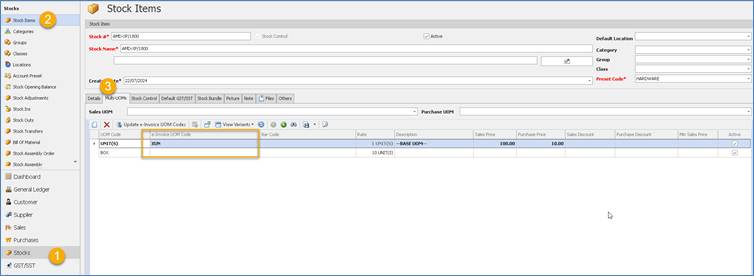
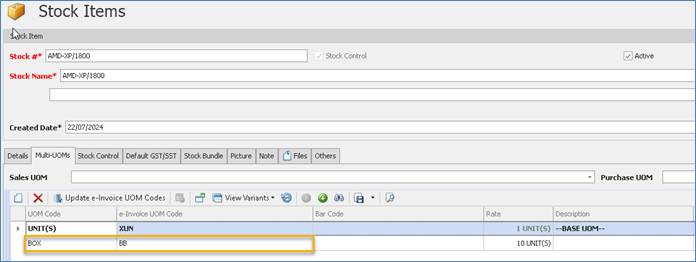
1. Stock Items > Multi-UOMs > “e-Invoice UOM Code” has been enhanced. By default, we have set UNIT(S) default to XUN – Unit in the system, user just need to set for Other UOMs.
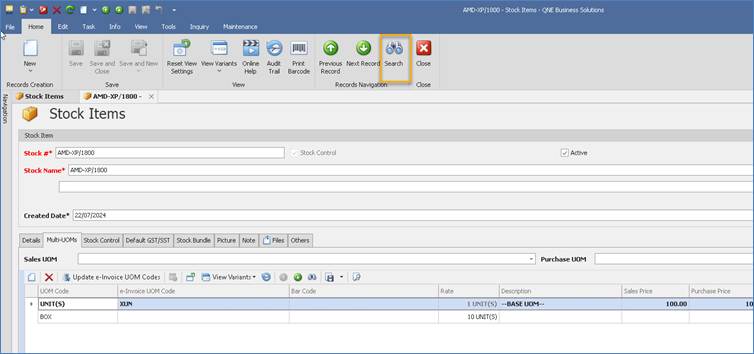
2. To check for Other UOMs for the e-Invoice UOMs status, click “Search”
Edit > UOMs
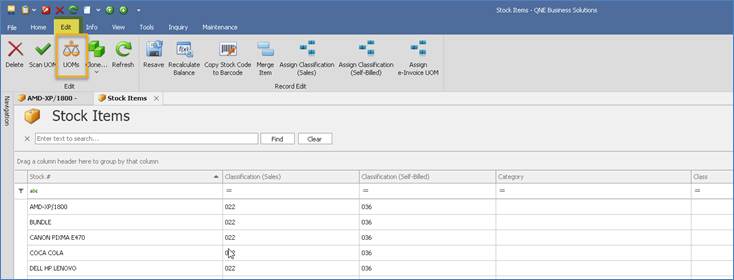
User can check those “UOM Code” yet to define “e-Invoice UOM Code” from here
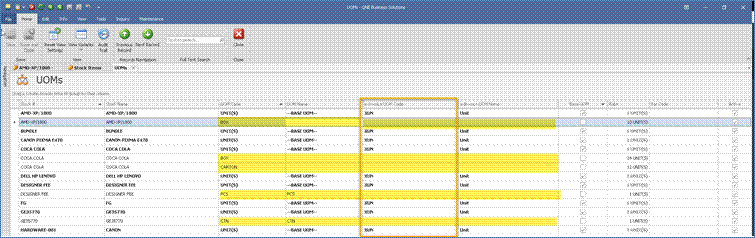
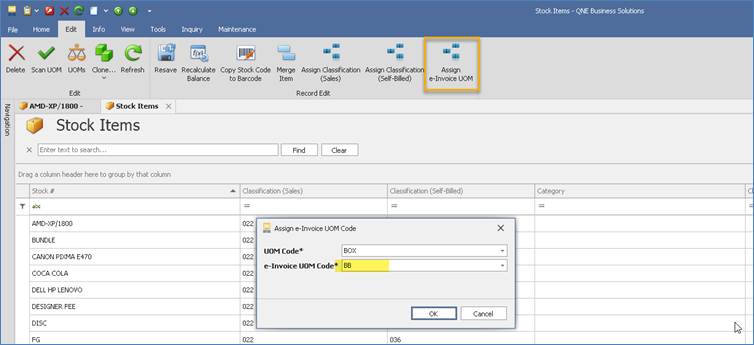
4. User can click on “Assign e-Invoice UOM”, select “UOM Code” for the existing system UOM and define “e-Invoice UOM Code”
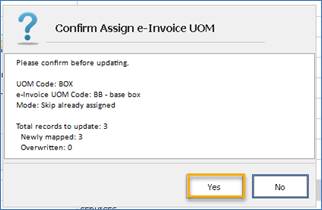
Click Yes for the confirmation. And system assigned e-Invoice UOM Code
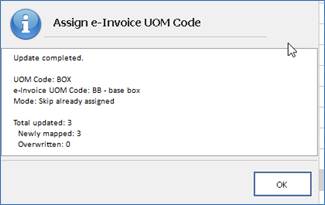
5. Check again the item, system has updated “e-Invoice UOM accordingly. Continue to update other UOMs for “e-Invoice UOM”.
6. If user submit the sales invoice
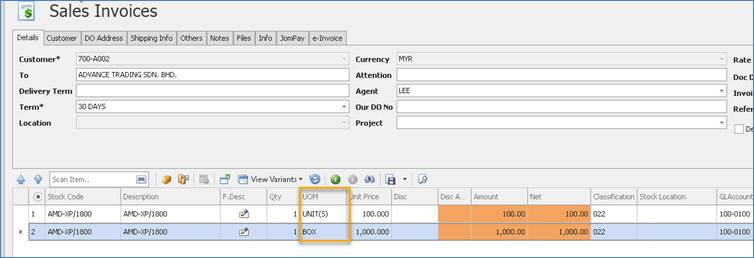
System will submit “e-Invoice UOM” to Myinvois

Remark:
If user select a stock code without update e-Invoice UOM Code for submission,
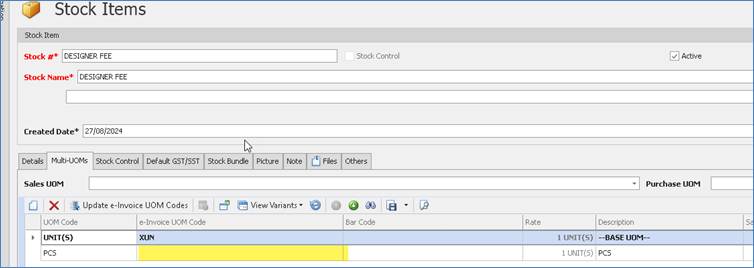
The measurement in Myinvois will be empty

Was this article helpful?
That’s Great!
Thank you for your feedback
Sorry! We couldn't be helpful
Thank you for your feedback
Feedback sent
We appreciate your effort and will try to fix the article
