Overview:
N3 AI Accounting provides an e-Invoice UOM Code field to allow users to define the appropriate Unit of Measurement (UOM) for their stock or service items.
Users are advised to review and maintain the e-Invoice UOM Code based on the actual UOM used for the item, and select the most accurate or nearest applicable UOM where an exact match is not available.
Scenario:
When preparing items for e-Invoice submission, the UOM used in the system may not directly match the available e-Invoice UOM codes.
For example:
- System UOM: PCS
- Actual item: Sold by individual pieces
- e-Invoice UOM: Select the applicable Piece UOM code.
Users should review the available UOM codes and select the one that best represents the actual unit of the item.
Solution:
1. Navigate to Stock & Services > Open the relevant stock or service item. Go to the UOM section > Edit
Locate the e-Invoice UOM Code column.
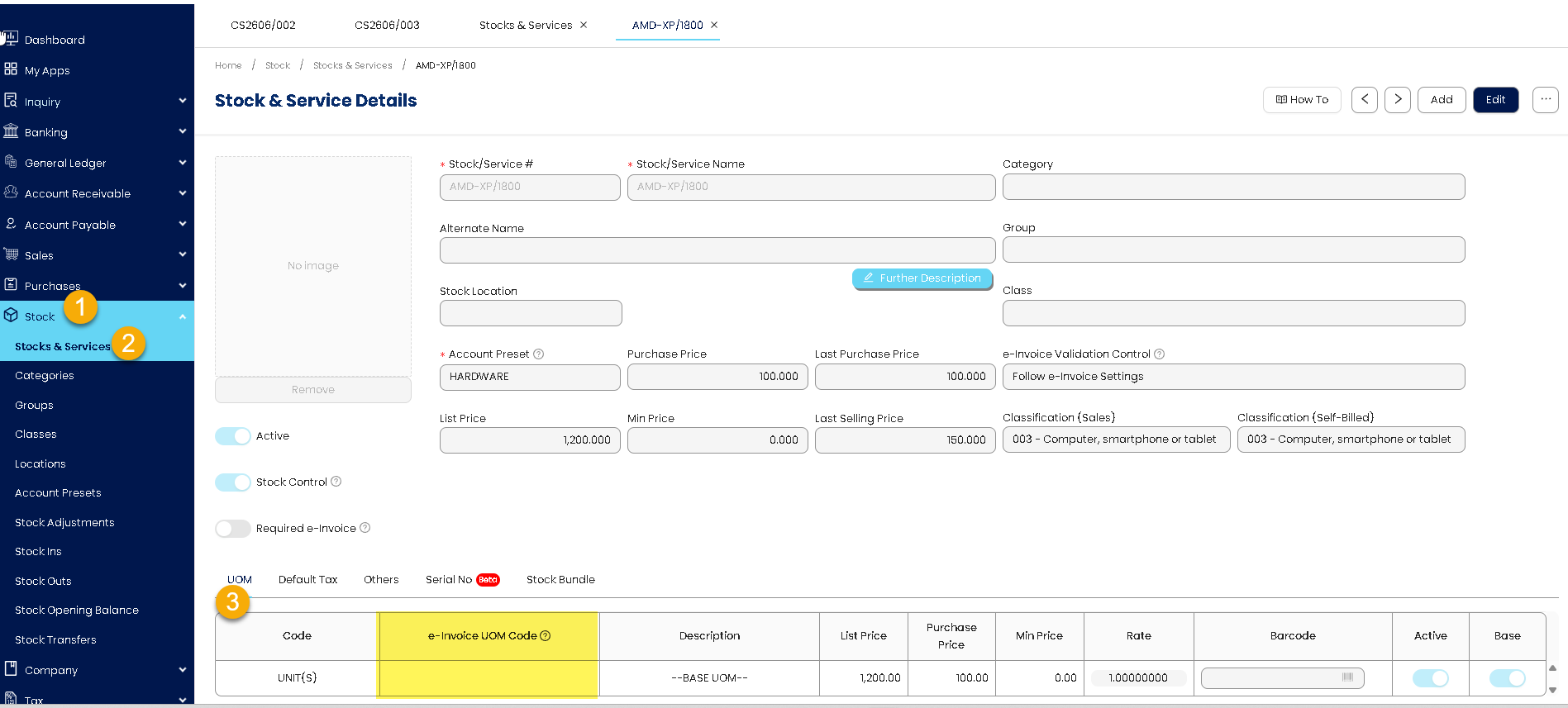
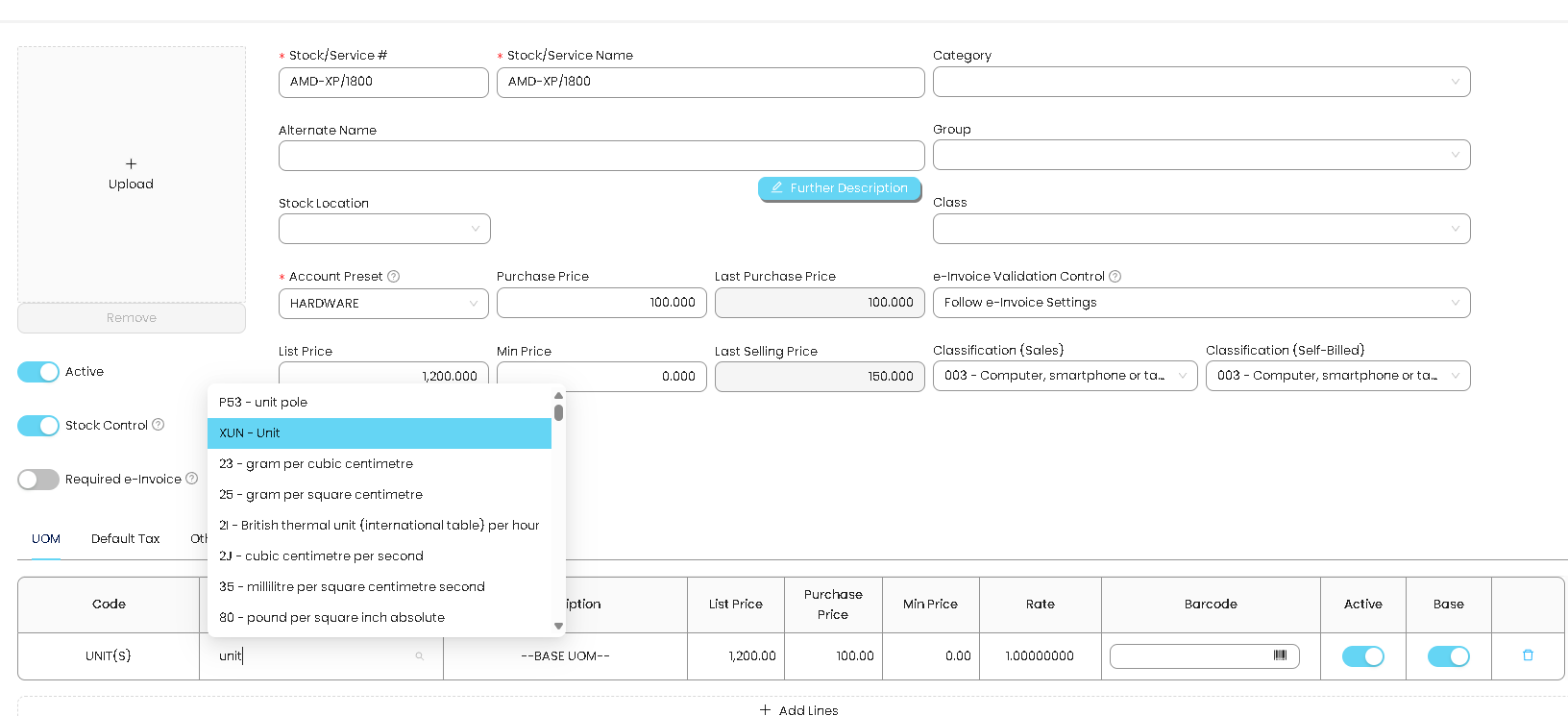
2. Select the appropriate e-Invoice UOM Code based on the item's actual UOM. Save the changes.
Was this article helpful?
That’s Great!
Thank you for your feedback
Sorry! We couldn't be helpful
Thank you for your feedback
Feedback sent
We appreciate your effort and will try to fix the article
