Overview:
When users click the Submit e-Invoice button in QNE, the system displays an error message indicating that the connection settings must be configured in the E-Invoice Settings Maintenance screen and the environment must be connected before proceeding.
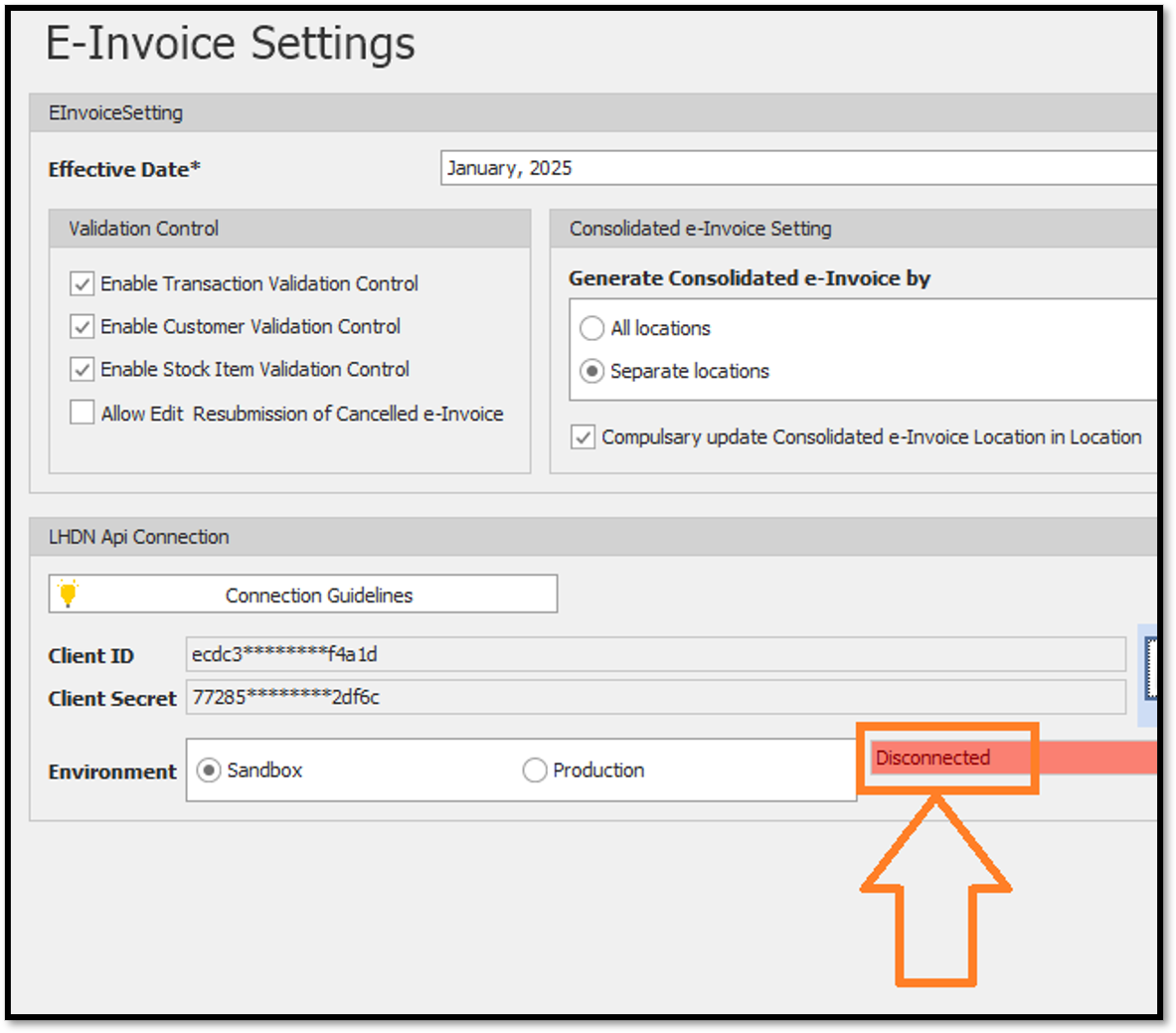
This issue occurs because the LHDN API Connection status is Disconnected in the E-Invoice Settings.
To resolve the issue, users need to establish the LHDN API connection before submitting the e-Invoice.
Scenario:
When creating a Sales Invoice in QNE, the user clicks the Submit e-Invoice button. The system displays the following error message:
"Please configure the connection settings in E-Invoice Settings Maintenance screen. Ensure the environment was CONNECTED before proceed."
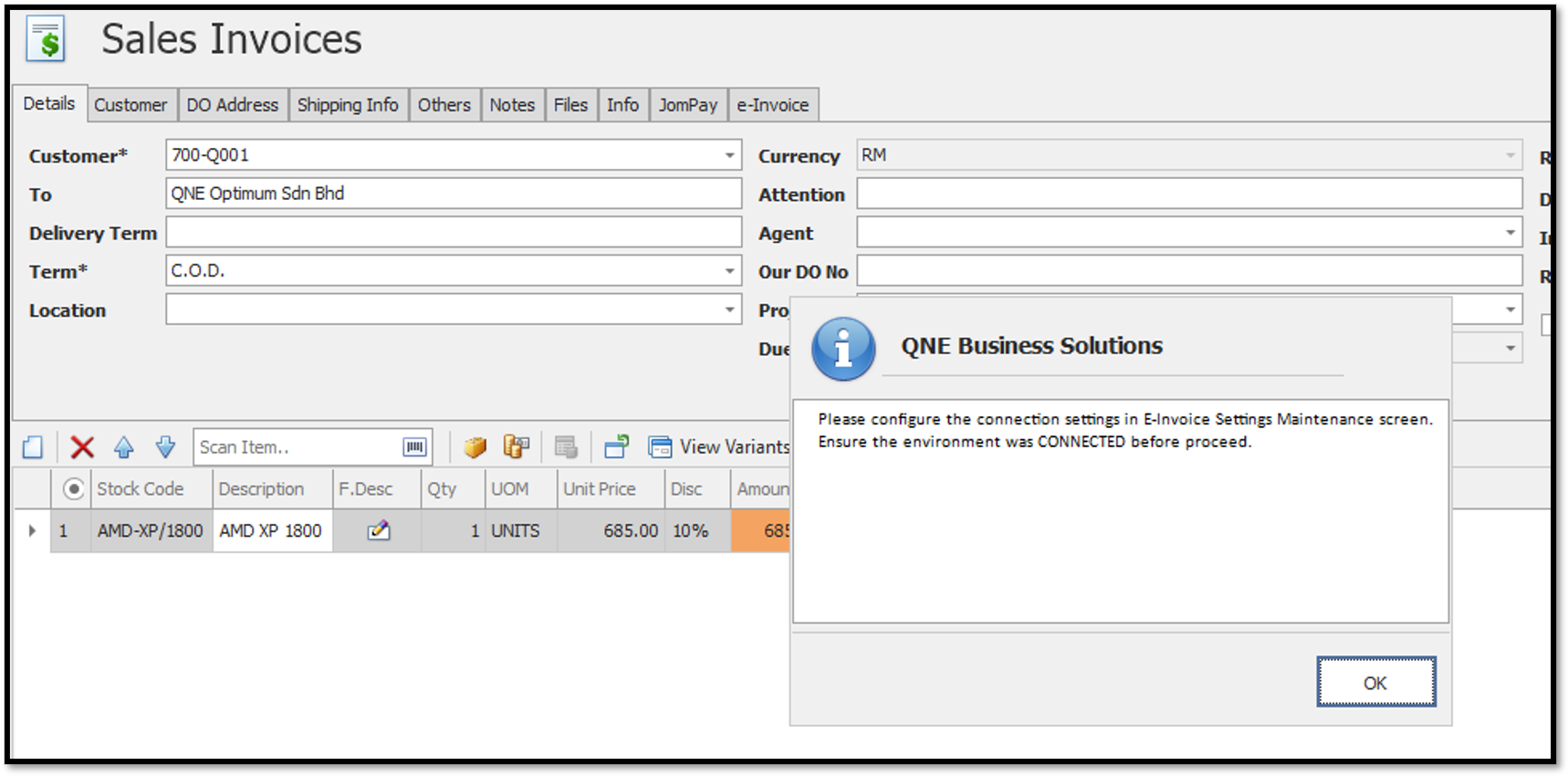
This error occurs because the LHDN API Connection in E-Invoice Settings is currently showing Disconnected.
As a result, QNE cannot proceed with the e-Invoice submission until the connection is established.
Solution:
Follow the steps below to reconnect the LHDN API:
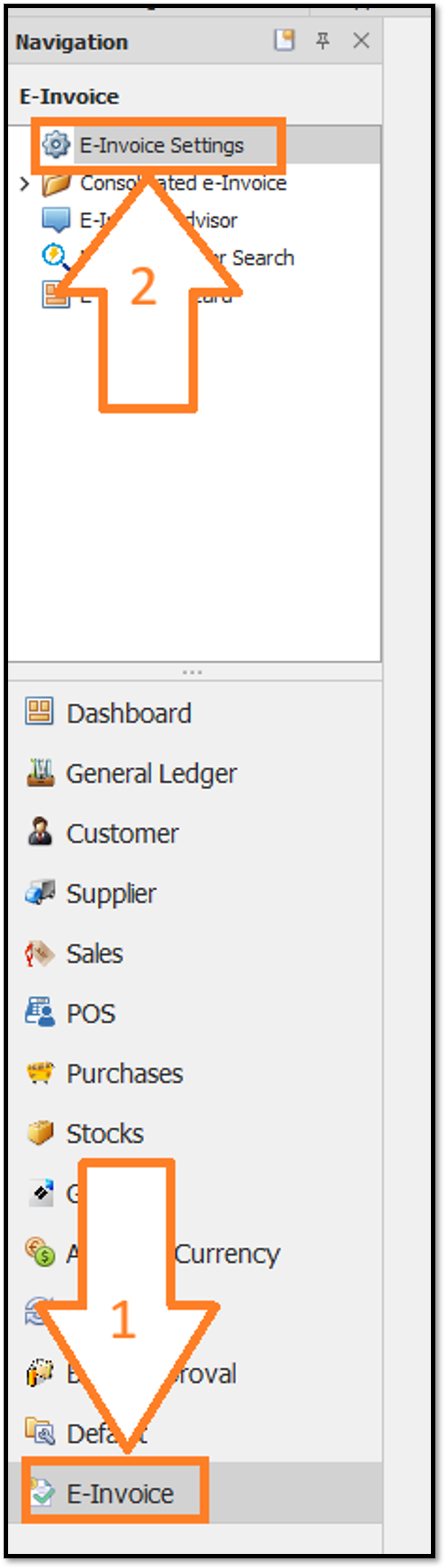
- Navigate to E-Invoice > E-Invoice Settings.
- Under the LHDN API Connection section, check the connection status.
- If the status shows Disconnected, click the Connect button.
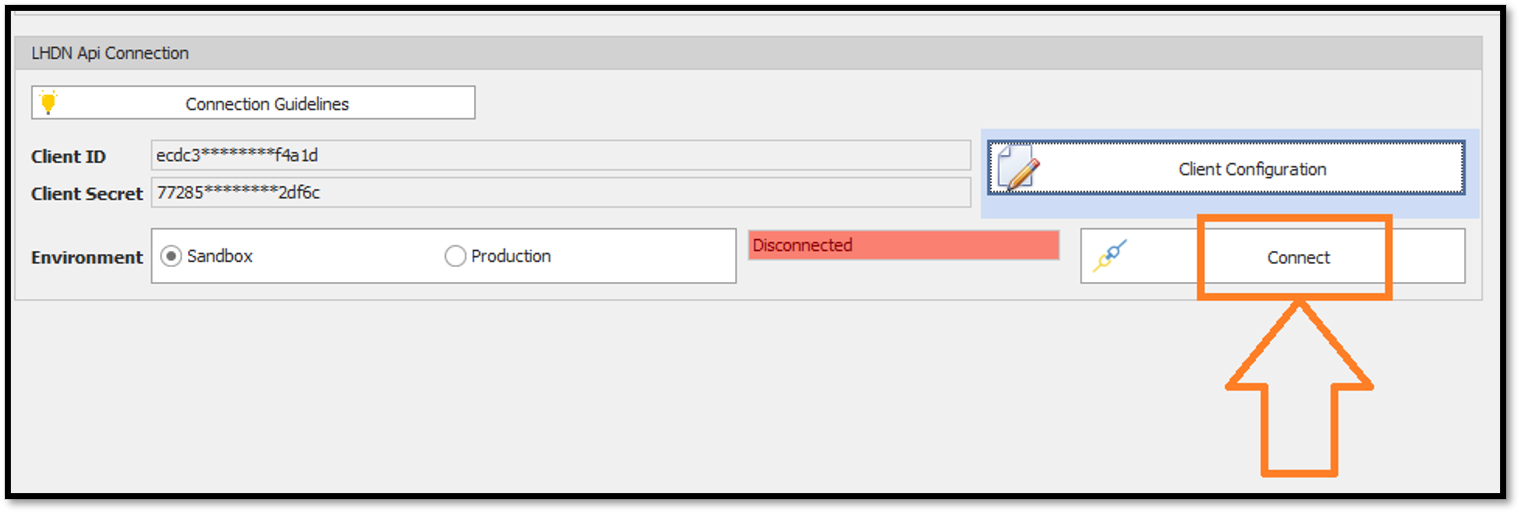
- Verify that the connection status has changed to Connected.
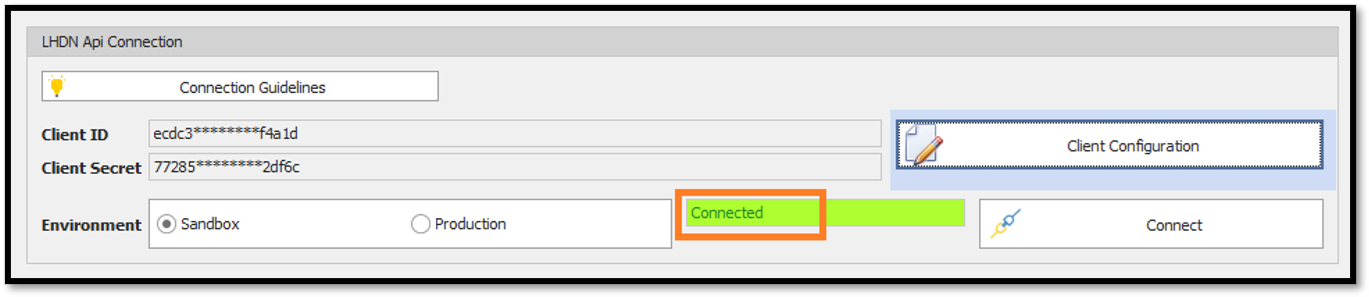
- Return to the Sales Invoice and click Submit e-Invoice again.
Thanks for viewing.
Was this article helpful?
That’s Great!
Thank you for your feedback
Sorry! We couldn't be helpful
Thank you for your feedback
Feedback sent
We appreciate your effort and will try to fix the article
