Overview:
When a cheque issued or received is dishonored by the bank (bounced) or needs to be reverted, marking it as a Bounced / Revert Cheque in the system ensures that your financial records, bank reconciliation, and customer/supplier outstanding balances remain accurate. Instead of deleting the transaction, marking it as bounced preserves the audit trail and posts a reversing entry on the specified bounce date.
This process applies to:
- Receipt Voucher
- Payment Voucher
- Supplier Pay Bills
- Customer Receive Payment
Scenario:
A customer payment was previously recorded via a Receipt Voucher / Receive Payment, or a payment to a supplier was recorded via a Payment Voucher / Pay Bills. Subsequently, the bank notifies you that the cheque has bounced due to insufficient funds, signature mismatch, or other bank issues.
To reflect the actual bank status without losing the historical transaction record, you need to flag the transaction as bounced so the system automatically generates a reversal entry effective on the date the cheque was bounced
Solution:
Follow these steps to mark a transaction as a bounced/reverted cheque:
- Open the specific transaction (Payment Voucher, Receipt Voucher, Pay Bills, or Receive Payment).
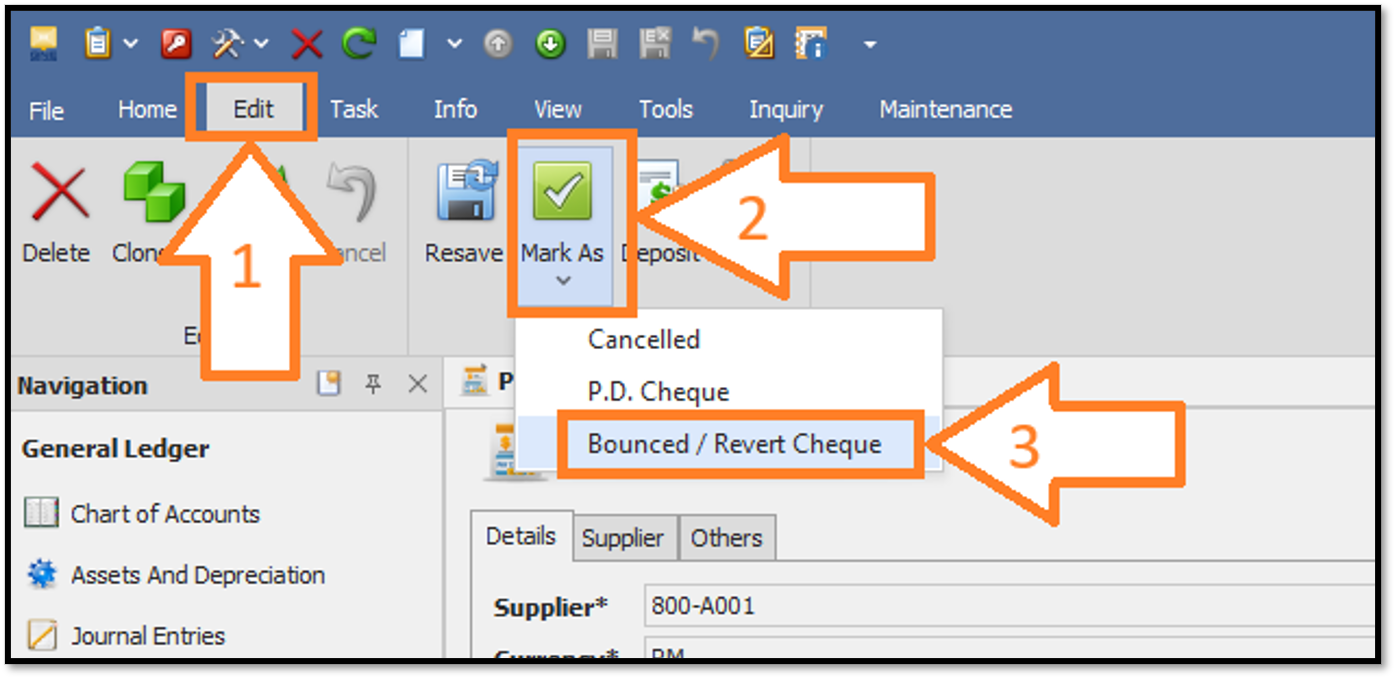
- Click on the Edit tab on the top ribbon bar > Click on the Mark As drop-down button > Select Bounced / Revert Cheque from the menu.
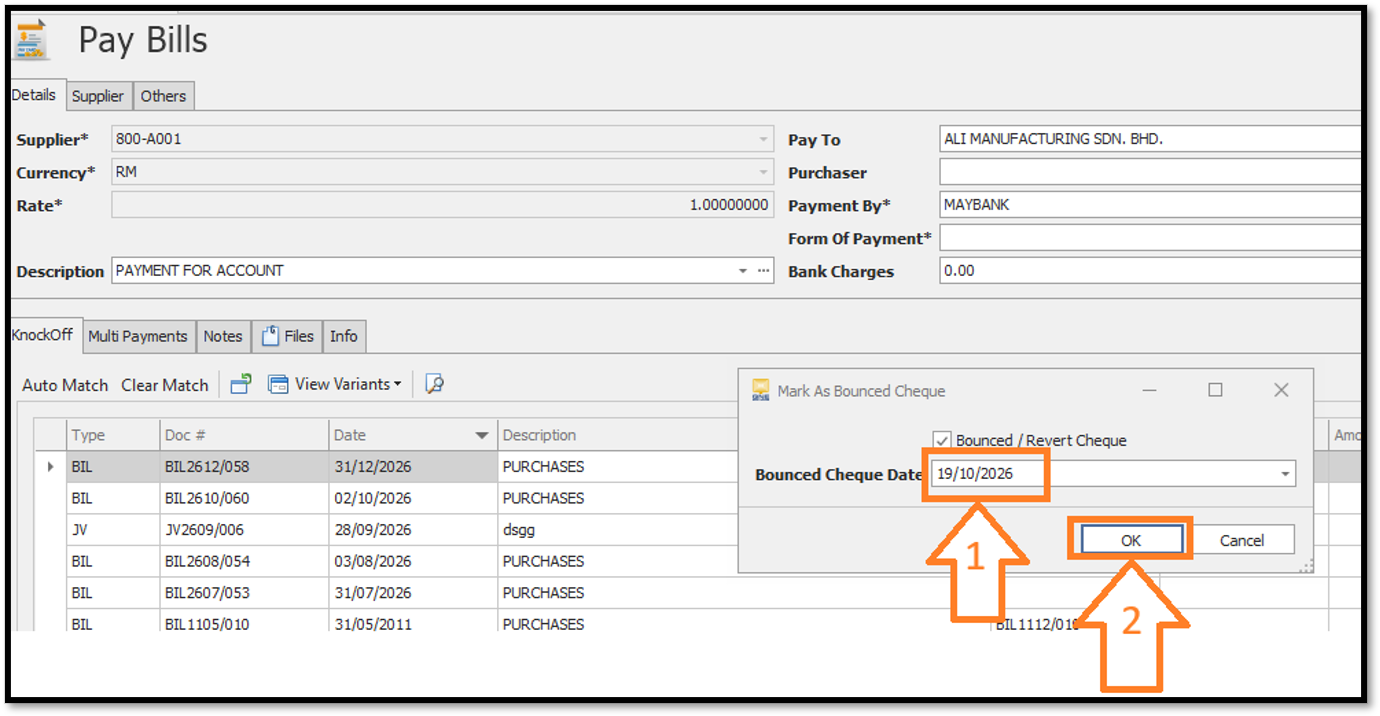
- A pop-up dialog titled Mark As Bounced Cheque will appear. > Ensure the Bounced / Revert Cheque checkbox is ticked > Enter or select the exact Bounced Cheque Date (the date the bank returned/dishonored the cheque). > Click OK to confirm.
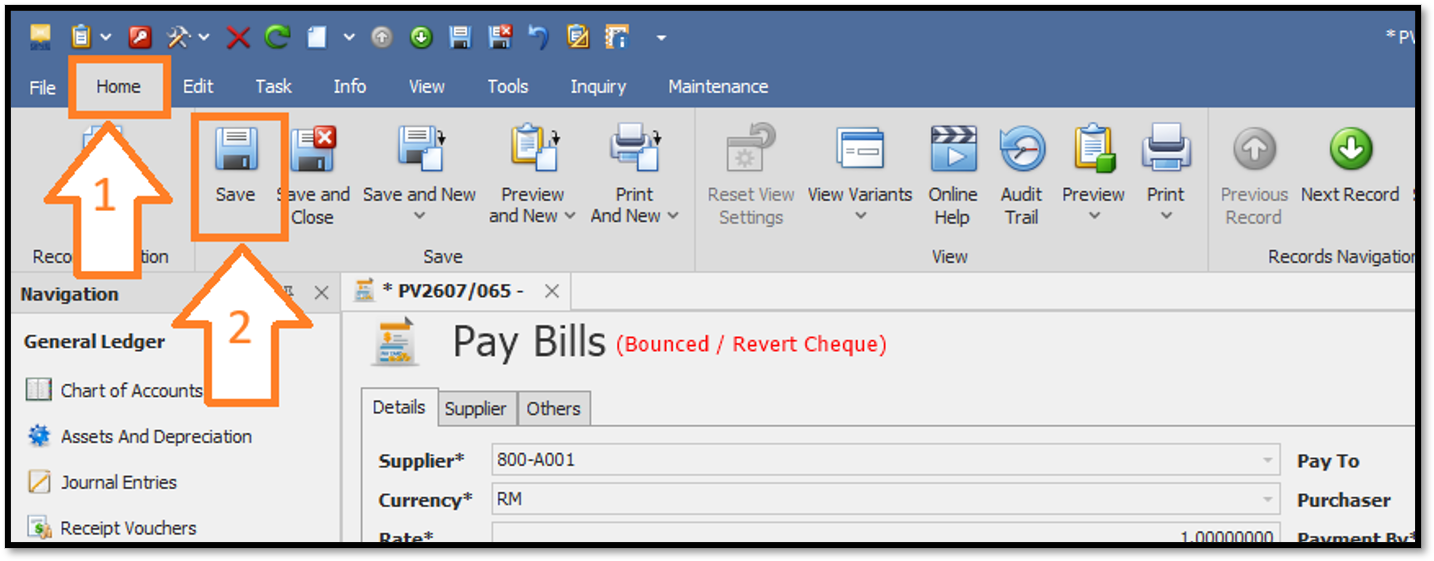
- Go back to the Home tab on the top ribbon menu > Click the Save button.
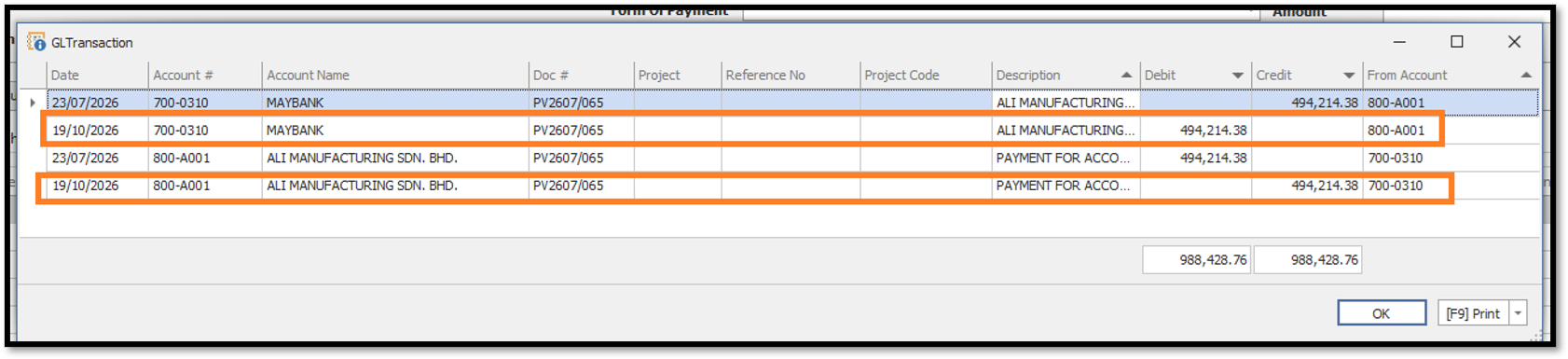
- Once saved, the system automatically posts the reversing accounting entries effective on the specified bounce date.
Thanks for viewing.
Was this article helpful?
That’s Great!
Thank you for your feedback
Sorry! We couldn't be helpful
Thank you for your feedback
Feedback sent
We appreciate your effort and will try to fix the article
