Scenario:
Import Chinese character show ??? in system. It is due to encoding issue.
Solution:
After copy related info to Excel template, save the excel file as CSV UTF-8 (Comma delimited)
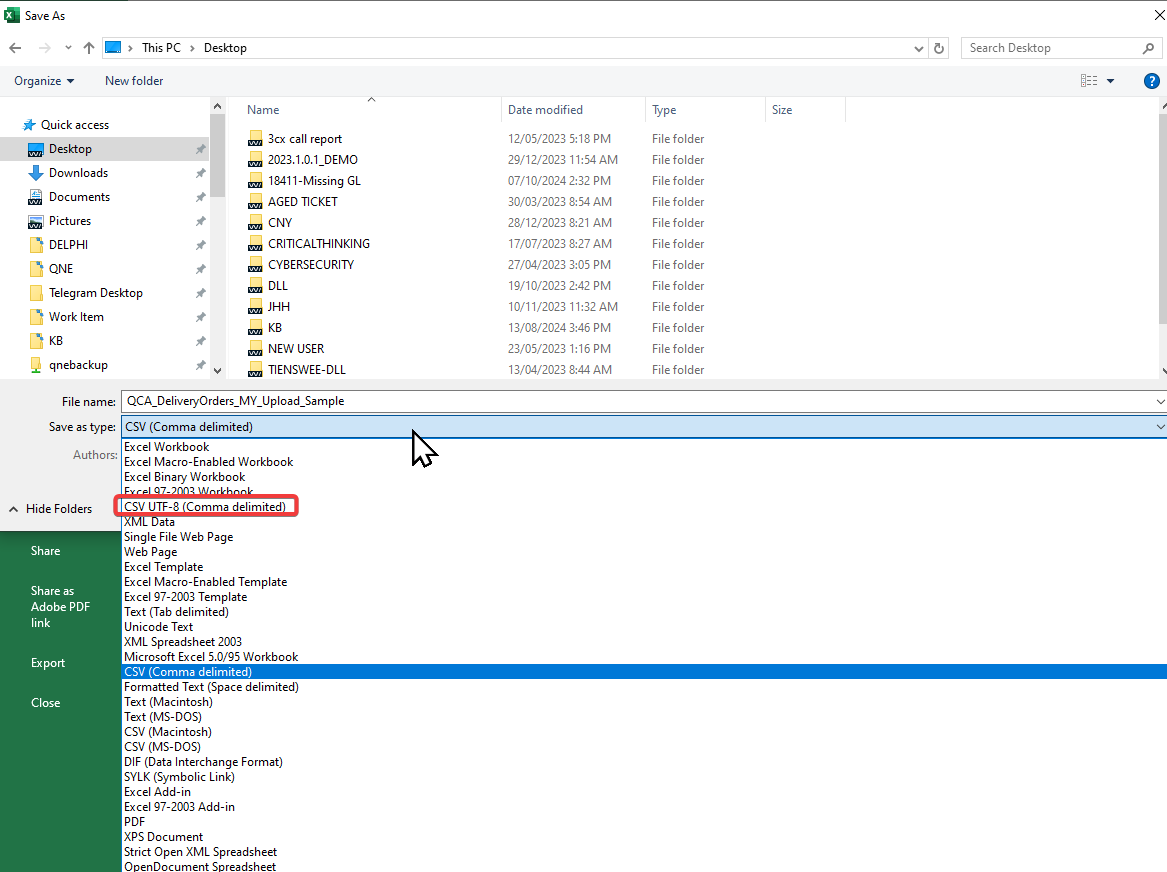
Note: CSV UTF-8 format only supported on Excel 2016 and later versions.
System Scope: QNE AI Cloud Accounting / N3 AI Accounting
Was this article helpful?
That’s Great!
Thank you for your feedback
Sorry! We couldn't be helpful
Thank you for your feedback
Feedback sent
We appreciate your effort and will try to fix the article
