Overview
This error occurs when the Tax Identification Number (TIN) used during authentication does not match the TIN specified in the e-Invoice document being submitted. The system will reject the submission to ensure compliance with LHDN validation requirements.
Root Caused
The authenticated taxpayer information differs from the TIN entered in the document. This
commonly happens when:
The company is logged in using a different TIN than the one registered in the document.
The Supplier TIN in the company profile is incorrect.
The API credentials or intermediary credentials are linked to a different taxpayer.
The document is being submitted on behalf of another company without proper intermediary authorization.
Resolution
To resolve this issue, kindly follow the steps below:
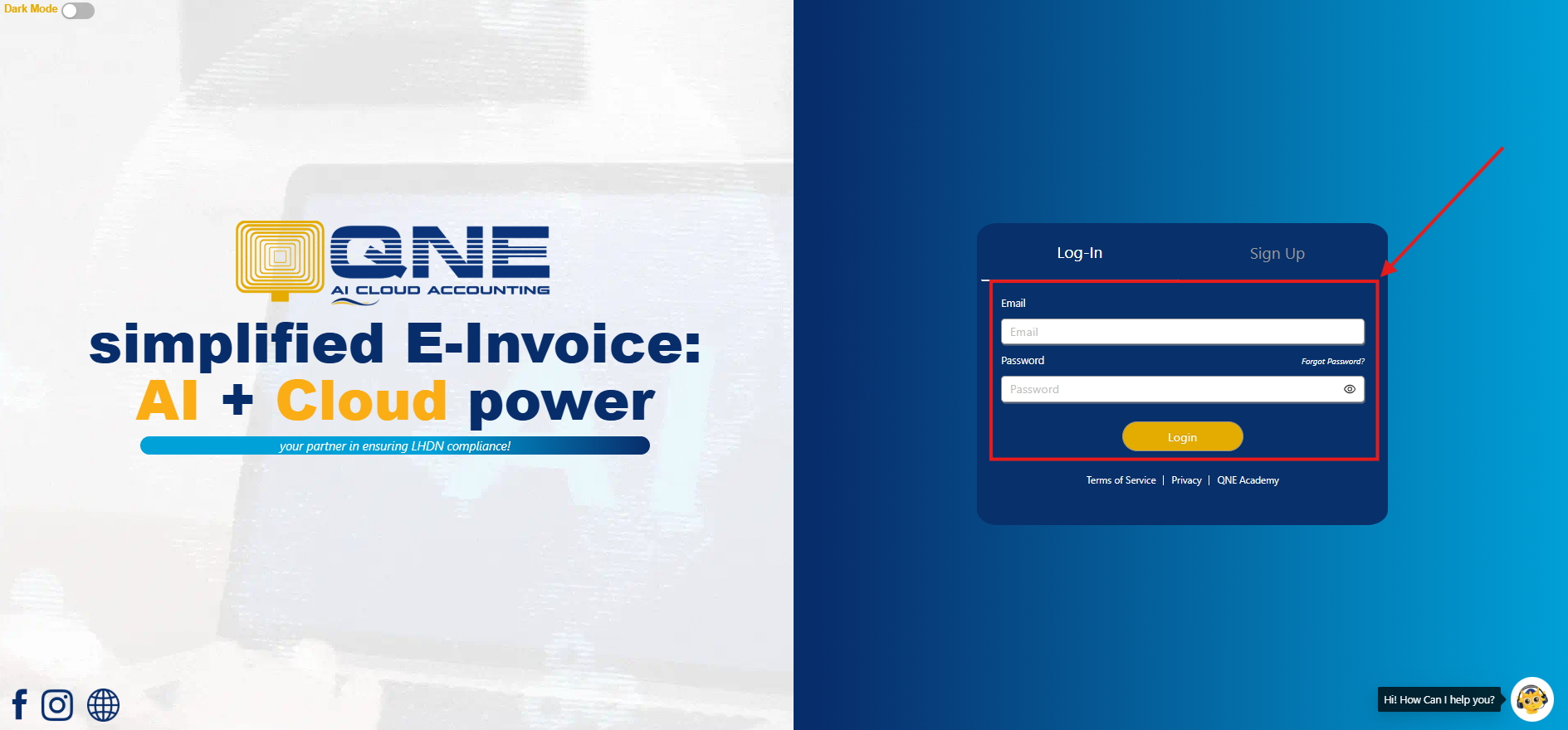
Login to QNE
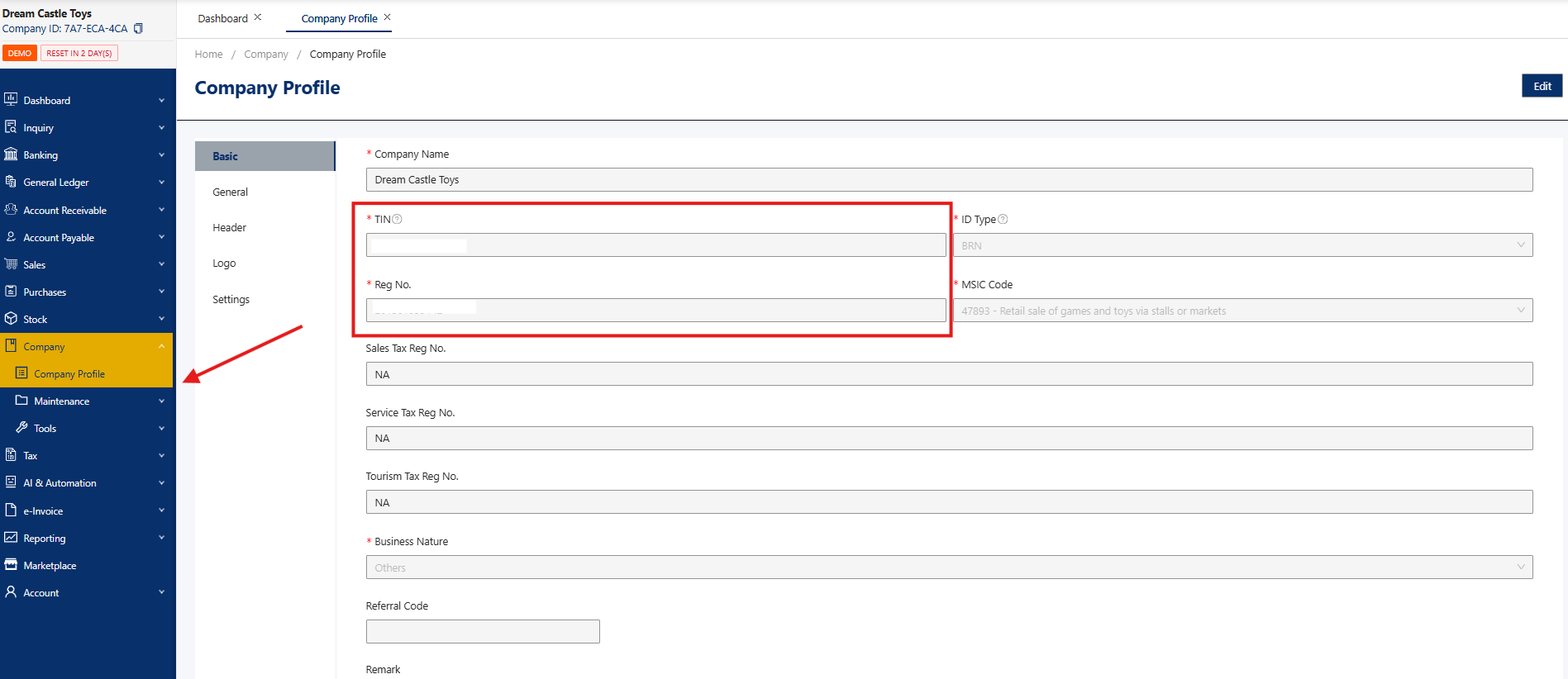
Go to Company > Company Profile > Check TIN and BRN
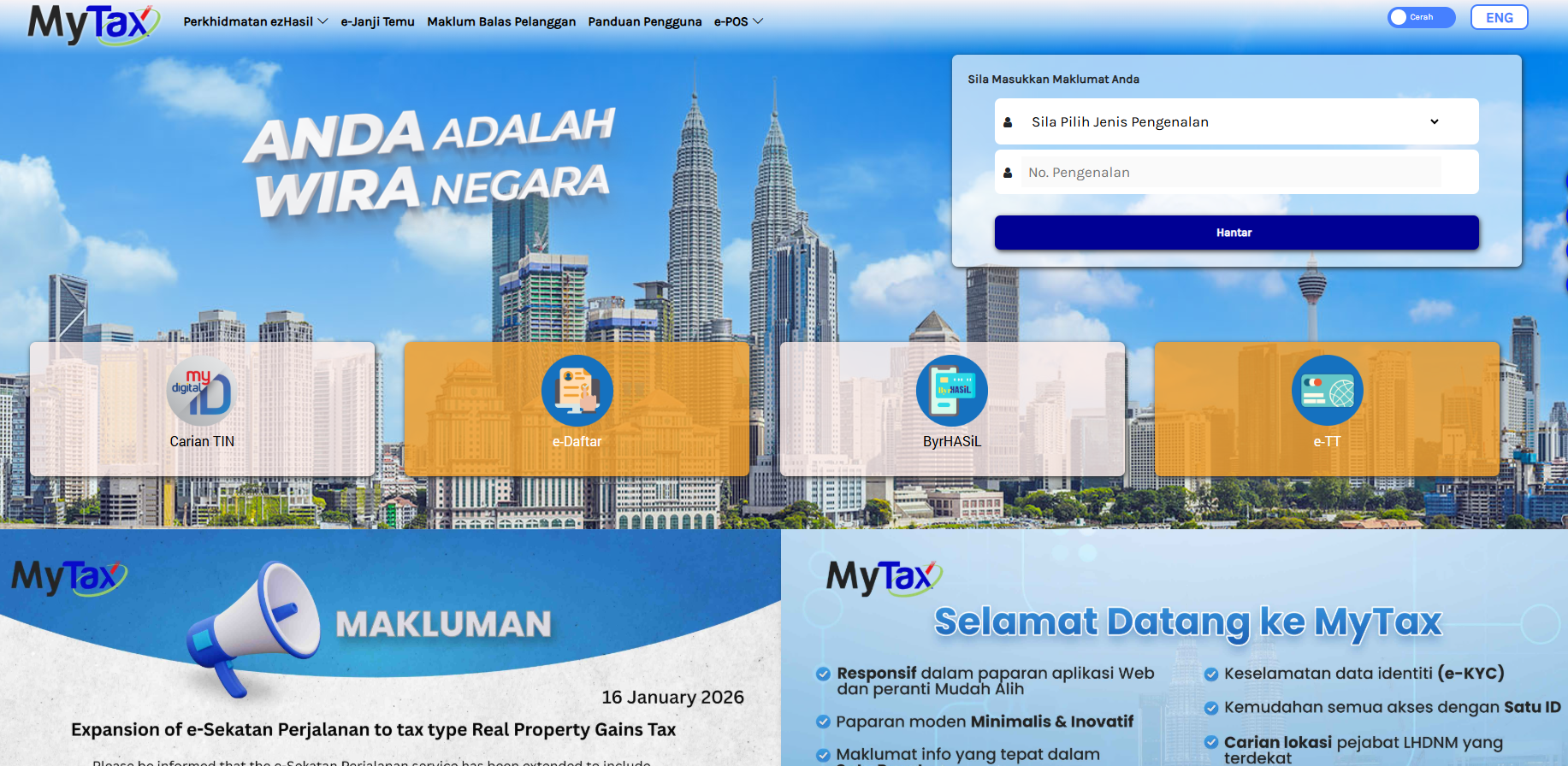
Next, proceed to login to MyTax. User can either login as Director or Representatives to go to MyInvois Portal of company.
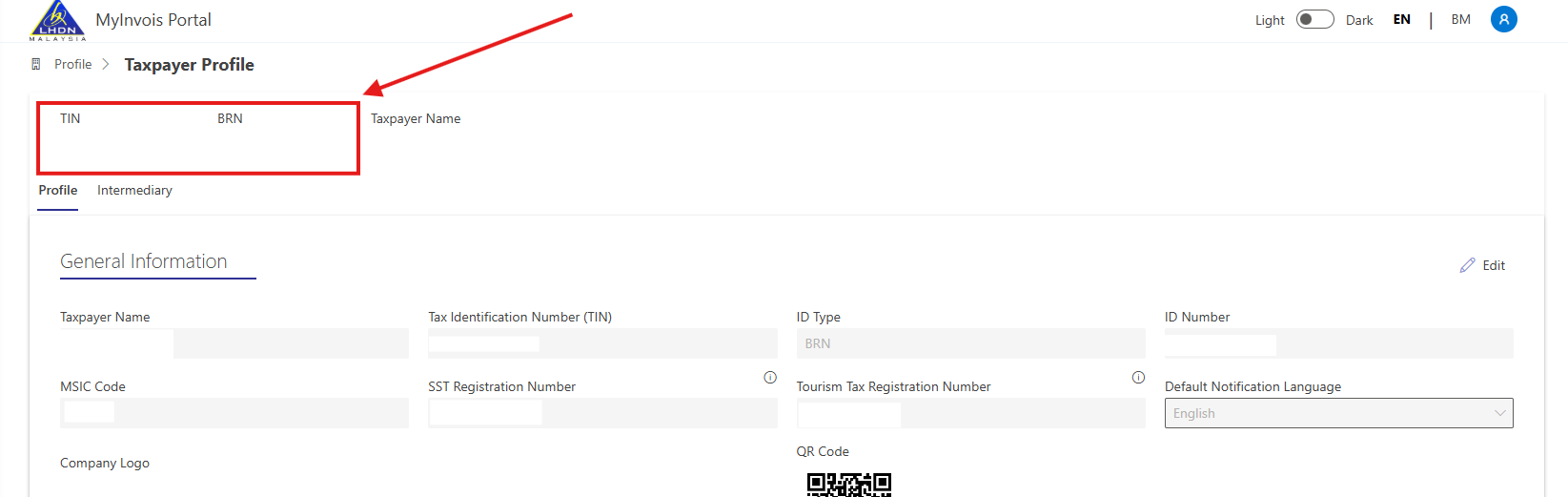
Proceed to open the Taxpayer Profile of Company. On the Taxpayer Profile, check into the TIN and BRN format used.
Please ensure that the TIN and BRN used in QCA or Optimum is the same as in the MyTax Portal.
Source: MyInvois SDK FAQ
Was this article helpful?
That’s Great!
Thank you for your feedback
Sorry! We couldn't be helpful
Thank you for your feedback
Feedback sent
We appreciate your effort and will try to fix the article
